8-Printer Commands Epic Edge™ OEM Integration Manual
100-14444 Rev B August 2018 Page 117
GS G – Print Custom Graphic
Description
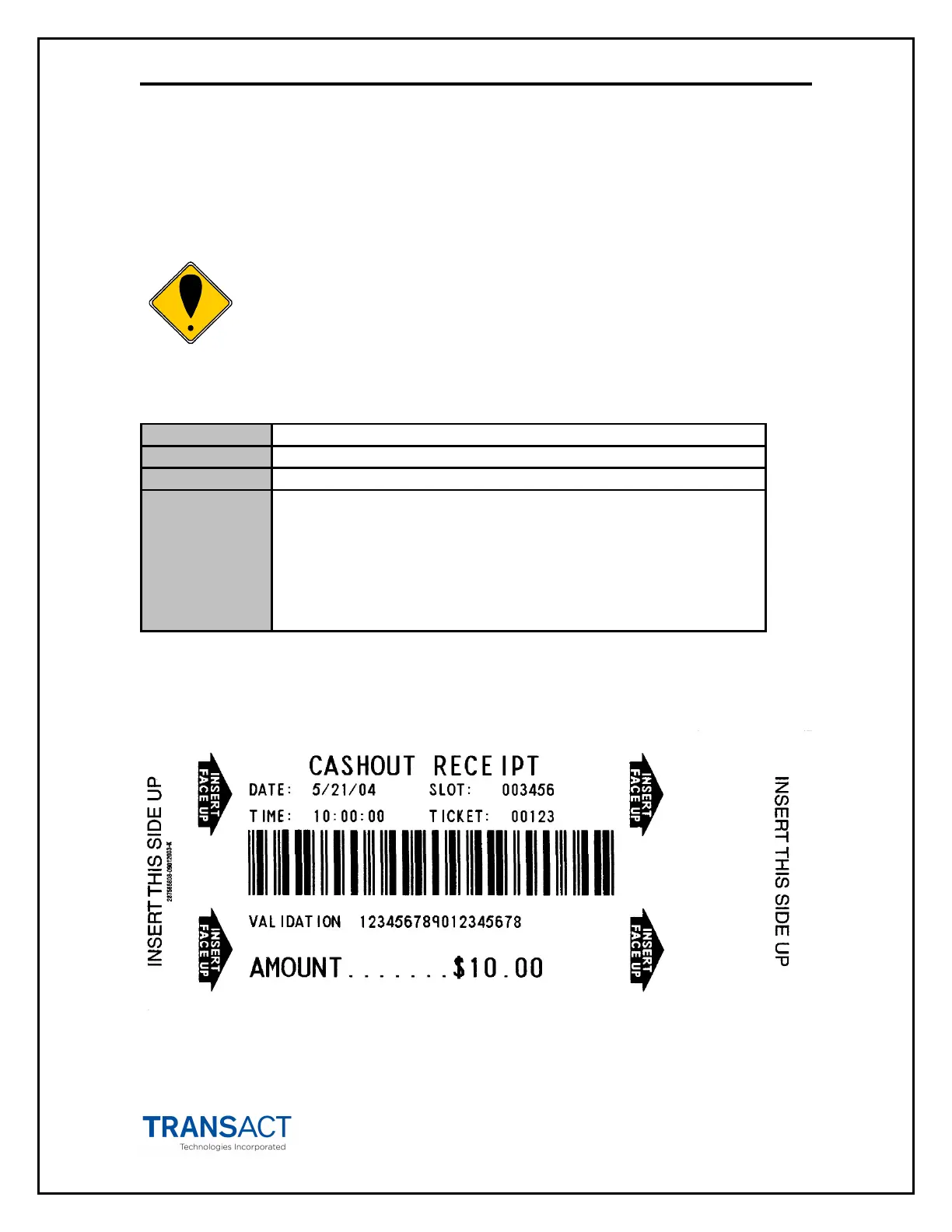
Prints a custom graphic. These graphics are predefined by the OEM.
Note: This command only functions in landscape mode.
Expression
Parameters n1 = the most significant byte of left offset
n2 = the least significant byte of left offset
(Left offset = (n1 * 256) + n2)
t = offset from top (in millimeters)
d = the direction to print the arrow. Right = 0; Left = 1
0 = Arrow (→) graphic with inverted “INSERT FACE UP” text
The figure below shows an example of printing custom graphics. If you were looking at a
ticket printed in landscape mode, the arrow will point to the right.



 To Next Page