6-Printer Operation Epic Edge™ OEM Integration Manual
100-14444 Rev B August 2018 Page 45
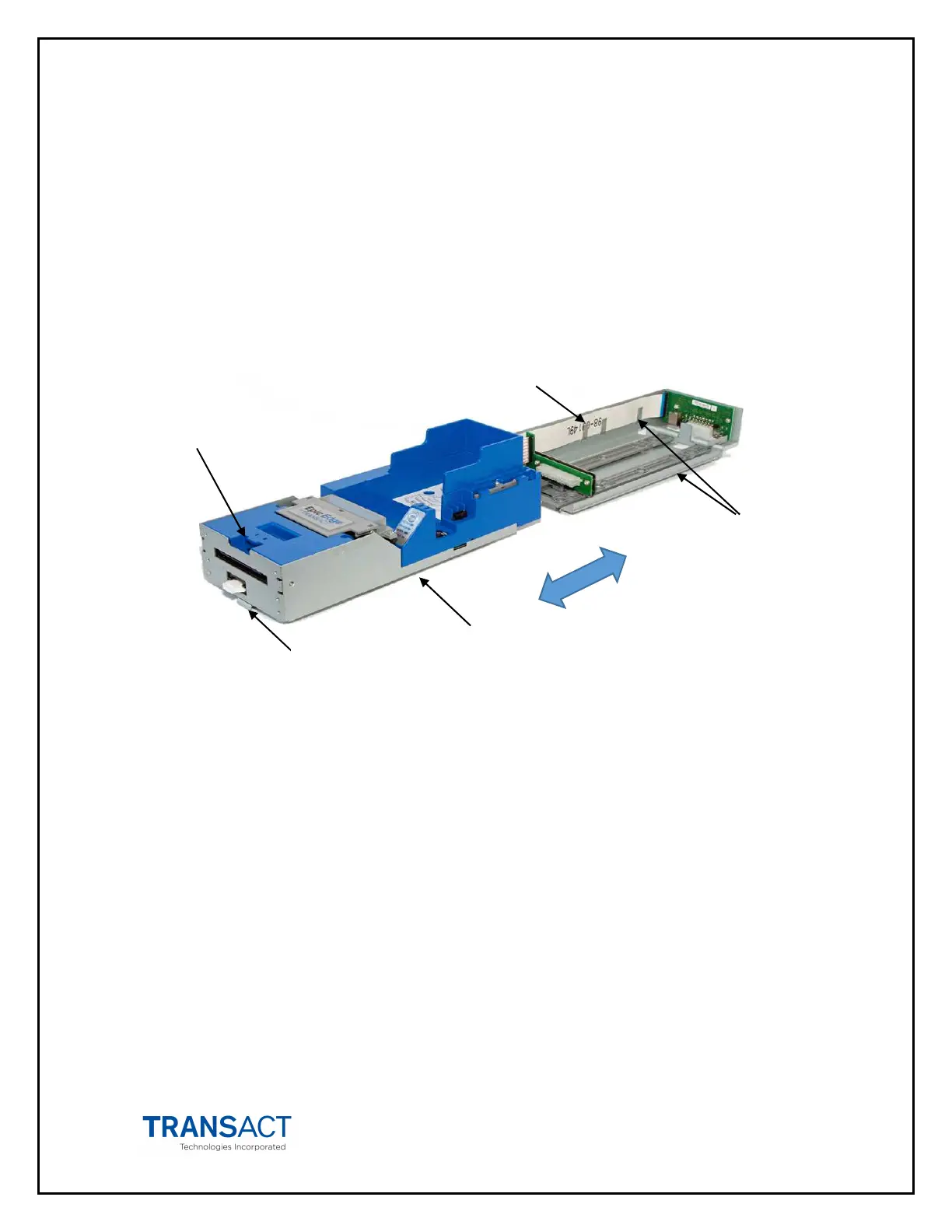
Racking/Unracking the Inner Chassis
All Epic Edge™ printers use a slider/detent/latch system with latch arms to retain the
Inner Chassis from accidentally being separated from the Outer Chassis. The Epic
Edge™ is opened for service by simply pulling on the ticket cover, pulling the Inner
Chassis forward from the Outer Chassis as you would a filing cabinet. If accessible, a
front-mounted release lever can also be pulled on to disengage and slide the Inner
Chassis.
\
Figure 15. Racking/Unracking the Inner Chassis
To remove the Inner Chassis, perform the following steps:
• Pull on the Ticket Cover to release the rear detents, pulling the Inner Chassis
towards you until its latches catch the forward detent slots in the Outer Chassis
Slides.
• Pull on the Release Lever and pull forward on the Inner Chassis to disconnect
from the Outer Chassis. (This assembly incorporates a HotSwap QDT (Quick
Disconnect Technology) design, which may be removed while power is still on to
the unit.)
To return the Inner Chassis to its base, perform the following steps:
• Align the base of the Inner Chassis with the outer walls of the Outer Chassis,
seating it within side walls A and B as shown in Figure 15
• While pulling outwards on the Release Lever, slide the Inner Chassis towards the
rear of the Outer Chassis until it latches at the rear of the Outer Chassis.
Inner
Chassis
Side Walls
A&B
Outer
Chassis
Release
Lever
Ticket
Cover



 To Next Page