EasyManua.ls Logo

Valleylab Force FX-C - Calibrating the Force FX-C Generator

Valleylab Force FX-C
214 pages
Print Icon
To Next Page IconTo Next Page
To Previous Page IconTo Previous Page
Loading...
Calibrating
the
Force
FX-C
Generator
Calibrating
the
Force
FX-C
Generator
5-24
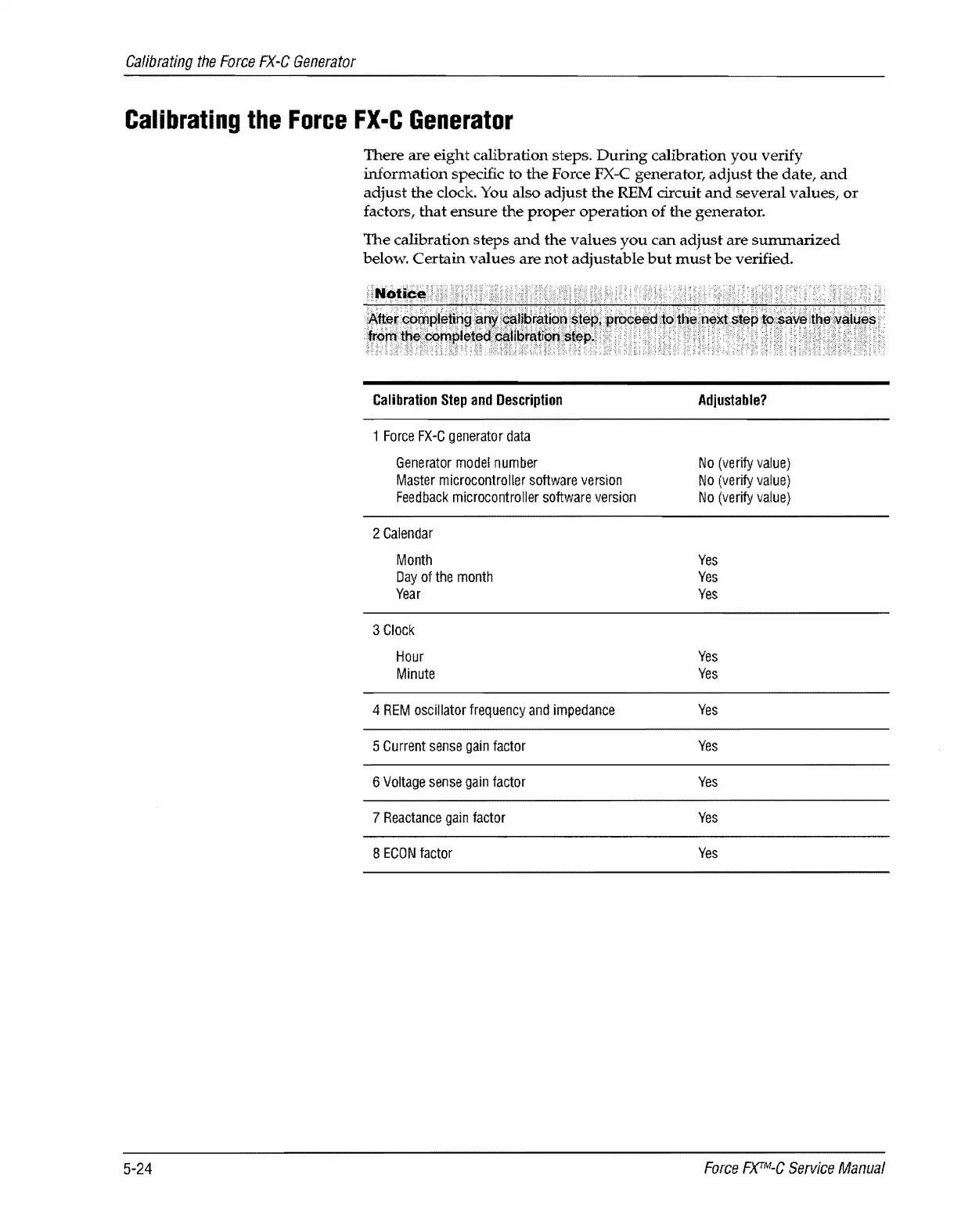
There
are
eight
calibration steps.
During
calibration
you
verify
information
specific to
the
Force FX-C generator,
adjust
the
date,
and
adjust
the
dock.
You also
adjust
the
REM circuit
and
several
values,
or
factors,
that
ensure
the
proper
operation
of
the
generator.
The
calibration
steps
and
the
values
you
can
adjust
are
sununarized
below.
Certain
values
are
not
adjustable
but
must
be
verified.
Calibration
Step
and
Description
1
Force
FX-C
generator
data
Generator
model
number
Master
microcontroller
software
version
Feedback
microcontrolier
software
version
2
Calendar
Month
Day
of
the
month
Year
3
Clock
Hour
Minute
4
REM
oscillator
frequency
and
impedance
5
Current
sense
gain
factor
6
Voltage
sense
gain
factor
7
Reactance
gain
factor
8
ECON
factor
Adjustable?
No
(verify
value)
No
(verify
value)
No
(verify
value)
Yes
Yes
Yes
Yes
Yes
Yes
Yes
Yes
Yes
Yes
Force
F)(TM-C
Service
Manual

Table of Contents

Related product manuals