EasyManua.ls Logo

Valleylab Force FX-C - Replace Right Heat Sink Components; Install the Right Heat Sink 7·22

Valleylab Force FX-C
214 pages
Print Icon
To Next Page IconTo Next Page
To Previous Page IconTo Previous Page
Loading...
Right
Heat
Sink
and
Component
Replacement
~--------------~
If
you
plan
to
replace
one
or
more
components
on
the
existing
heat
sink,
go
to Step
2-
Replace Right Heat
Sink
Components.
or
If
you
plan
to
replace
the
entire
right
heat
sink
assembly,
go
to Step 3 -
Install the
Right
Heat Sink.
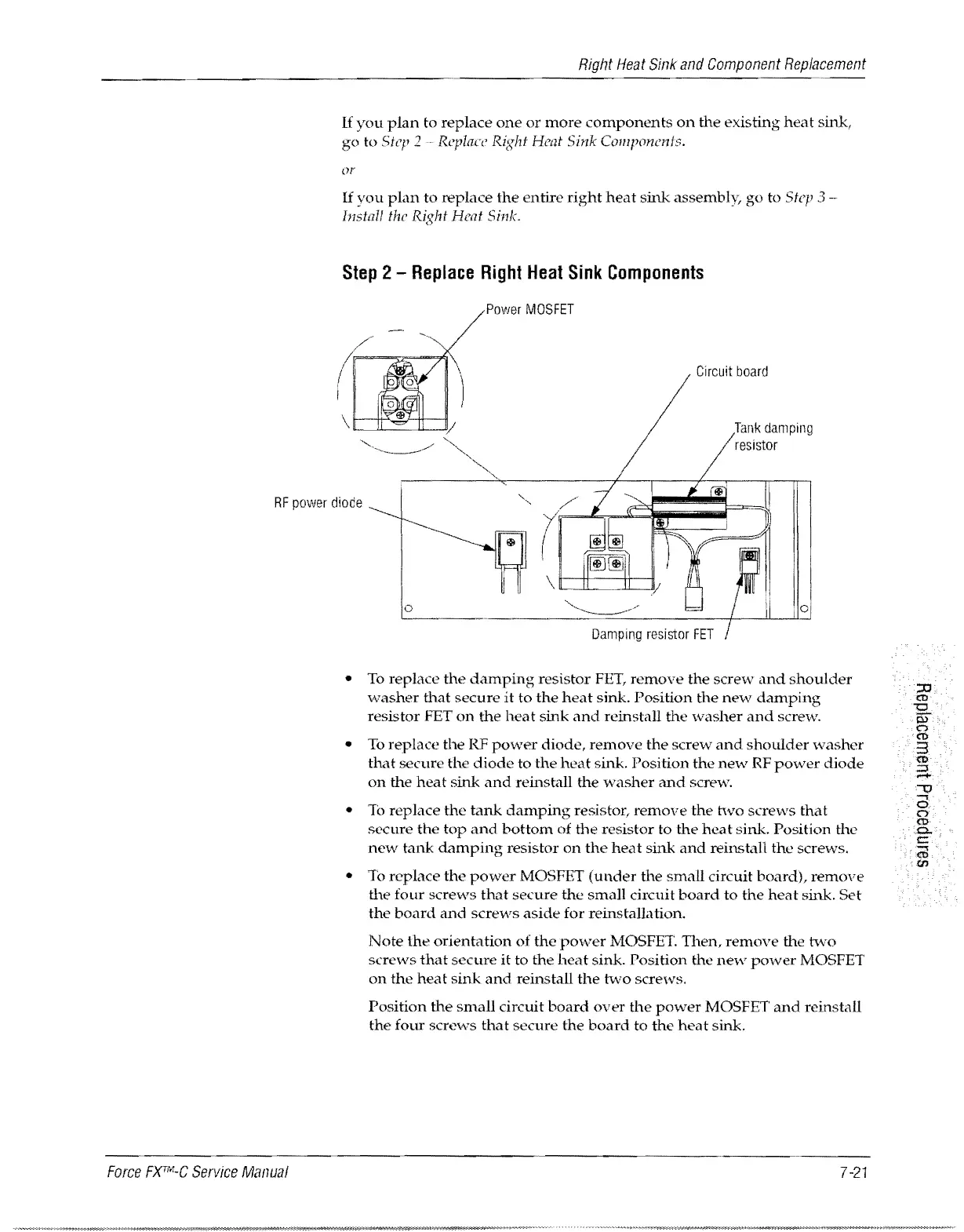
Step
2 -
Replace
Right
Heat
Sink
Components
Power
MOSFET
Circuit
board
RF
power
diode
Force
FXrr.'LC
Service
Manual
L.o
__________
~=:::::::=_
__
....:::.=____,I__-LL-11°.:::J
To
replace
the
damping
resistor
FET,
remove
the
screw
Lmd
shoulder
washer
that
secure
it
to
the
heat
sink.
Position
the
new
damping
resistor
FET
on
the
heat
sink
and
reinstall
the
washer
and
screw.
To
replace
the
RF
power
diode,
remove
the
screw
and
shoulder
washer
that
secure
the
diode
to
the
heat
sink.
Position
the
ne"v RF
power
diode
on
the
heat
sink
and
reinstall
the
washer
and
screw.
To
replace
the
tank
damping
resistor,
remove
the
hvo
screws
that
secure
the
top
and
bottom
of
the
resistor
to
the
heat
sink.
Position
the
new
tank
damping
resistor
on
the
heat
sink
and
reinstall
the
screws.
To
replace
the
power
MOSFET
(under
the
small
circuit
board),
remove
the
four
screws
that
secure
the
small
circuit
board
to
the
heat
sink.
Set
the
board
and
screws
aside
for
reinstallation.
Note
the
orientation
of
the
pmNer MOSFET.
Then,
remove
the
two
screws
that
secure
it
to
the
heat
sink.
Position
the
new
power
MOSFET
on
the
heat
sink
and
reinstall
the
two
screws.
Position
the
small
circuit
board
over
the
power
MOSFET
and
reinstall
the
four
screws
that
secure
the
board
to
the
heat
sink.
7
-21

Table of Contents

Related product manuals