EasyManua.ls Logo

Valleylab Force FX-C - Install the Power Entry Module

Valleylab Force FX-C
214 pages
Print Icon
To Next Page IconTo Next Page
To Previous Page IconTo Previous Page
Loading...
Power
Entry
Module
Replacement
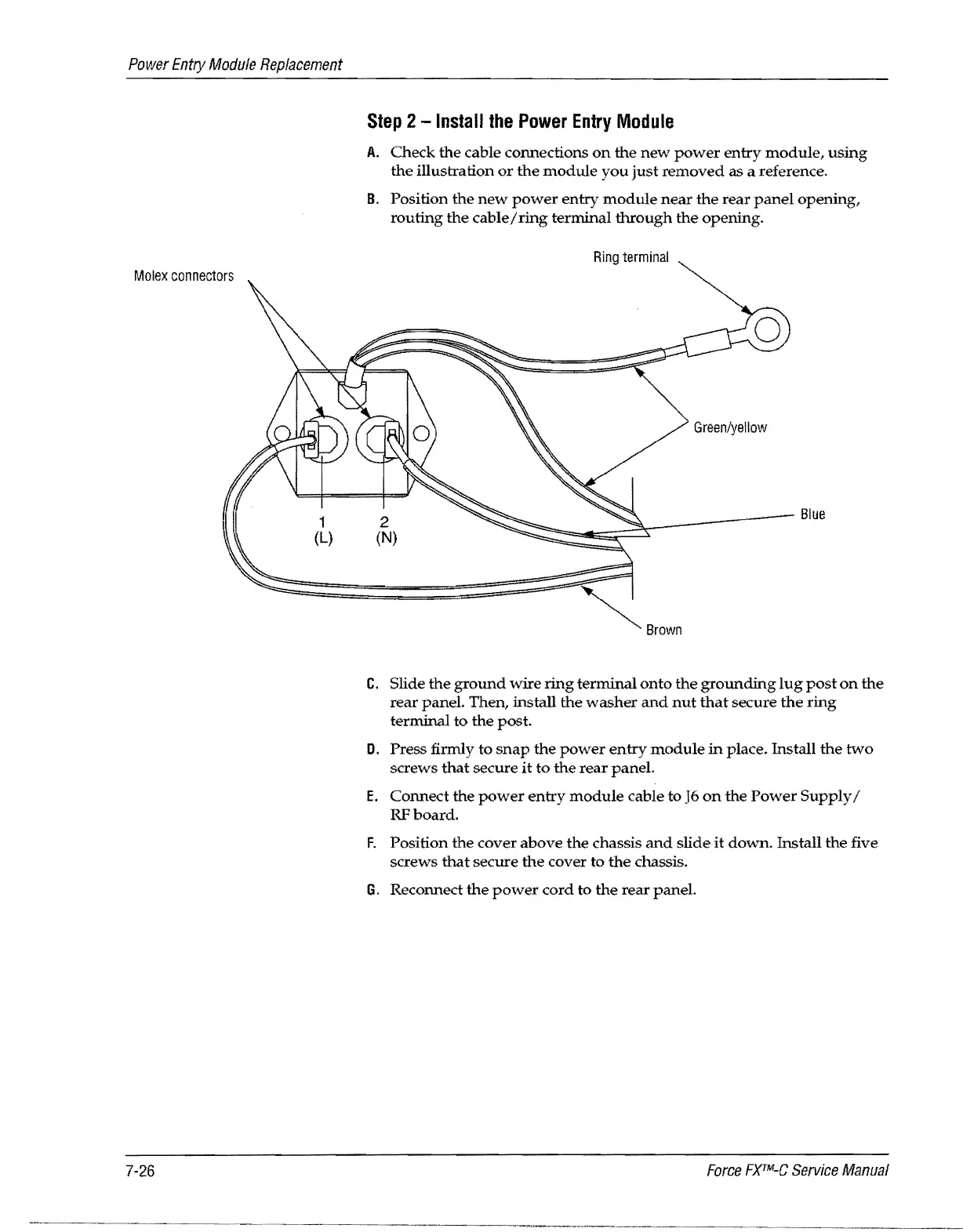
Molex
connectors
7-26
1
(L)
Step
2 -
Install
the
Power
Entry
Module
A.
Check
the
cable connections
on
the
new
power
entry
module,
using
the
illustration
or
the
module
you
just
removed
as a reference.
B.
Position
the
new
power
entry
module
near
the
rear
panel
opening,
routing
the
cable/ring
terminal
through
the
opening.
2
(N)
Ring
terminal
Green/yellow
~~
__
----~
Blue
Brown
C.
Slide
the
ground
wire
ring
terminal
onto
the
grounding
lug
post
on
the
rear
panel. Then, install
the
washer
and
nut
that
secure
the
ring
terminal
to
the post.
D.
Press firmly to
snap
the
power
entry
module
in
place. Install
the
two
screws
that
secure
it
to
the
rear
panel.
E.
Connect
the
power
entry
module
cable to
J6
on
the
Power
Supply/
RFboard.
F.
Position
the
cover
above
the
chassis
and
slide
it
down.
Install the five
screws
that
secure
the
cover to
the
chassis.
G.
Reconnect
the
power
cord
to
the
rear
paneL
Force
FXTM-C
Service
Manual

Table of Contents

Related product manuals