EasyManua.ls Logo

Valleylab Force FX-C - Fuse Replacement; Replacing Fuses in the Fuse Drawer 7·13

Valleylab Force FX-C
214 pages
Print Icon
To Next Page IconTo Next Page
To Previous Page IconTo Previous Page
Loading...
Fuse
Replacement
Force
F)(TM-C
Service
Manual
Fuse
Replacement
---
Replacing
Fuses
in
the
Fuse
Drawer
Equipment
required:
Small
flathead
screvvdriver
Fuse
puller.
Warning
Fire
Hazard-For
continued protection against fire hazard, replace fuses only
with fuses of the same type and rating as the original fuse.
1.
Turn
off
the
generator.
Disconnect
the
power
cord
from
the
wall
receptacle.
Disconnect
the
power
cord
from
the
rear
panel
for
easier
access
to
the
adjilcent
fuse
drmver.
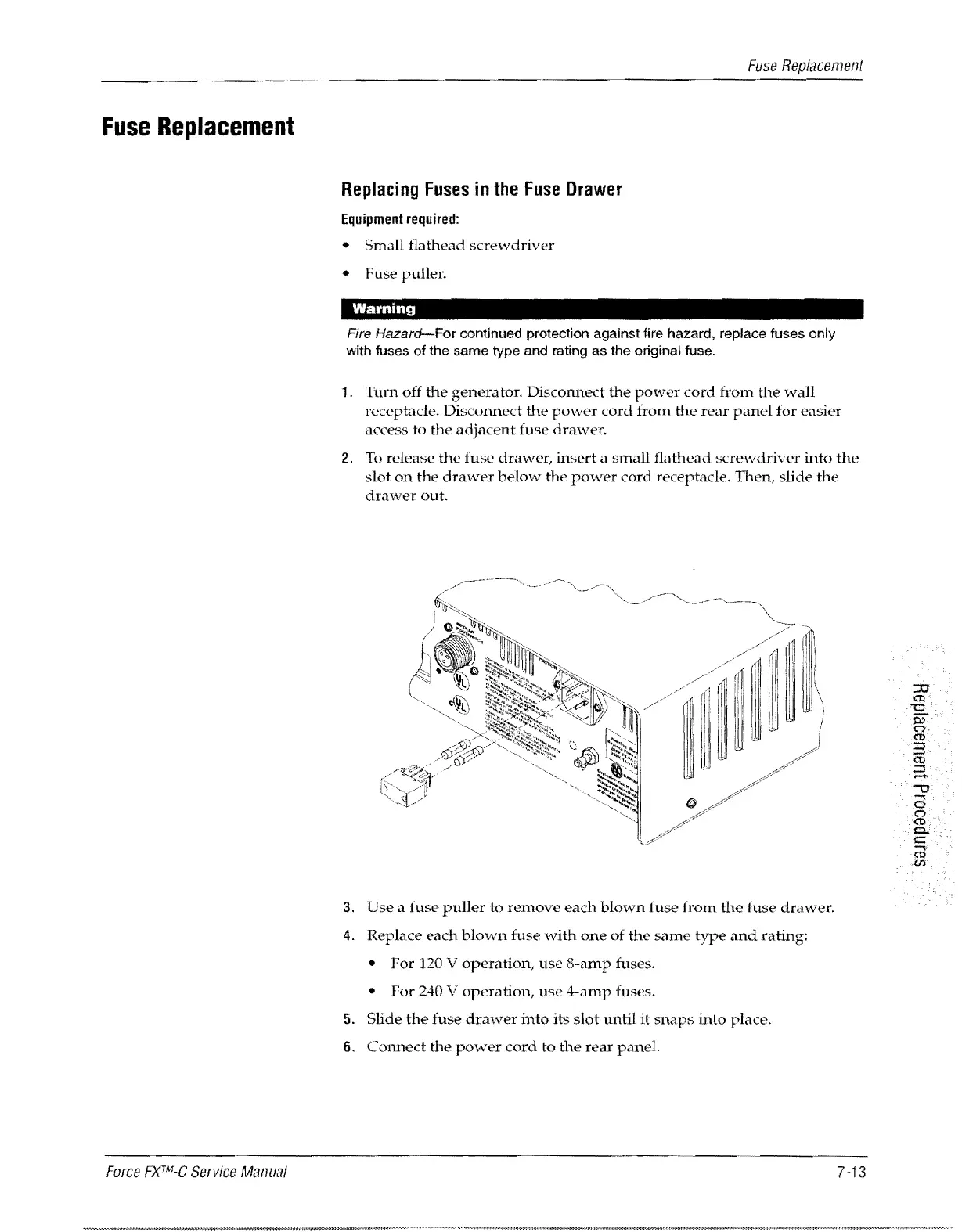
2.
To
release
the
fuse
drawer,
insert
a
small
t1athead
screwdriver
into
the
slot
on
th0
drawer
below
the
power
cord
receptacle.
Then,
slide
the
drawer
out.
111
rm.
!ill
Ii.
f I
iii!·
..
. . I
i r
i!~
i.
i
I
~
u
~
,
3.
Use
a
fuse
puller
to
remove
each
blown
fuse
from
the
fuse
drawer.
4.
Replace
each
blown
fuse
with
one
of
the
same
tYJ.;e
and
rating:
For
120 V
operation,
use
8-amp
fuses.
For
240 V
operation,
use
4-amp
fuses.
5.
Slide
the
fuse
drawer
into
its
slot
until
it
snaps
into
place.
6.
C01Ulect
the
power
cord
to
the
rear
panel.
7
-13

Table of Contents

Related product manuals