Rev AB Installation of Printhead and Ink Cartridge 3-21
Videojet 8520 Operator Manual
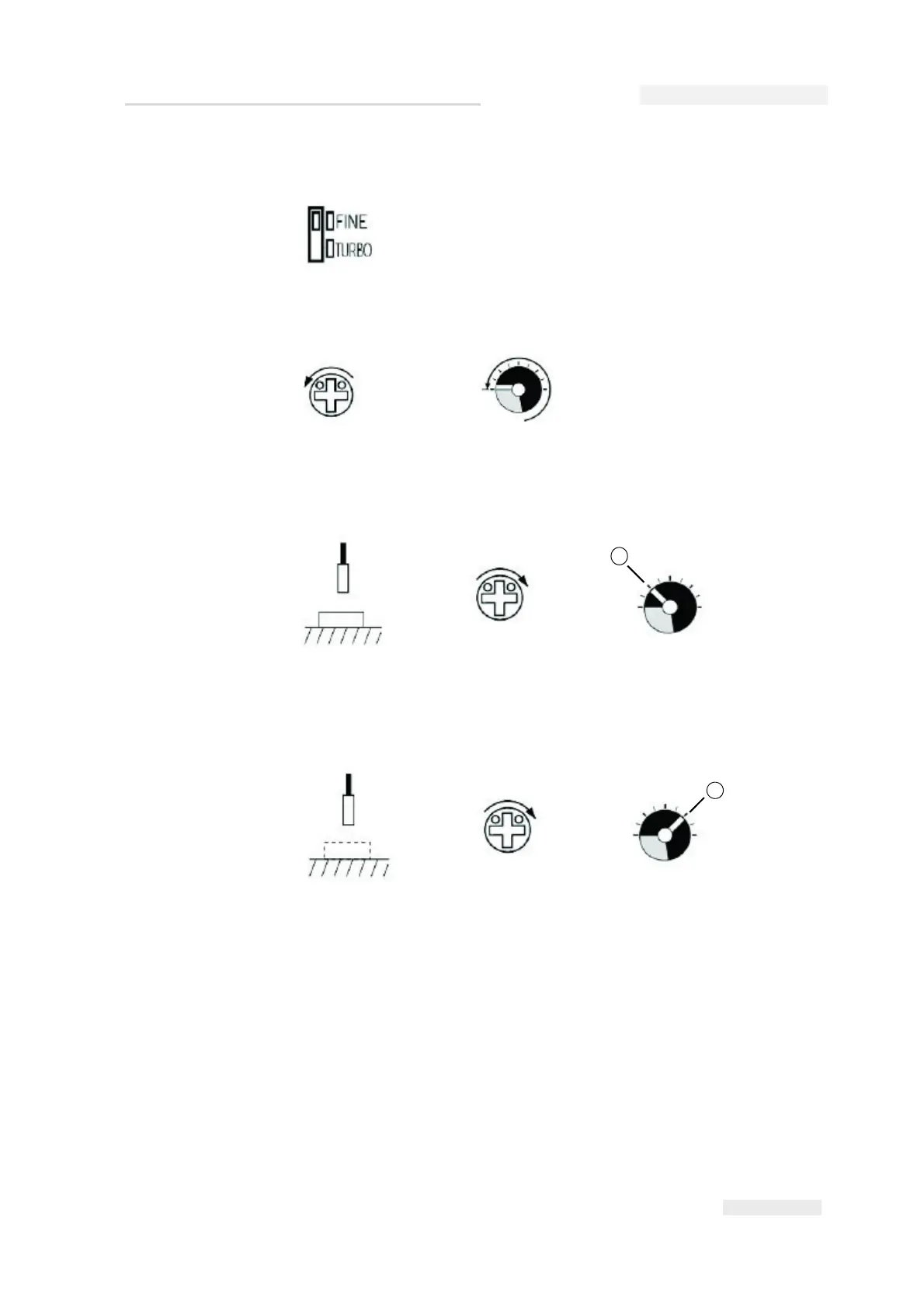
2 Set the FINE/TURBO selector switch to the FINE position.
3 Set the sensitivity to the minimum. Turn the trimmer until the
indicator is within the transparent display area.
4 Using a measuring object, set the sensitivity in the identification area.
To do so, turn the trimmer in clockwise direction until the function
indicator (red LED) glows. This is point A.
5 Remove the measuring object. If the function indicator (red LED) does
not glows without an object, continue turning the trimmer in
clockwise direction until it glows. This is point B.
Note: If the function indicator (red LED) glows without an object, the
indicator must be switched off (turn trimmer counterclockwise).
Then turn the trimmer in clockwise direction again until the function
indicator glows. This is point B.



 To Next Page