3-28 Installation of the Parallelogram (Optional) Rev AB
Videojet 8520 Operator Manual
Installation of the Parallelogram (Optional)
Many products and packaging materials (example, wrapping) are slightly
uneven/cambered or are transported on the conveyor belt in a range of
different positions.
In these cases the parallelogram with measuring wheel or deflector
described under accessories (see “Specifications” on page 9-1) should be
used. This is to make sure a constant optimum print result for such
applications.
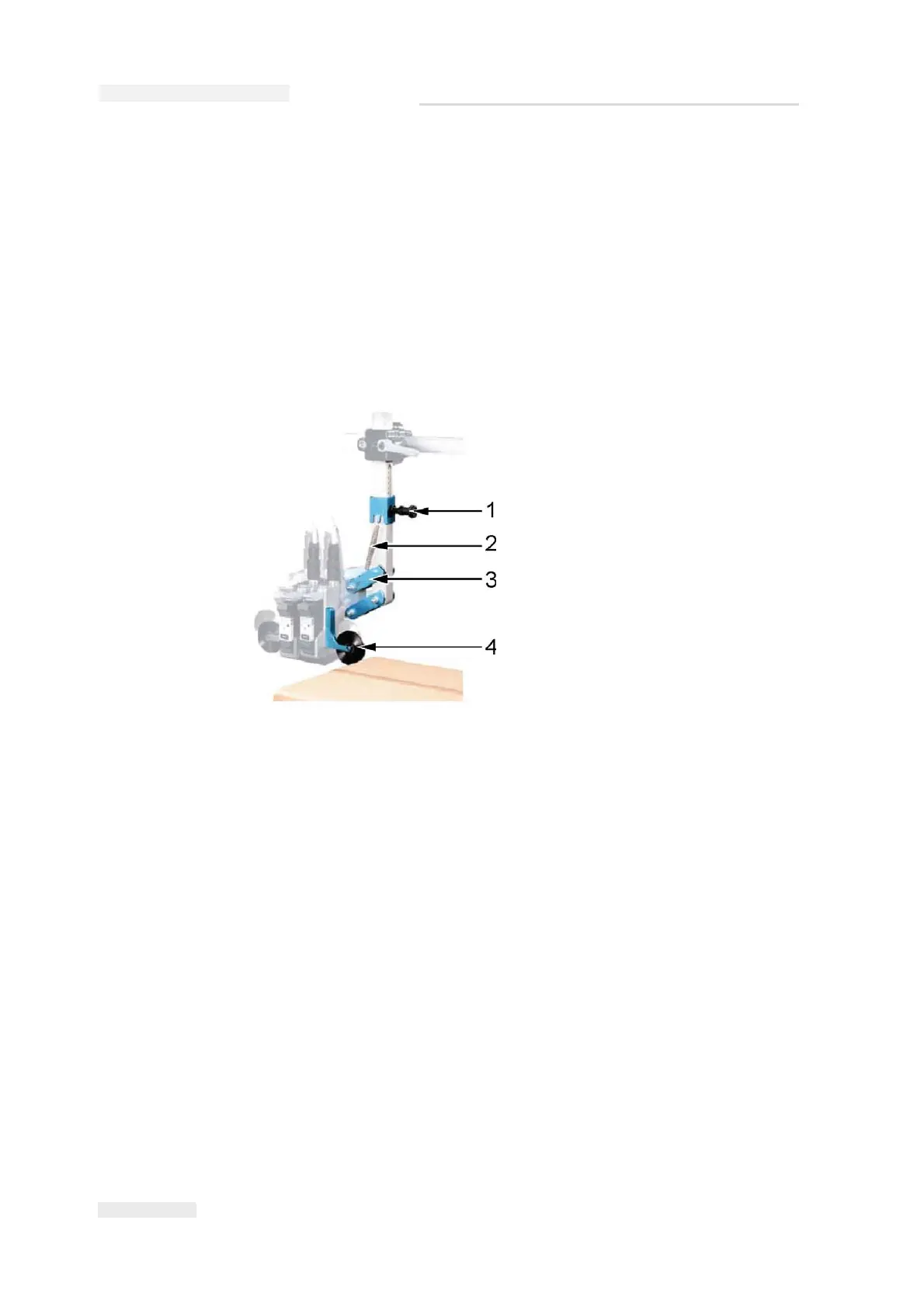
Figure 3-45: Parallelogram
1. Adjustment of spring force
2. Spring
3. Attachment positions
4. Locating wheel/deflector



 To Next Page