5-2 How to Insert the Cartridge into the Printhead Rev AA
Videojet 8520 Operator Manual
How to Insert the Cartridge into the Printhead
To insert the cartridge into the printhead, do the following tasks:
Note: Make sure that the printer is turned off.
1 Remove the protective tape from the gold contactor and nozzle plate
on the new cartridge.
Note: Do not touch the contactor plate. Any soiling will have an adverse
effect on the printed image.
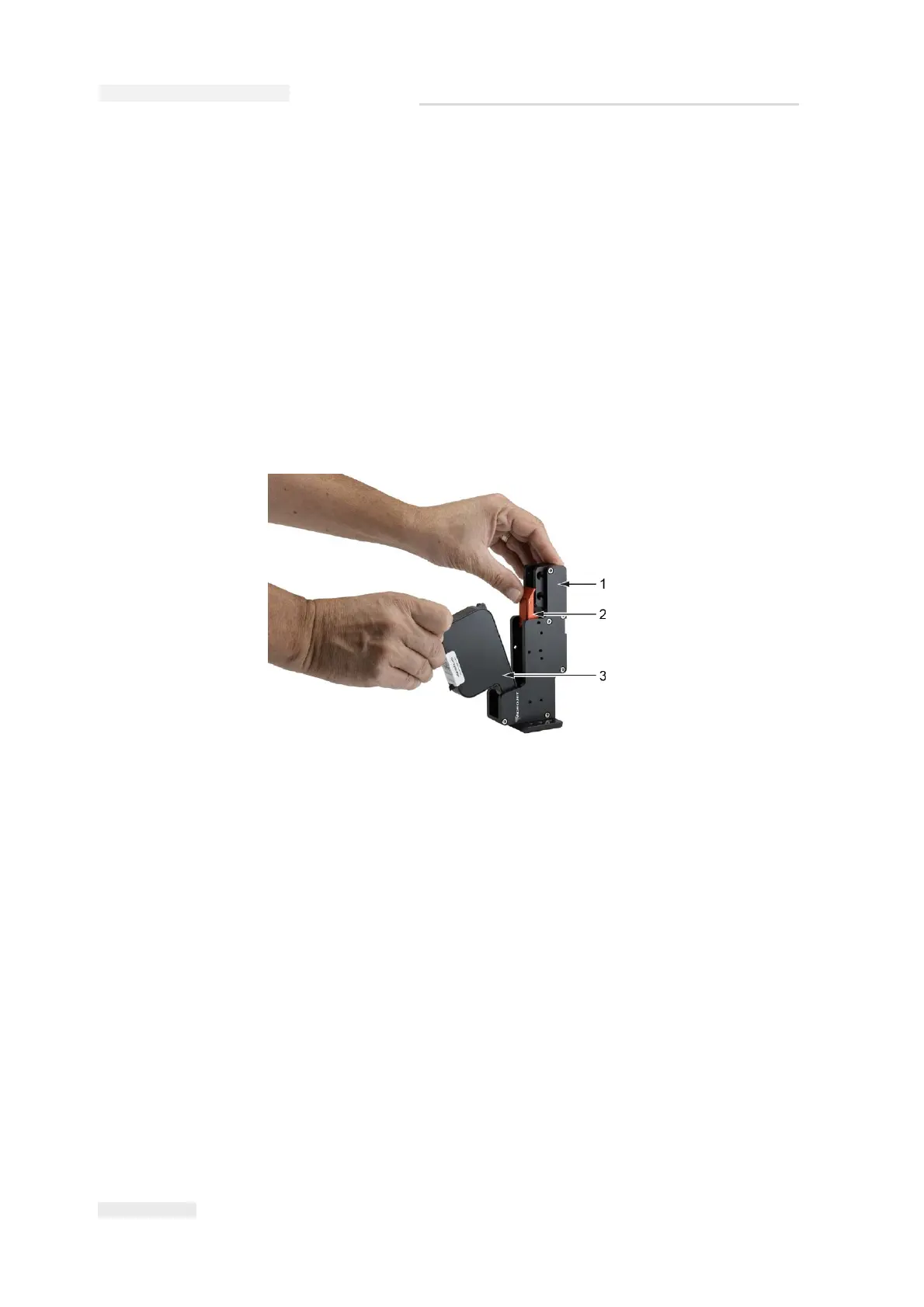
2 Flip the locking lever (item 2, Figure 5-1) back and insert the cartridge
(item 3).
Figure 5-1: Insert Ink Cartridge
1. Printhead
2. Lock Lever
3. Cartridge



 To Next Page