Rev AA How to Setup the Printhead Settings 5-15
Videojet 8520 Operator Manual
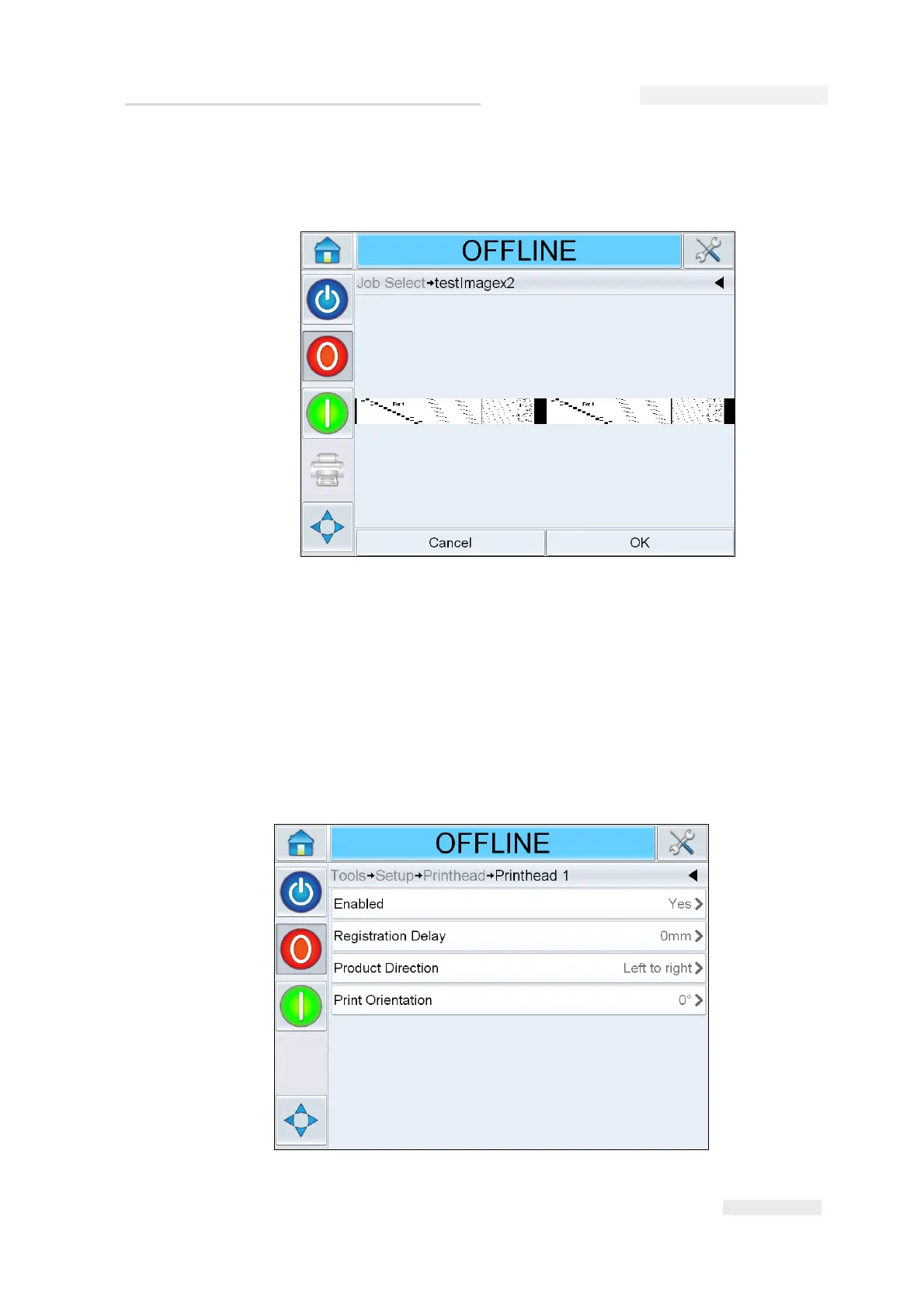
2 Select the test job from the list and touch OK. The job print preview
appears.
3 Touch OK, the printer selects the job ready for print. Select the 'ON'
button or status bar to enable printing. Trigger the printer to print.
How to Setup the Printhead Settings
To setup or adjust the printhead without using the System Configuration
Wizard, navigate to Tools > Setup > Printhead (see Figure 5-20).
Figure 5-19: Job Print Preview
Figure 5-20: Printhead Setting



 To Next Page