4-16 Using the Tools Screen Rev AB
Videojet 8520 Operator Manual
Option Description
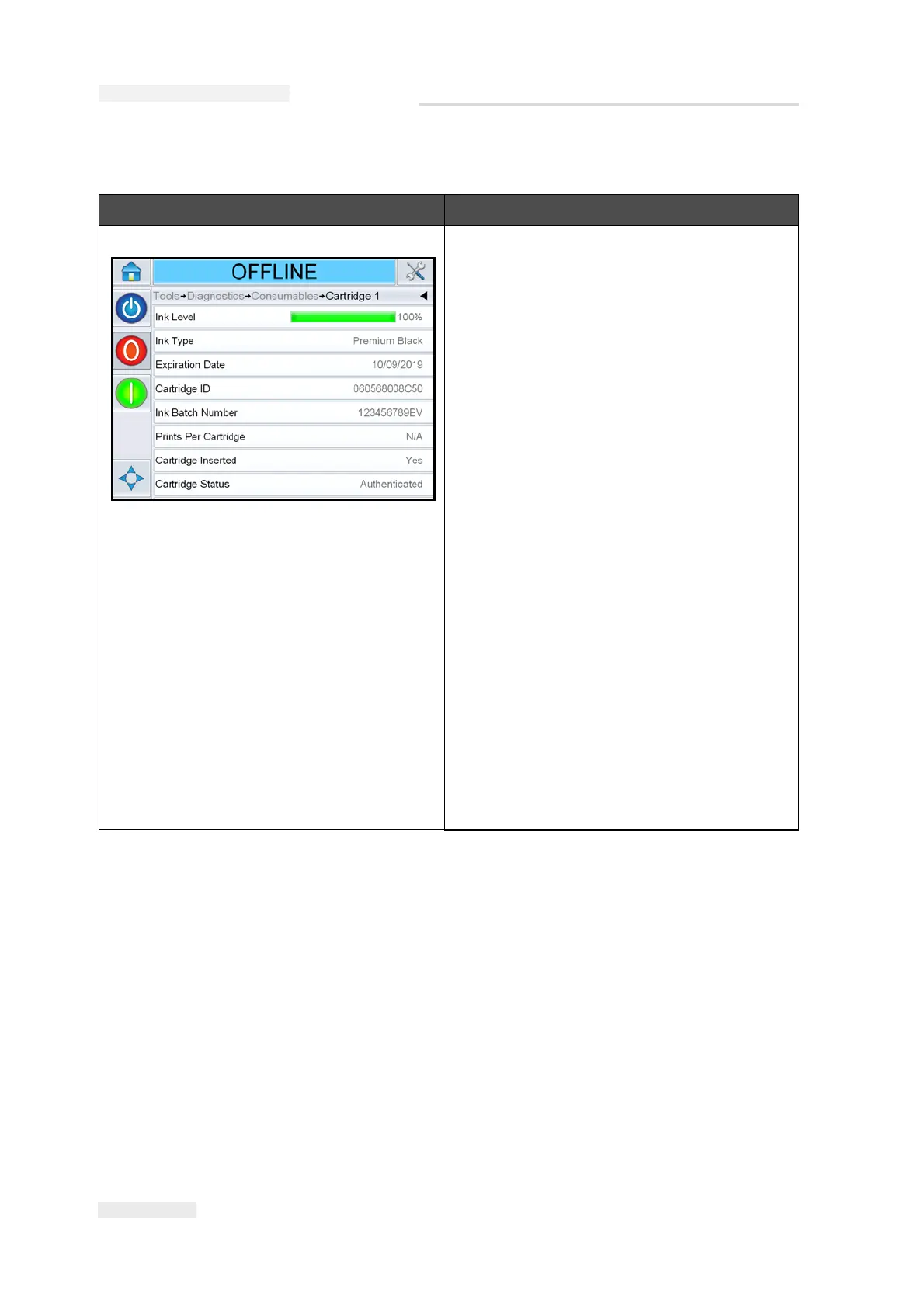
Cartridge 1, 2, 3 and 4 This screen shows the current value of
different cartridge parameters to help you
understand the status of the cartridge.
The user can view the different cartridge
settings like ink level, ink type, cartridge ID,
prints per cartridge.
The following parameters can be accessed
from the Cartridge 1 screen:
Note: Use the scroll bar to scroll up and down
the screen.
Ink Level: Displays the Ink Level in
percentage.
Ink Type: Displays the type of ink.
Expiration Date: Displays the expiry date of
the ink cartridge.
Cartridge ID: Displays the cartridge ID
number.
Ink Batch Number: Displays the ink batch
number.
Prints Per Cartridge: Displays the number
of prints that are possible using a full ink
cartridge with the last job file that has
printed.
Cartridge Inserted: Confirms if the cartridge
has been inserted in the printhead.
Table 4-7: Consumables



 To Next Page