SHB 803 en – Edition 2.4 * 803s312.fm 3-27
Maintenance
Replacing air filter elements
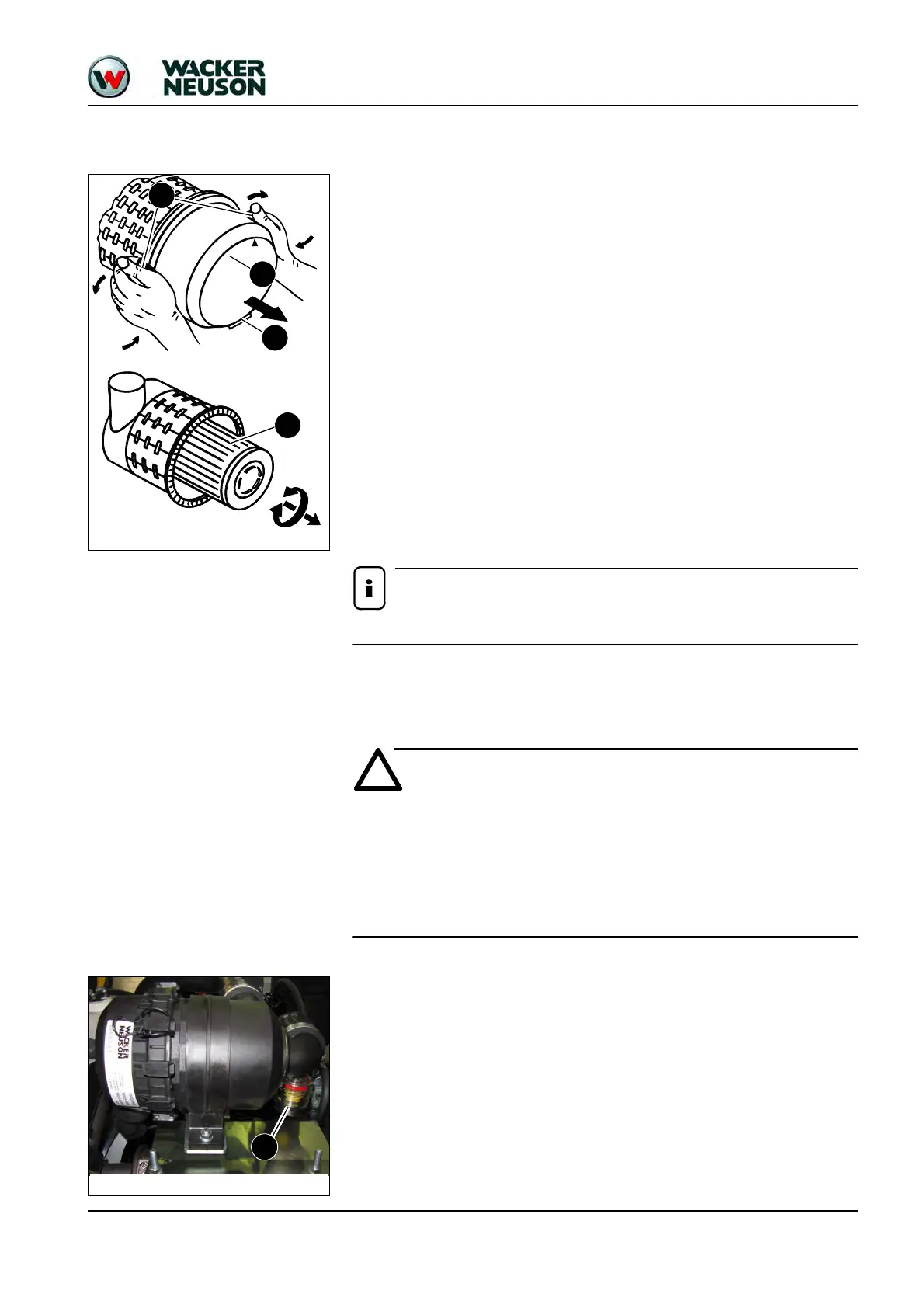
• Replace the outside air filter element B as follows:
☞Stop the engine
☞Raise the lock lever
☞Remove the starting key and carry it with you
☞Let the engine cool down
☞Open the engine cover
☞Remove dirt and dust from the air filter element and the area around the air filter
☞Open bow clips D on housing section E
☞Remove housing section E
☞Carefully remove air filter element B with slightly turning movements
☞Ensure that all contamination (dust) inside the housing section and dust valve has
been removed
☞Clean the parts with a clean lint-free cloth, do not use compressed air
☞Check the air filter element for damage, only install intact air filter elements
☞Carefully insert a new air filter element B in housing section F
☞Position housing section E (ensure that it is properly seated)
☞Close bow clips D
Ensure that dust valve G shows downward once it is installed!
3.11 Air filter (from serial no. AI00876)
The air filter element will be damaged if it is washed or brushed out!
Bear in mind the following to avoid premature engine wear or damage:
☞Do not clean the air filter element.
☞Replace the air filter element according to the indicator or maintenance plan.
☞Never reuse damaged air filter elements.
☞Ensure cleanliness when replacing the air filter element!
The air filter elements must be replaced:
• If “Service” (red mark) is displayed on dirt indicator A
• According to the maintenance plan
Fig. 17: Removing the housing section
Fig. 18: Removing the air filter element
D
E
B
G
Fig. 19: Indicator for air filter contamination
A







 To Next Page