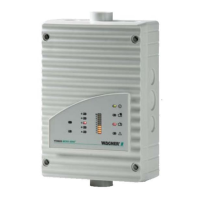
TITANUS
PRO·SENS
®
Installation
06/13
113
WARNING
The JU 1 bridge on the main board must always be removed.
WARNING
Conduct the air flow initialisation again if you change the fan voltage. Only
close or open the BR 1 and BR 2 bridges when the device is turned off.
Connecting the fan at TITANUS
PRO·SENS
®
® -SL
The electrical connection of the fan control circuit board is made via terminal
block X5 (FAN) on the main board (see figure “Main board”) from TITANUS
PRO·SENS
®
.
The electrical connection of the ventilator is made via terminal block X1
(FAN) on the fan control circuit board (see fig. Control circuit board).
▪ Connect terminal 1 of terminal board X5 on the main board to terminal 2
(+) of terminal X2 on the fan control circuit board.
▪ Connect terminal 2 of terminal board X5 on the main board to terminal 1
(-) of terminal board X2 on the fan control circuit board.
▪ Connect the fan’s brown connection line to terminal board X1 / terminal 1
of the fan control circuit board.
▪ Connect the fan’s yellow connection line to terminal board X1 / terminal 2
of the fan control circuit board.
▪ Connect the fan’s purple connection line to terminal board X1 / terminal 3
of the fan control circuit board.
NOTICE
When TITANUS
PRO·SENS
®
is delivered, the fan is connected at the plant.
6.3.1.11



 To Next Page
 Loading...