72 Mounting WAGO I/O System Compact
751-9301 Compact Controller 100
Manual
Version 1.1.0, valid from FW Version 03.08.07(20)
6.4 Inserting Devices
Do not work when devices are energized!
High voltage can cause electric shock or burns.
Switch off all power to the device prior to performing any installation, repair or
maintenance work.
6.4.1 Inserting the Controller
Snap the controller onto the DIN-rail.
The DIN-rail release tab automatically jumps back into the housing once the
controller is locked onto the DIN-rail.
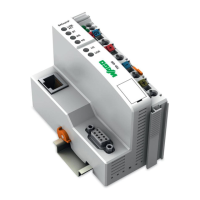
Figure 9: Insert Controller
6.4.2 WAGO picoMAX
®
Connectors
WAGO’s picoMAX
®
pluggable connectors enable you to prewire devices to
expedite device installation and avoid rewiring during device replacement.
WAGO picoMAX
®
connectors consist of a male header (fixed in the device) and a
female connector (pluggable).
Additional information on picoMAX
®
is available in the catalog “picoMAX
®
‒ The
Pluggable Connection System” or online at www.wago.com.
6.4.2.1 Status at delivery
When delivered, the female connectors are not plugged into the device, but
included.













 To Next Page