EJECTING A DVD DETAILED DV-1 OPERATION
46
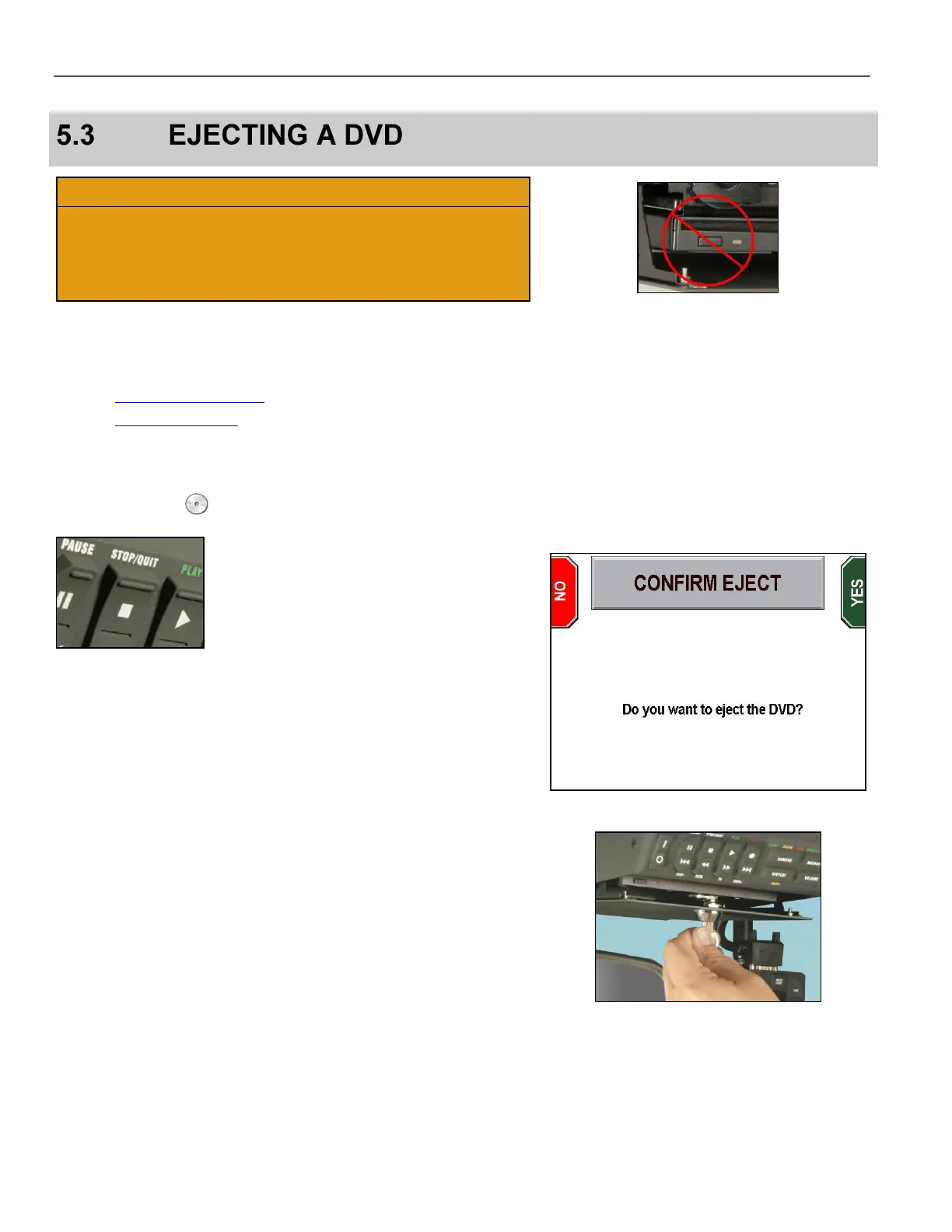
Do not use the Manual Eject Button on the DVD drive to eject
discs because the system may not be done writing to the disc.
Use only the STOP/QUIT key. Manually ejecting a DVD when
the system has not finished burning files onto the disc may result
in an unplayable DVD.
Before ejecting a DVD, the officer may use one of the following
methods to ensure that the system has burned all pending files to
the DVD:
The DVD Disc Information screen (see page 126)
The DVD Status Icons (see page 21)
If all recorded events show completed on the DVD Disc Information
screen (e.g., Completed Recordings: 9 of 9) or the status icon
shows a valid disc , and then the DVD can be ejected safely.
To eject a DVD, ensure that the drive door is unlocked, and then
press and hold the STOP/QUIT key for at least 2 seconds.
The CONFIRM EJECT screen is displayed.
Press YES to eject the DVD, or press NO to exit and return to the
main screen.
The message, The DVD will be ejected when all pending
video has been recorded briefly displays on the screen.
Open the DVD drive door and wait for the system to automatically
eject the DVD.
If the drive door is locked, Open drive door flashes across the
screen. Using the key provided with the system, unlock and open the
DVD drive door, and the system will eject the DVD automatically.
Holding the DVD from each side, remove it from the DVD drive slot
and place in a protective sleeve or case. Insert a new DVD into the
drive, close the DVD drive door, and lock it with the key.



 To Next Page