Scanning spectra 3-59
Scanning using the cuvette
The detector cuvette option allows the operator ease of use in:
• Sample handling
• Instrument verification and qualification
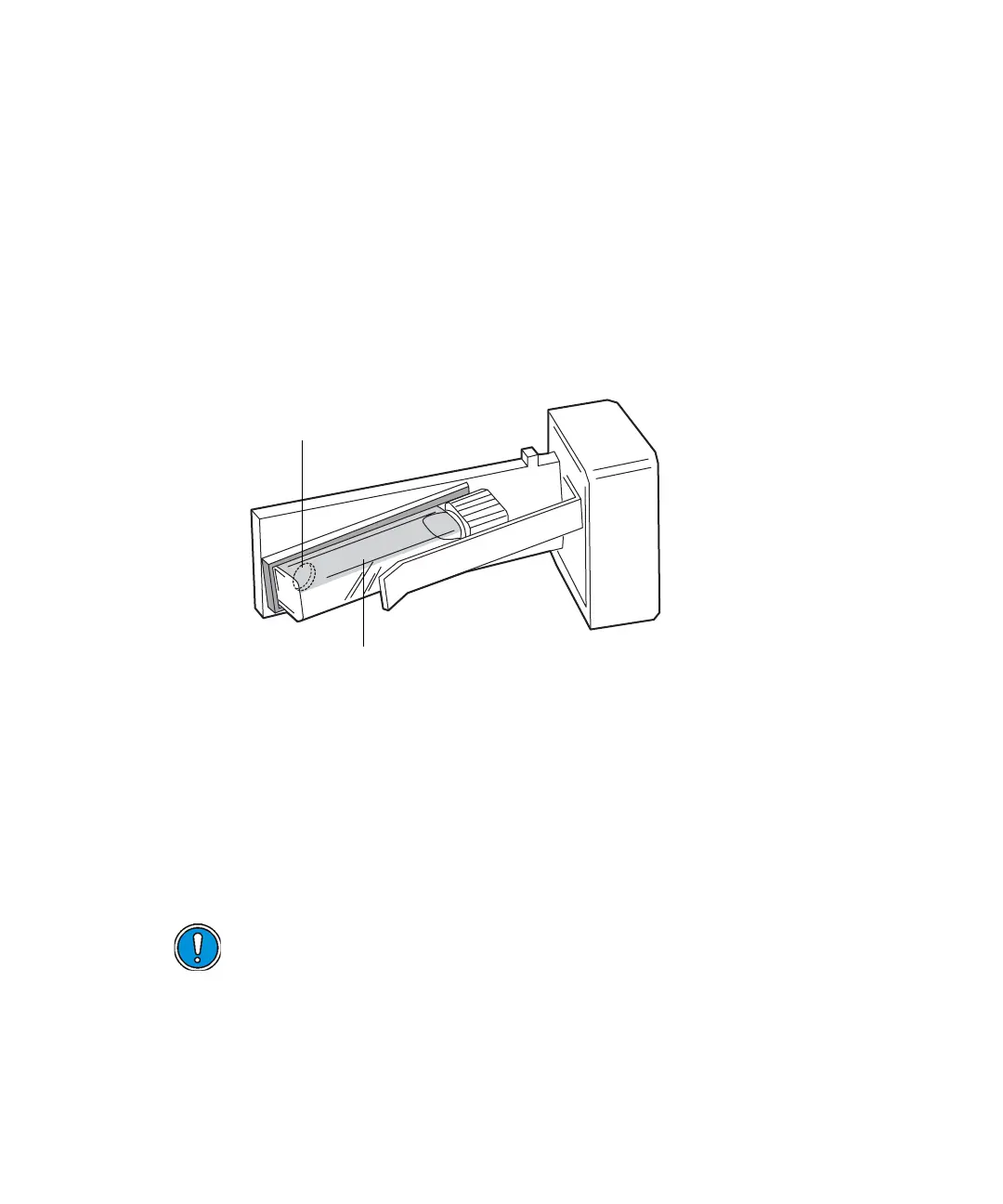
The detector uses a standard 10-mm path length spectrophotometric cell
(quartz cuvette). You insert the cuvette with a frosted side facing up in the
cuvette holder and place it in the detector flow cell assembly.
Detector cuvette holder with the cuvette inserted
Restriction: Because the scan is actually a composite of both the contents of
the cuvette and the flow cell, you need to perform cuvette scans under
identical flow cell conditions. If you store spectra and acquire new spectra for
subtraction, you need to be aware of differences, if any, in flow cell conditions.
Ideally, you should perform both the zero and sample scans using the cuvette
when the HPLC instruments are in the idle or static state, under identical
flow cell conditions.
Caution: Handle the cuvette gently and on the frosted sides only.
Fingerprints on the clear quartz interfere with the light path and
compromise the integrity of cuvette scanning operations.
P01502
Aperture
Frosted sides of cuvette facing up and down



 To Next Page