3-24 Preparing the Detector
– Low – Auto zero the channel when contact closure changes from on
(closed) to off (open).
– Ignore – Do not respond to auto zero input.
•Lamp – You can configure the lamp input level to turn the deuterium
lamp on or off from an external device as follows:
– High – Turn lamp off when contact closure is on (closed).
– Low – Turn lamp off when contact closure is off (open).
– Ignore – Do not respond to Lamp input.
Setting pulse periods
You use the second Configuration screen (shown on page 3-22) to set pulse or
signal width or to activate a pulse or rectangular wave on SW1 or SW2.
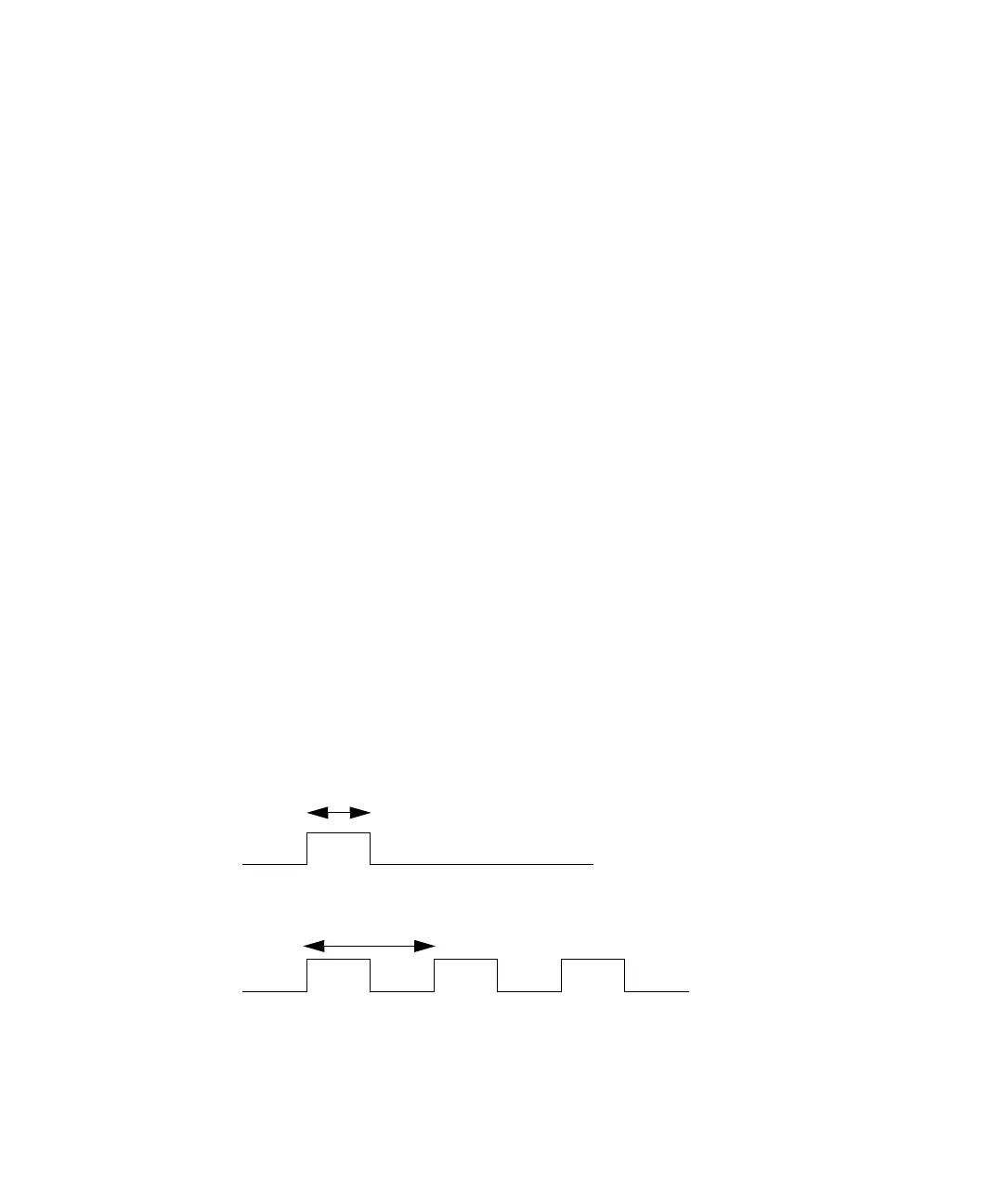
• Single pulse (in seconds) – If SW1 or SW2 is programmed to generate a
pulse as a timed or threshold event, then the period of the signal (single
pulse width) is as specified in this field (range is 0.1 to 60 seconds).
• Rectangular wave (in seconds) – If SW1 or SW2 is programmed to
initiate a rectangular wave as a timed or threshold event, then the
period of the signal (the width of one pulse period in a rectangular wave
or pulse train) is as specified in this field (range is 0.2 to 60 seconds).
The figure below shows the difference between a single pulse and a
rectangular wave.
Setting the pulse period or signal width using SW1 or SW2
Single pulse
Rectangular wave
n Seconds
n Seconds



 To Next Page