Using the operator interface 3-3
Tip: For normal use, allow the detector to warm up for at least 30 minutes
before operating.
Diagnostic test failure
If one or more of the internal startup diagnostic tests show a failing result, the
detector beeps and displays an error message. For serious errors, it displays
the word “Error” in brackets (<Error>) in place of the run-time absorbance on
the absorbance screen.
See also: “Error messages” on page 5-2, for a list of startup diagnostic test
failures, error messages, and recommended recovery actions. See “Hardware
troubleshooting” on page 5-20 for hardware-related causes of startup
diagnostic test failure and corrective actions.
Using the operator interface
Using the display
The detector employs a 128 × 64-bitmap graphic display and a 24-key
membrane keypad for the operator interface. After the startup diagnostic
tests are run successfully, the detector displays the absorbance (or HOME)
screen.
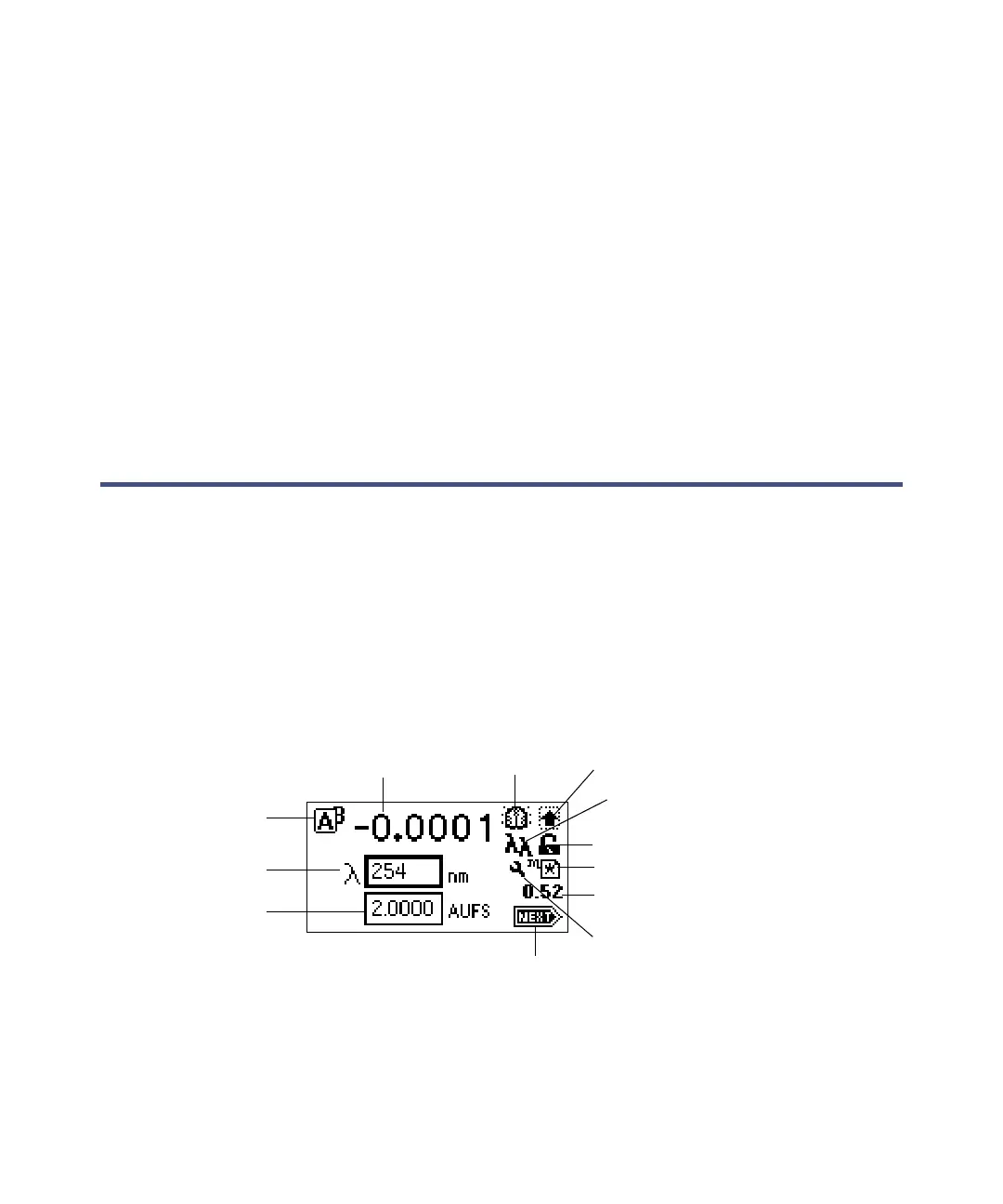
Detector absorbance screen
You can recall the absorbance screen at any time by pressing the HOME key.
At the first use of the detector, the absorbance screen shows the factory-set
defaults. After the first use, the absorbance screen shows the settings
Channel selector
Absorbance
Lamp on/off
Shift on/off
Single/Dual wavelength
Keypad lock/unlock
Local (method #)/Remote control
Run time (minutes)
Sensitivity
Wavelength
Next
Sticky Diagnostic test on/off



 To Next Page