4-12 Maintaining the Detector
5. Using the plastic tweezers or the lint-free swab, remove the clear plastic
gasket.
6. Flip the flow cell over to the entrance lens side.
7. Using the flat-blade screwdriver, remove the entrance lens screw.
8. Using the plastic tweezers, remove the entrance lens from inside the
entrance lens screw.
9. Using the plastic tweezers or the lint-free swab, tap and remove the
clear plastic gasket.
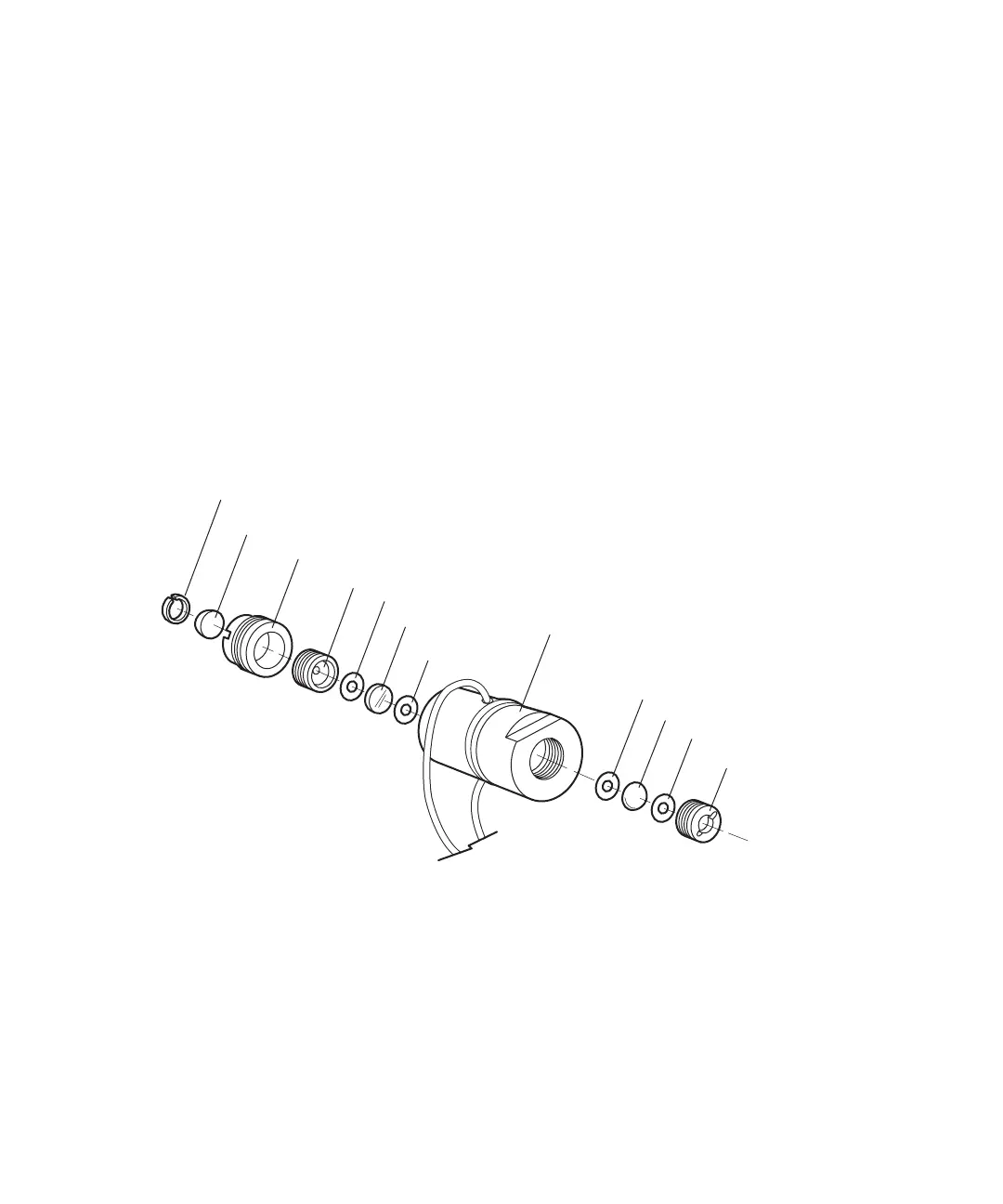
The figure below shows an exploded view of all parts of the flow cell within the
flow cell assembly.
Waters TaperSlit flow cell, exploded view
Split ring
Cuvette lens
Cuvette lens screw
Exit window screw
Exit window (flat)
Gasket
Cell body
Gasket
Entrance lens (curved)
Entrance lens screw
Exit window holder
Entrance lens holder



 To Next Page