5-16 Error Messages, Diagnostic Tests, and Troubleshooting
page 4-21 and “Recording the new lamp serial number” on page 4-23 for
a complete explanation of the lamp replacement procedure.
To use the Test keypad diagnostic test
1. From the Lamp, display & keypad choice list, press 2 (Test keypad) to
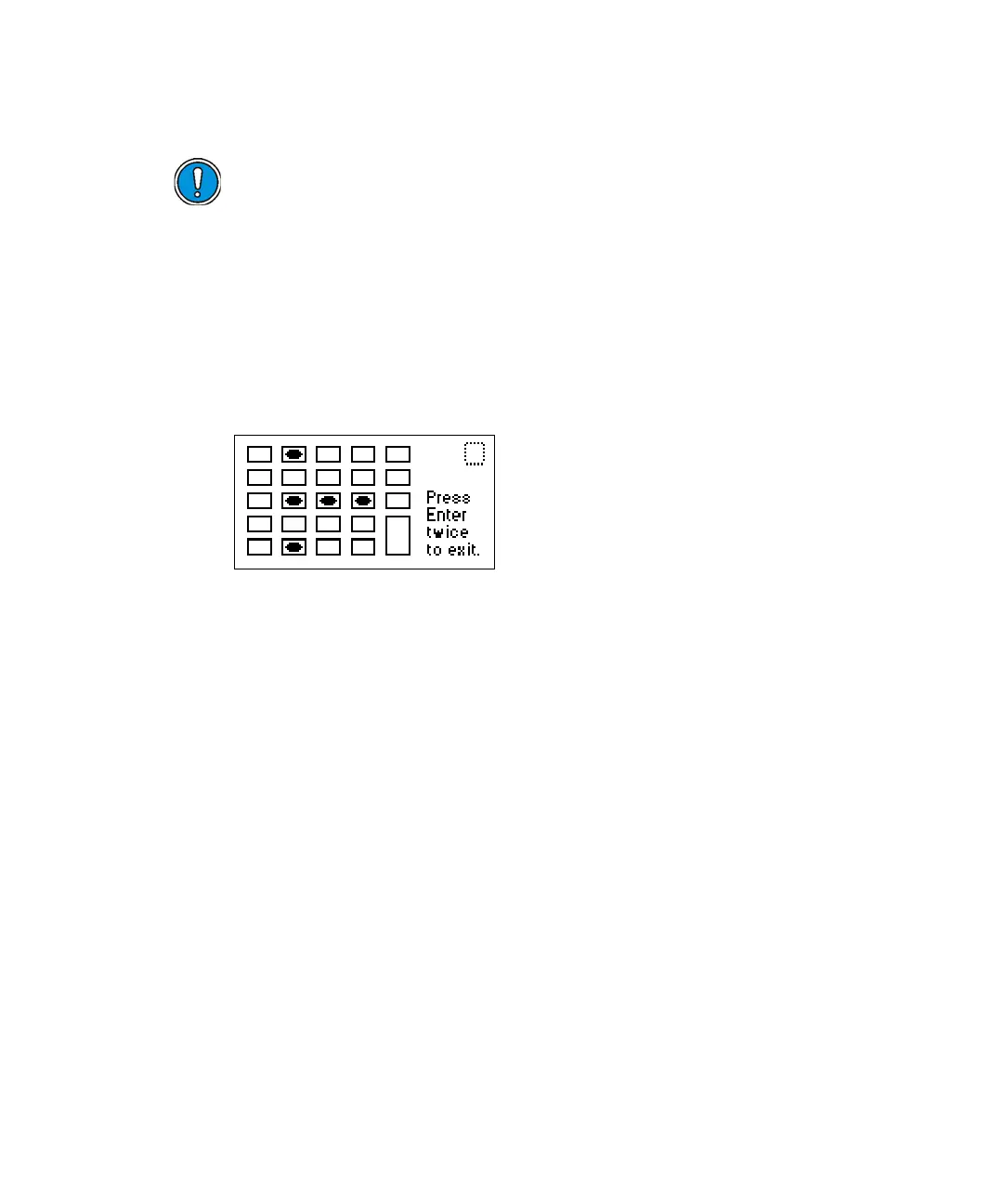
run the keypad test. A bitmap representation of the keypad appears.
Keypad diagnostic display
2. Press any key to begin the test, then press each key until you have tried
all of them. If the keypad is operating properly, each key location is filled
in, then cleared with another press of the key. If any key does not
respond when pressed, contact your Waters service representative.
Rule: You must press Enter twice to exit the keypad diagnostic display.
To use the Test Display diagnostic test
1. From the Lamp, display & keypad choice list, press 3 (Test display) to
run the display test.
The display fills from top to bottom and from right to left, then returns
to the Lamp, display & keypad choice list. If the display does not
completely fill either horizontally or vertically, contact your Waters
service representative.
2. From the Lamp, display & keypad choice list, press 4 to return to the
diagnostic tests choice list.
Caution: If you do not record the new lamp serial number following the
prescribed procedures referenced above, the lamp warranty is voided. The
date of the previous lamp installation remains in the detector memory.



 To Next Page