2-24 Installing the Detector
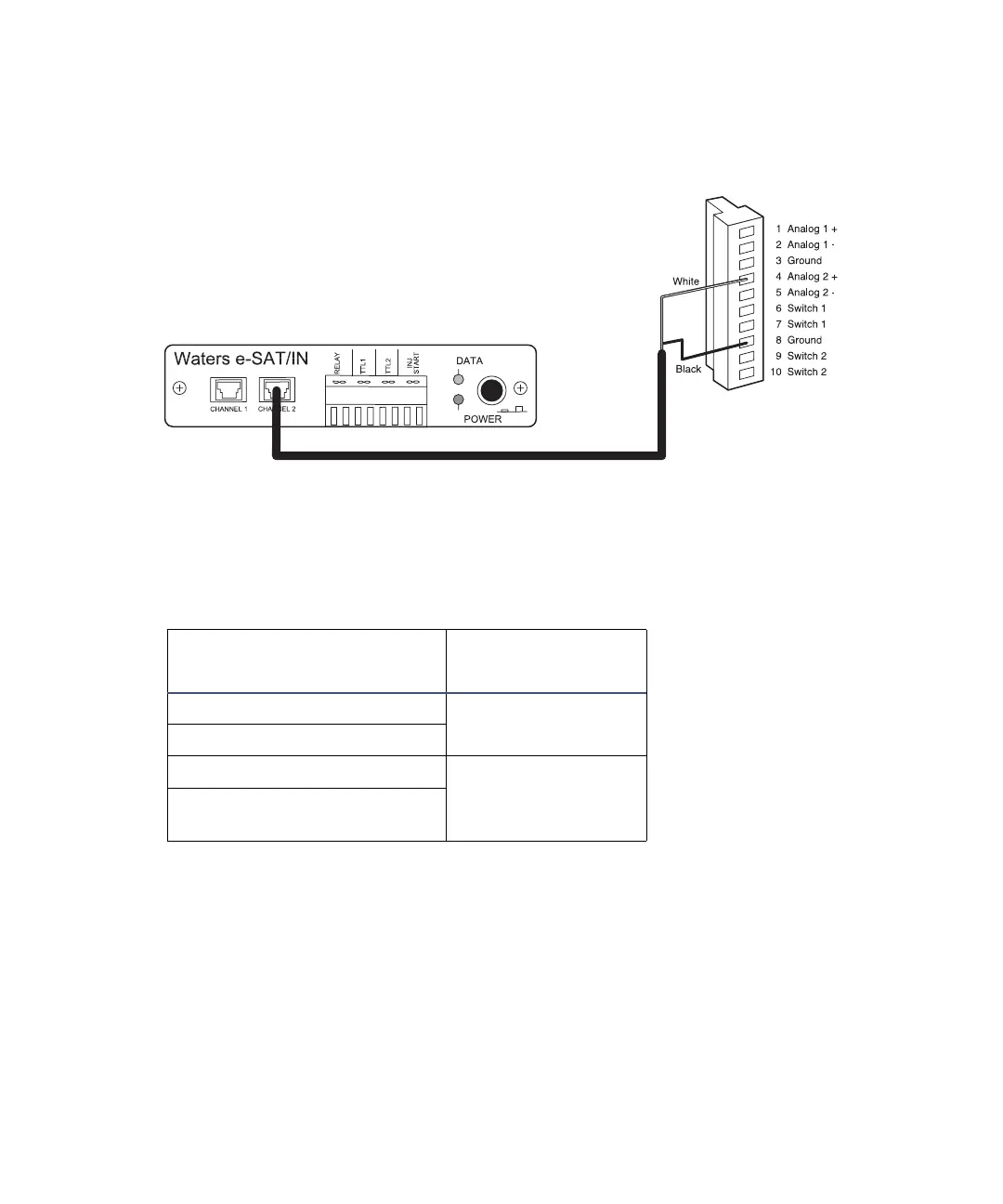
e-SAT/IN module Channel 2 connection to detector
5. Configure the serial port for the e-SAT/IN module as described in the
Empower 2 Installation and Configuration Guide.
The table below summarizes the detector connections to the e-SAT/IN module.
Detector connections to a e-SAT/IN module
2489 Detector (I)
e-SAT/IN
Connector
Pin 1 Analog 1 + (white)
Channel 1 or 2
Pin 3 Ground (black)
Pin 4 Analog 2 + (white)
Channel 1 or 2
Pin 8 Ground (black)
Waters 2489
(I)



 To Next Page