Using the operator interface 3-5
Numerical
field
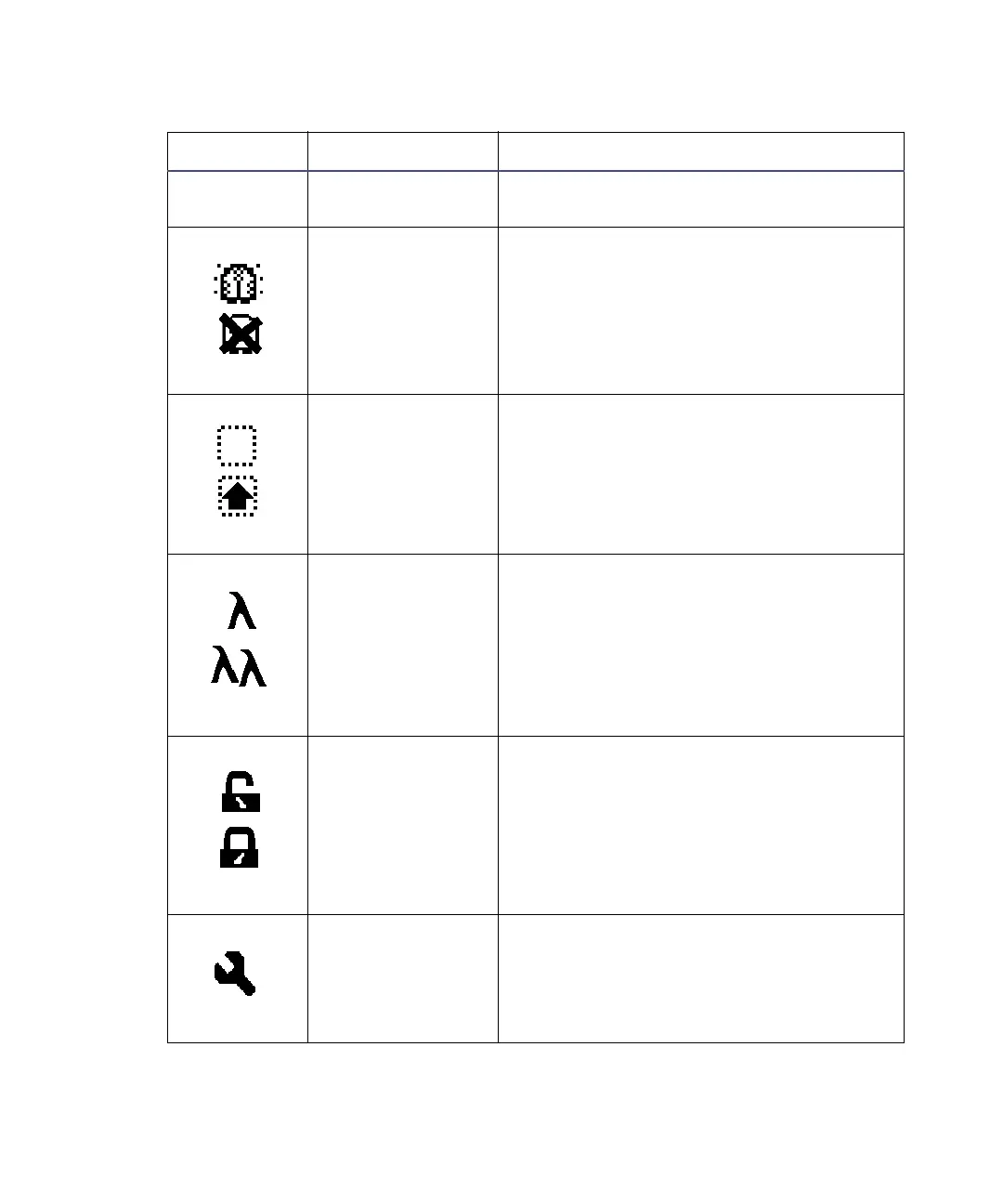
Absorbance Displays current absorbance for the
selected channel.
Lamp On/Off On = Lamp icon
Off = Lamp icon with an X through it
Shift On/Off Blank = Shift off
▲ = Shift on
Single/Dual
Wavelength
λ = Detector operating in single
wavelength mode
λλ = Detector operating in dual
wavelength mode
Keypad
Lock/Unlock
Open lock = Unrestricted keypad entry
Closed lock = Parameter changes not
allowed
Sticky Diagnostic
icon
When the absorbance screen displays the
wrench icon, a sticky diagnostic test is
active. See “User-selected diagnostic
tests” on page 5-8 for a complete
explanation.
Absorbance and message screen icons
Icon or Field Icon / Field Name Function



 To Next Page