EasyManua.ls Logo

Weber 4300 - I;O Interface

Weber 4300
98 pages
Print Icon
To Next Page IconTo Next Page
To Previous Page IconTo Previous Page
Loading...
Chapter 9
9-6 Printer-Applicator User’s Manual
I/O Interface
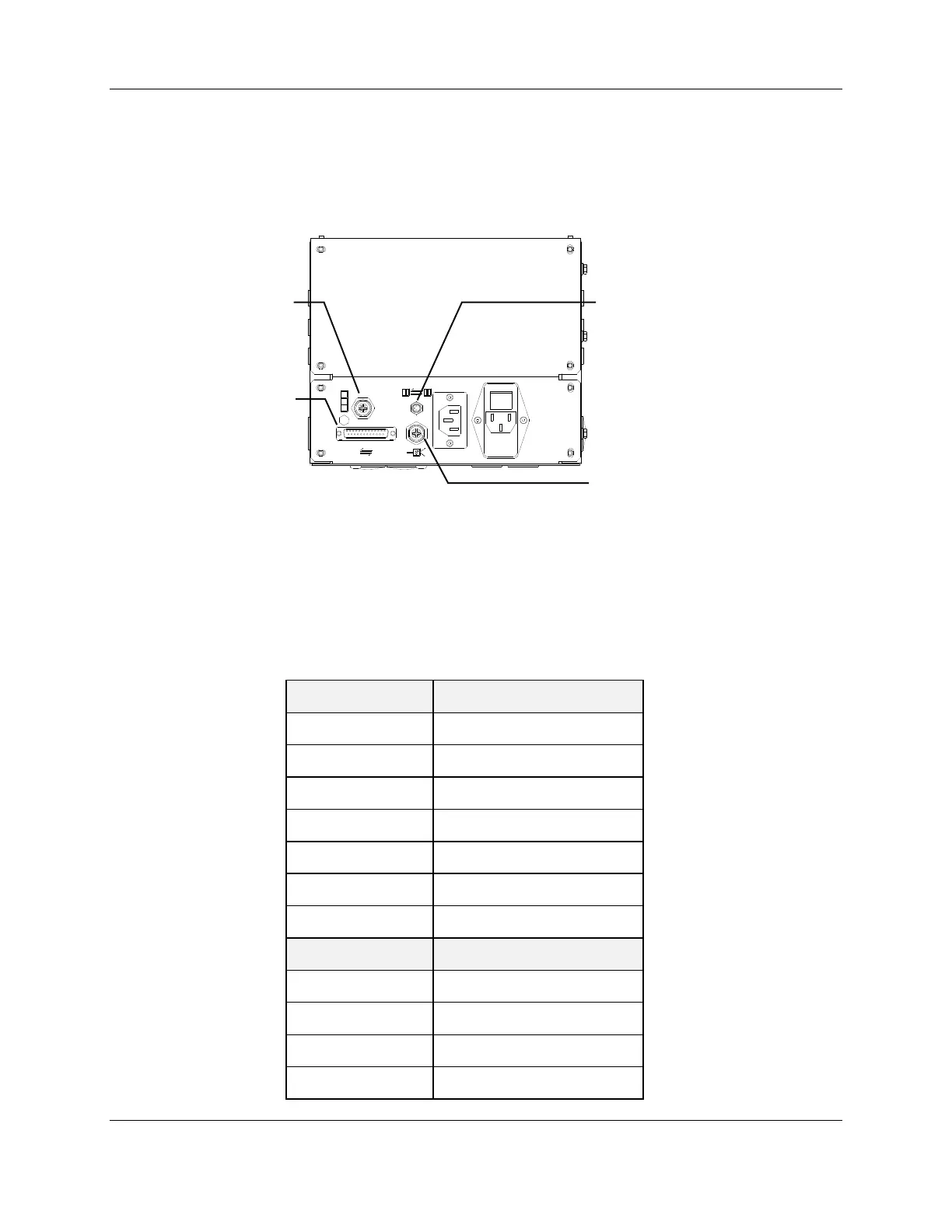
Use the IO Interface to coordinate operation of the Model 4300 with external control systems.
The interface signals are available at a 25-pin female connector located on the rear of the
Model 4300 enclosure.
PRODUCT DETECTOR
Figure 9-4: Rear View of Enclosure
I/O Connector Pin-out
INPUTS
SIGNAL NAME
Pin 1
+24 VDC (100 mA)
Pin 13
0 VDC (Signal Ground)
Pin 17
Trigger Apply
Pin 18
Trigger Print
Pin 19
Applicator Disable
Pin 23
Start
Pin 25
Input-Common
OUTPUTS
SIGNAL NAME
Pin 2
Tamp Error (Normally Open)
Pin 3
Tamp Home (Normally Open)
Pin 4
Tamp Error (Common)
Pin 16
Tamp Home (Common)
product detector
master slave
stack light
I/O connector

Table of Contents

Related product manuals