CHAPTER 5 - START-UP
83
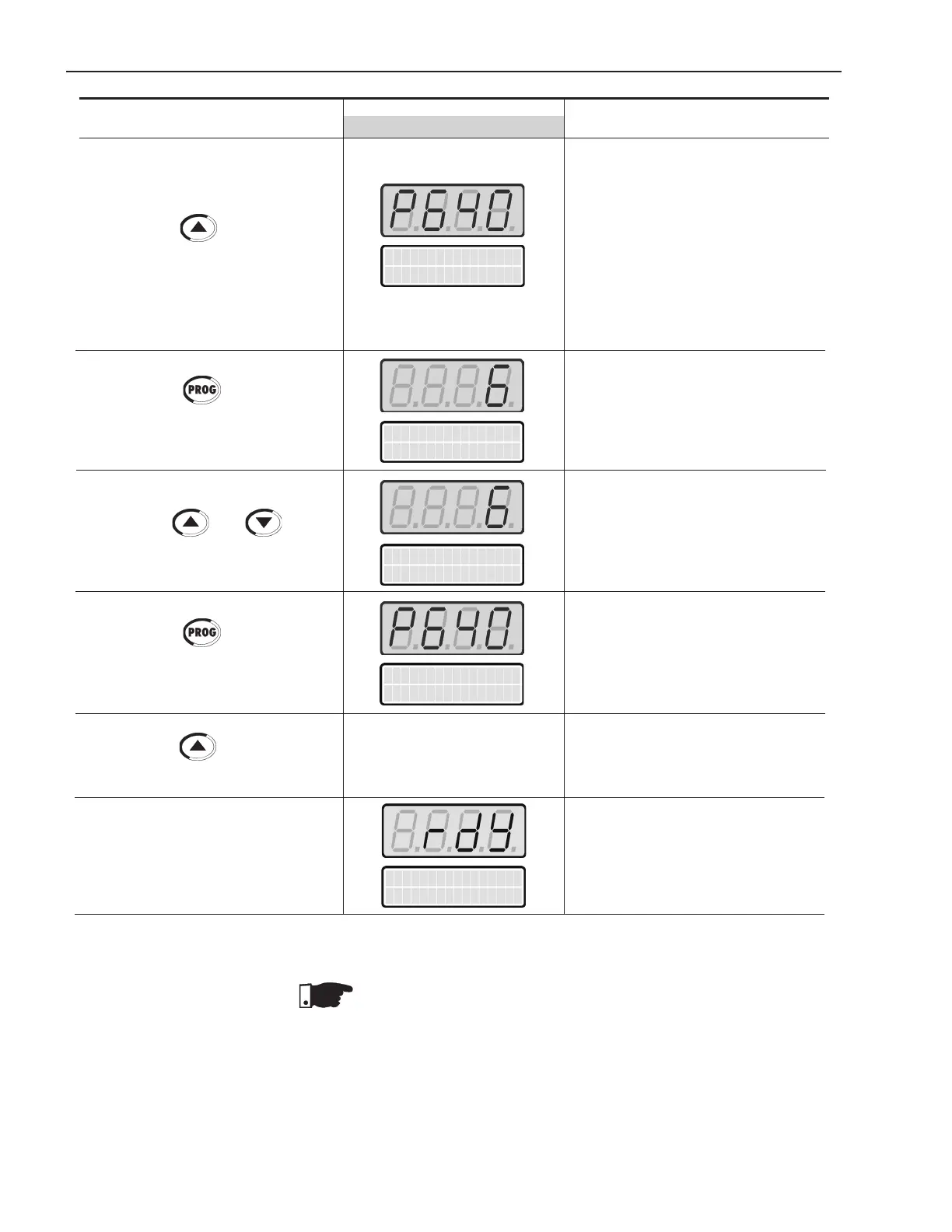
Press the key to go to the next
parameter
Press the key to enter the
programming mode
Use the keys and to select
the thermal motor protection class
Press the key to save the
selected option and exit the program-
ming mode
Press the key to go to the next
parameter
ACTION LEDDISPLAY DESCRIPTION
LCDDISPLAY
Thermal motor Protection Class:
0= Inactive
1= Class 5
2= Class 10
3= Class 15
4= Class 20
5= Class 25
6= Class 30
7= Class 35
8= Class 40
9= Class 45
Enter the programming mode.
Thermal motor protection class:
6= Class 30
(According to the motor data)
Exit the programming mode
Soft-Starter is reset
Soft-Starter is ready for operation
Soft Starter
ready
Open the input circuit-breaker to disconnect the Soft-Starter SSW-06.
NOTE!
Repeattherstpower-upprocess:
Ifyouwanttorepeattherstpower-uproutine,setparameterP204=5
(itloadsthefactorystandarddefaultparameters),thenfollowtherst
power-up routine;
Therstpower-uproutine,asdescribedabove,automaticallysets
some parameters. For more details, refer to Chapter 6.
Ther.Prot.Class
P640=Class 30
Ther.Prot.Class
P640=Class 30
Ther.Prot.Class
P640=Class 30
Ther.Prot.Class
P640=Class 30



 To Next Page