CHAPTER 5 - START-UP
84
5.3 START-UP
This Section describes the start-up procedure when operating via the
Keypad. Five types of control will be considered:
Start-up by Voltage Ramp:
The start by voltage ramp is the most used method and its program-
ming and parameter setting is very easy to do. The Soft-Starter
SSW-06 applies the voltage to the motor without any feedback of the
voltage or current applied to the motor.
Start-up by Current Limit:
The maximum programmed current level is maintained during start-up
and it is set according to the application requirements. This program-
ming is very easy.
Start-up by Current Ramp:
The maximum current level is also limited during the start-up, however
higher or lower start-up current limits can be set.
Start-up by Pump Control:
Optimized control method, providing the required torque to start/stop
hydraulic centrifugal pumps smoothly.
Start-up by Torque Control:
TheSoft-StarterSSW-06isttedwithatorquecontrolalgorithmofhigh
performanceandistotallyexibletomeetanyapplicationrequirement
during the motor start or stop and its coupled load.
The method allows a torque control with 1 setting point, a torque
control with 2 setting points and a torque control with 3 setting points.
NOTE!
Every time the content of the Parameter P202 is changed, the Sof-
t-Starter will execute a setting sequence routine according to the
selected control type.
For more details, refer to Parameter P202 in Chapter 6 and 7.
The following sequence is valid for Drive 1 (see item 3.3.1). The
SSW-06 Soft-Starter must already be installed and the electronics,
fans and power must already be energized, according to chapter 3,
with the setting sequence of the initial Start-up complete, as described
in the Item 5.2.
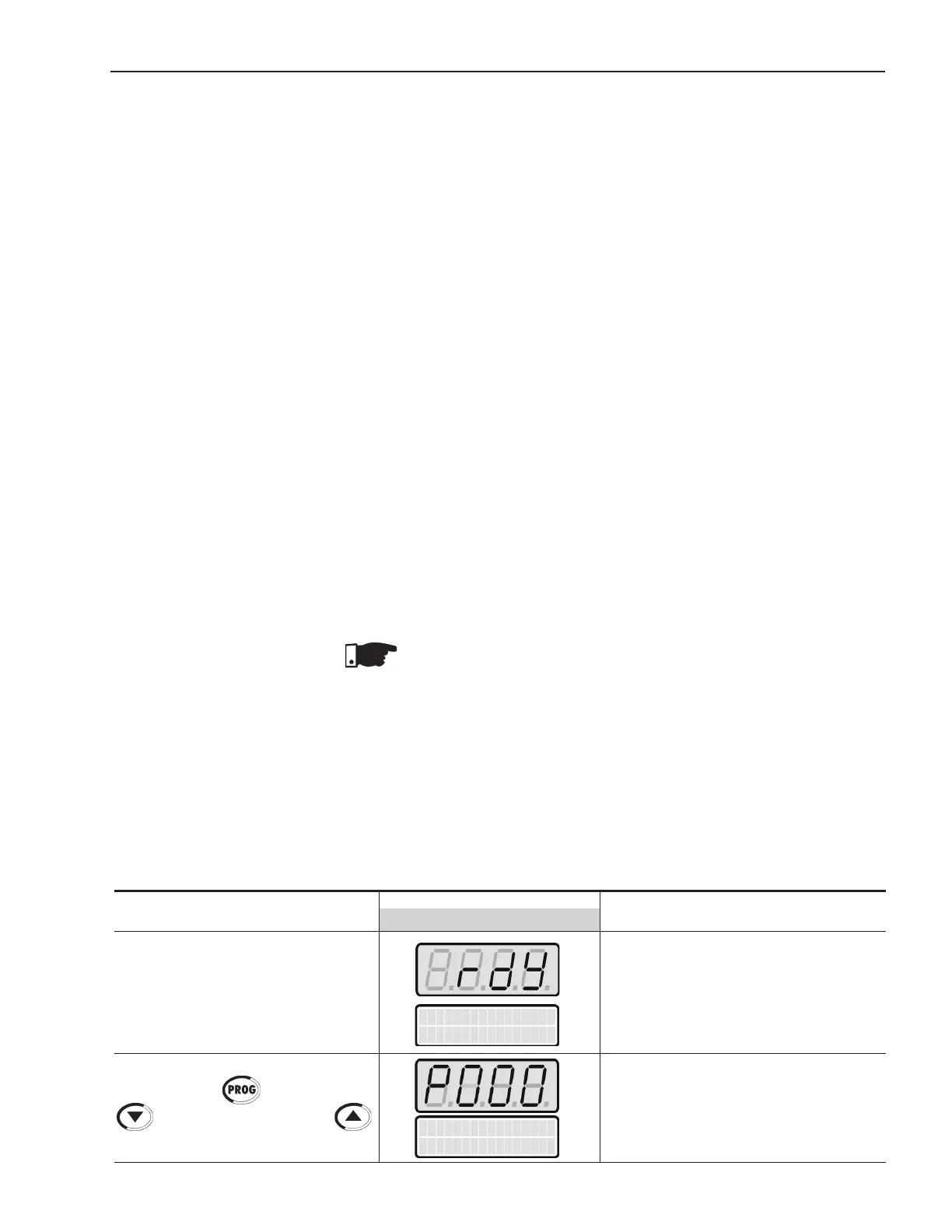
5.3.1 Start-up: Operation via Keypad Type of control: Voltage Ramp
Power-up the Soft-Starter
Press the key . Press the key
tondP000.Alsothekey
maybeusedtondParameterP000
ACTION LEDDISPLAY DESCRIPTION
LCDDISPLAY
Soft-Starter is ready to be operated
It enables the access for changing
parameters. With setting according to
Factory Default [P200 = 1 (Password is
active)], you must set P000 = 5 for chan-
ging the parameter content.
Parameter Access
P000=0
Soft Starter
ready



 To Next Page