First commissioning
10 Operating Manual
3 First commissioning
3.1 Connections
General connections behind the cover flap
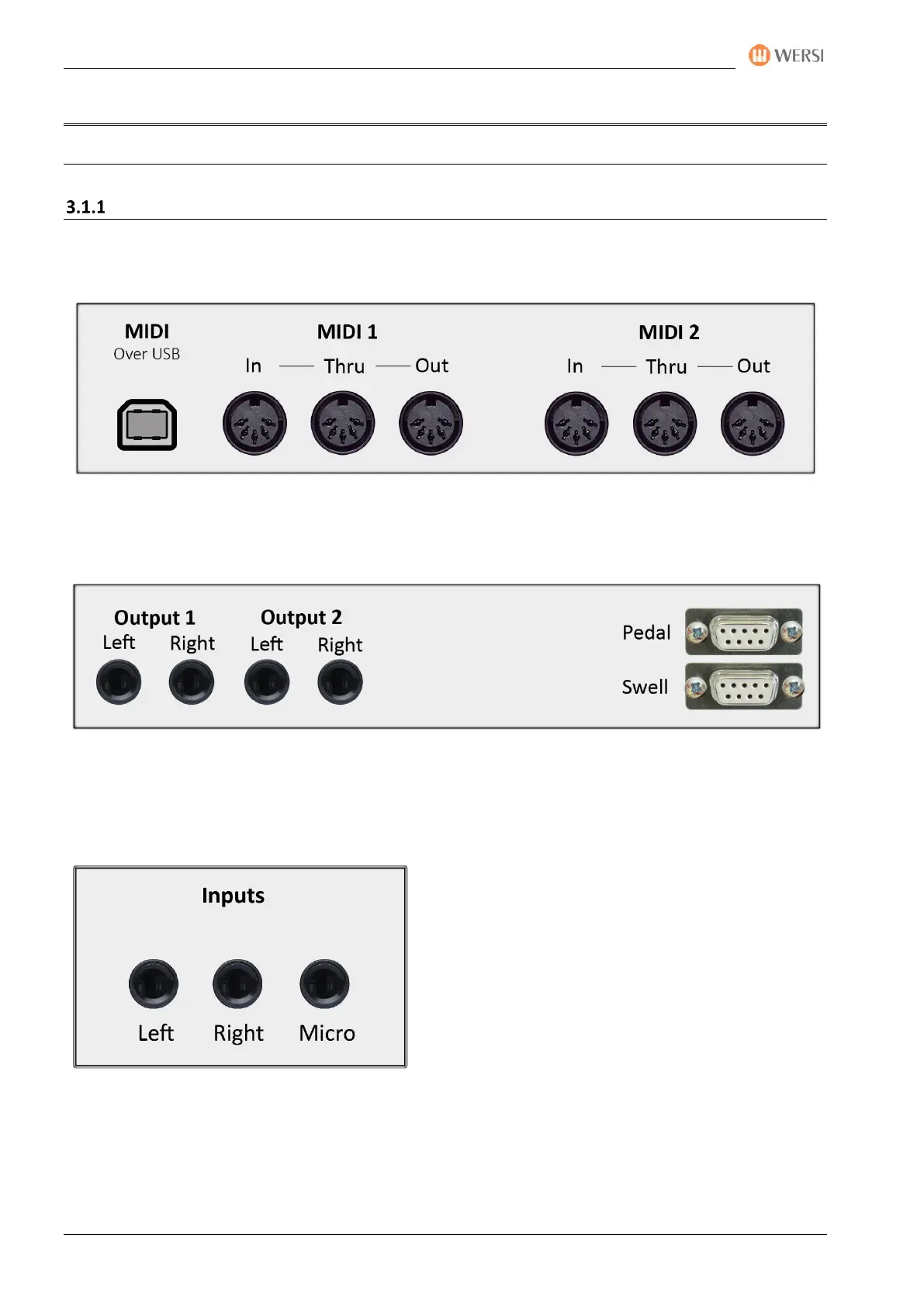
The connectors of the instrument can be found behind a flap on the back of the instrument. Use the two
handles on the right and left sides of the back to open. There you will find the following connections:
3 x DIN connectors (5-pin) connectors for MIDI 1 IN/THRU/OUT
3 x DIN connectors (5-pin) connectors for MIDI 2 IN/THRU/OUT
MIDI over USB (The OAX1 and OAX500 instruments do not have a "MIDI Over USB" port)
2 x mono outputs LINE OUTPUT 1 with LEFT (left channel) + RIGHT (right channel)
2 x mono outputs LINE OUTPUT 2 with LEFT (left channel) + RIGHT (right channel)
Connection of threshold via Sub-D jack with two side foot switches (is already wired)
Connection 17-button pedal via Sub-D jack (is already wired)
OAX 1 – OAX500
1 x asymmetrical microphone input via 6.35 mm jack
2 x asymmetrical mono inputs LINE INPUT 1 with LEFT (left channel) + RIGHT (right channel) via 6.35
mm jack



 To Next Page
 Loading...