OAX-System 103
8.2 Keyboard split point only for OAX1 keyboard
This keyboard split point divides the manual into a left and right half of the manual,
which is then interpreted as a top and lower manual.
Changing keyboard split point
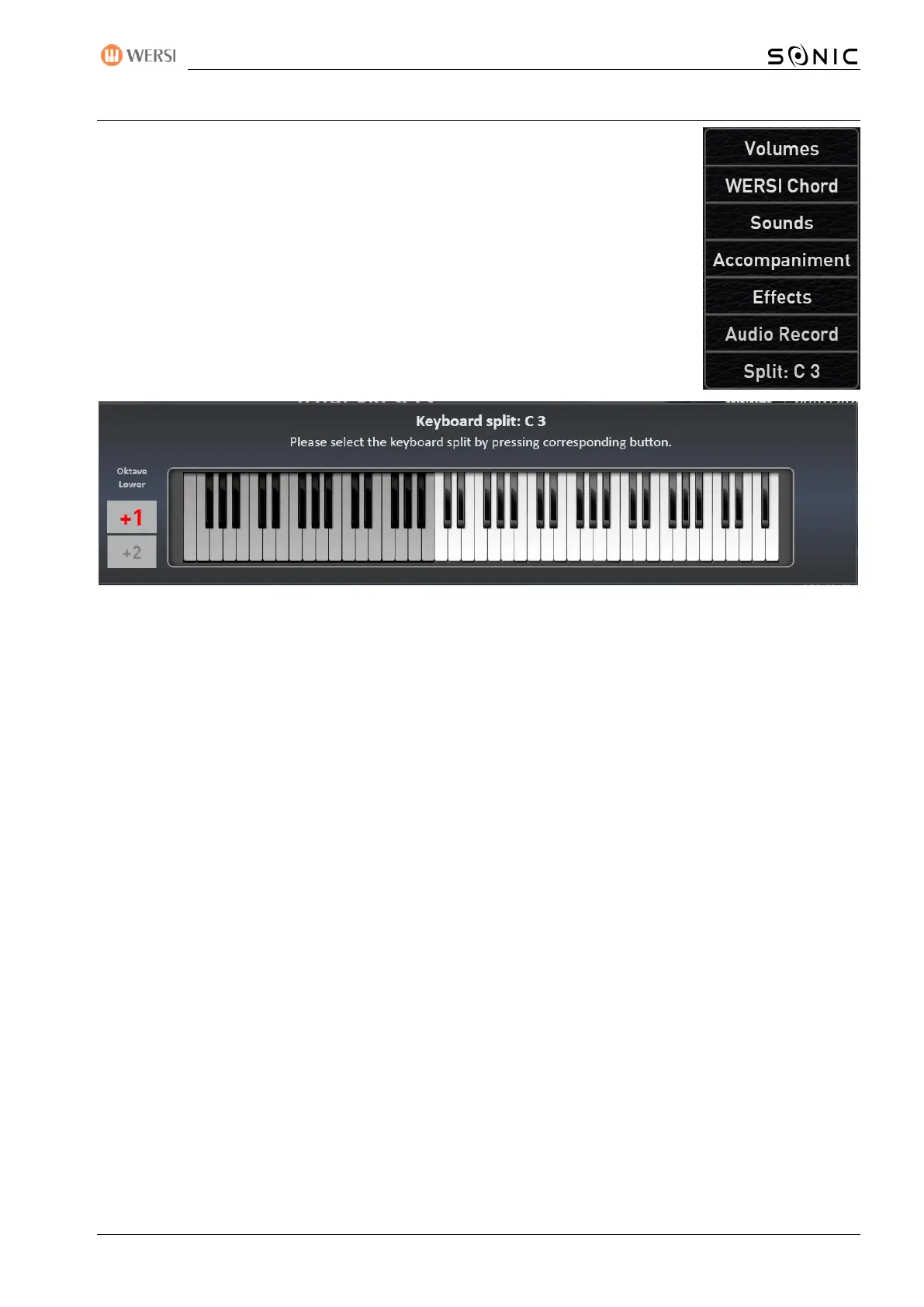
Press once on the surface "Split: ...." and the display keyboard for the complete
keyboard will appear.
You can easily enter the split point by pressing the appropriate note on the keyboard or on the display
keyboard. The split point you enter is displayed on the display keyboard and the input window disappears
after a moment.
With the OAX1 you can raise the octave of the left hand. For this purpose, the two display buttons +1 and +2
are located to the left of the keyboard. In the example above, the left half (Lower) is raised by +1 octave.
Don't forget to save the new split point in a total preset.


 To Next Page
 Loading...