The PROFI-Display
146 Operating Manual
8.11 Effects
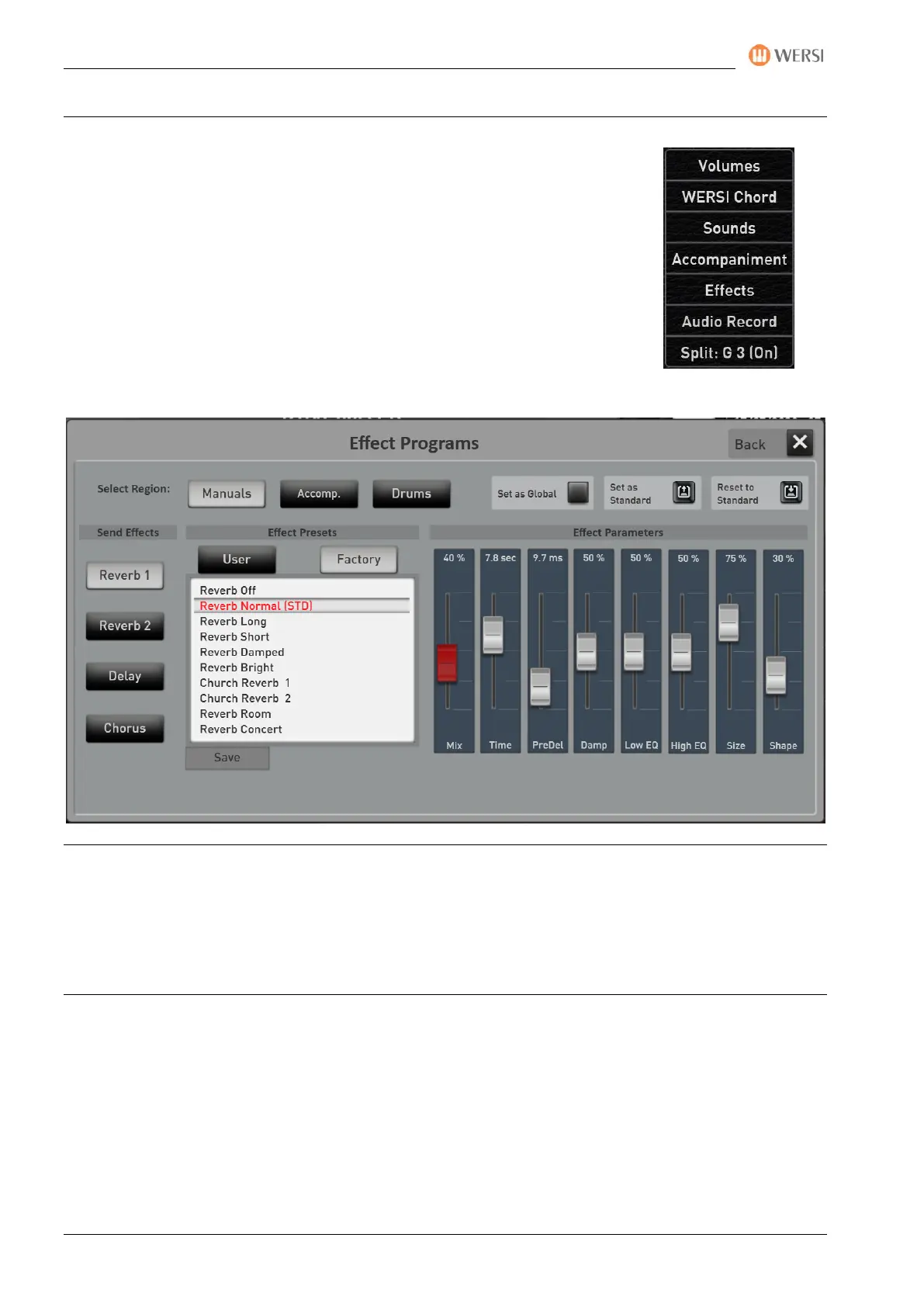
The SONIC has four SEND effects Reverb 1, Reverb 2, Chorus and Echo, and that
each for the areas manuals, accompaniment (styles/sequences) and drums.
In the AREA of EFFECTS, you have enough adjustment options to find your optimal
sound.
In PROFI mode, tap the EFFECTS button in the right display to open the following
window:
Description SEND effects: Since we can adjust the effect programs and the respective volume of the effect
on the display below, there are still places from which "send" can be.
For the Manuals, this is done via the manual controller selectors (see the chapters 7.2 für den EASY-Modus
and 8.4.1 for the PROFI-Mode.
For the ACCOMPANIMENT and DRUMS areas in the Style Editor (see Programming Manual SONIC)


 To Next Page
 Loading...