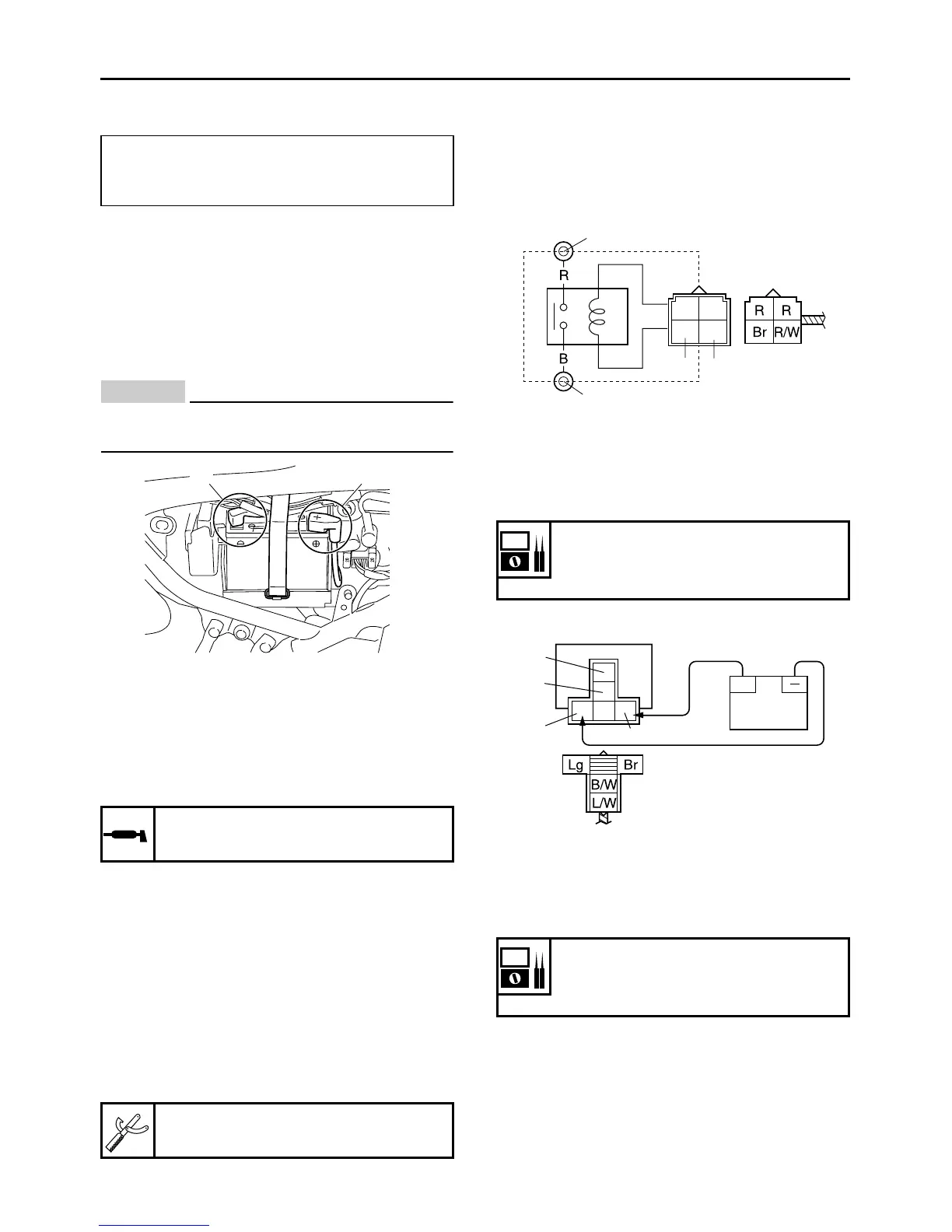
6. Install:
7. Connect:
ECA13630
First, connect the positive battery lead “1”,
and then the negative battery lead “2”.
8. Check:
●
Battery terminals
Dirt → Clean with a wire brush.
Loose connection → Connect properly.
9. Lubricate:
● Battery terminals
10.Install:
● Battery band
11.Install:
● Rear right side cover
● Seat
Refer to “GENERAL CHASSIS” on page 4-1.
EAS28040
CHECKING THE RELAYS
Check each switch for continuity with the pocket
tester. If the continuity reading is incorrect, re-
place the relay.
1. Disconnect the relay from the wire harness.
2. Connect the pocket tester (Ω × 1) and battery
(12 V) to the relay terminal as shown.
Check the relay operation.
Out of specification → Replace.
Starter relay
Starting circuit cut-off relay
12.8 V or more --- Charging is complete.
12.7 V or less --- Recharging is required.
Under 12.0 V --- Replace the battery.
Recommended lubricant
Dielectric grease
Pocket tester
90890-03132
2
1
1. Positive battery terminal
2. Negative battery terminal
3. Positive tester probe
4. Negative tester probe
Result
Continuity
(between “3” and “4”)
1. Positive battery terminal
2. Negative battery terminal
3. Positive tester probe
4. Negative tester probe
Result
Continuity
(between “3” and “4”)
2
1
4
3
+
1
2
3
4



 To Next Page