The Main Screen Interface
3.2.4. Run Menu
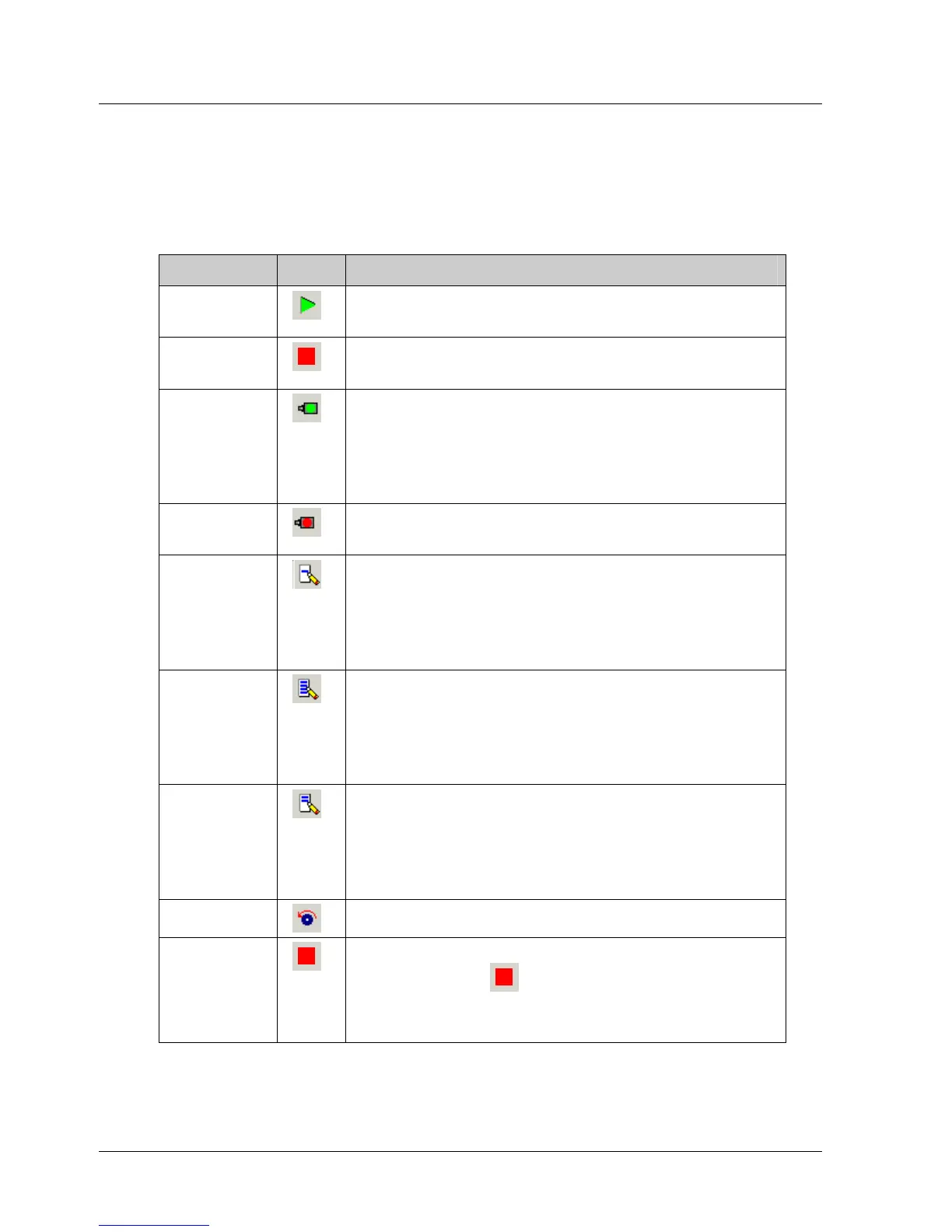
The Run Menu options enable you to control the program running on the
XtraDrive driver.
Table 4: Run Menu Options
Option Icon Description
Run
Program
Runs the program immediately.
Stop
Program
Stops the program immediately.
Servo ON
Switches the XtraDrive driver ON so that the
motor is now under driver control. In this
mode, the driver holds the motor in position
under various load conditions, even when no
motion is required.
Servo OFF
Switches the XtraDrive driver OFF so that the
motor is no longer under driver control.
Immediate
Mode
Switches to Immediate mode. In Immediate
mode, commands are downloaded immediately
to the driver’s memory. For details of all the
available modes, see section
4.5, Program
Modes.
Program
Mode
Switches to Program mode. In Program mode,
a list of commands is prepared in the program
editor to be downloaded to the driver at a later
stage. For details of all the available modes,
see section
4.5, Program Modes.
Sequential
Mode
Switches to Sequential mode. In Sequential
mode, each command is downloaded
individually to the driver and then processed.
For details of all the available modes, see
section
4.5, Program Modes.
Jog
Runs the motor at a constant predefined speed.
Stop
Immediately stops the motor motion. You can
also click Stop on the toolbar or press F9.
For further details, see the STOP_EX command
in Chapter
5, Command Reference.
10 XtraWare User Manual



 To Next Page