The Main Screen Interface
Note:
1) The ECAM related options are only activated if an
ECAM license has been purchased.
3.3.2. Maintenance Menu
The Maintenance Menu options allow you to tune the control loops
automatically or manually, to open and close a log file, and to send a
command to the XtraWare device.
Table 7: Maintenance Menu Options
Option Icon Description
Reset
Driver
Cycles the main circuit and control power
supply. This is necessary after certain
parameters are edited, to enable the new
settings. The Need Reset indicator appears in
the status line when this action is necessary.
Reset to
Default
Parameters
Discards user modifications to the parameters
and reverts to the factory default parameters.
Note that some parameters are updated at
power-up only and you must therefore restart
the XtraDrive after using this option.
Open Log
File
Starts a new log file and inserts all the
commands sent via communication into the
log file. The log file is used mainly for
debugging purposes.
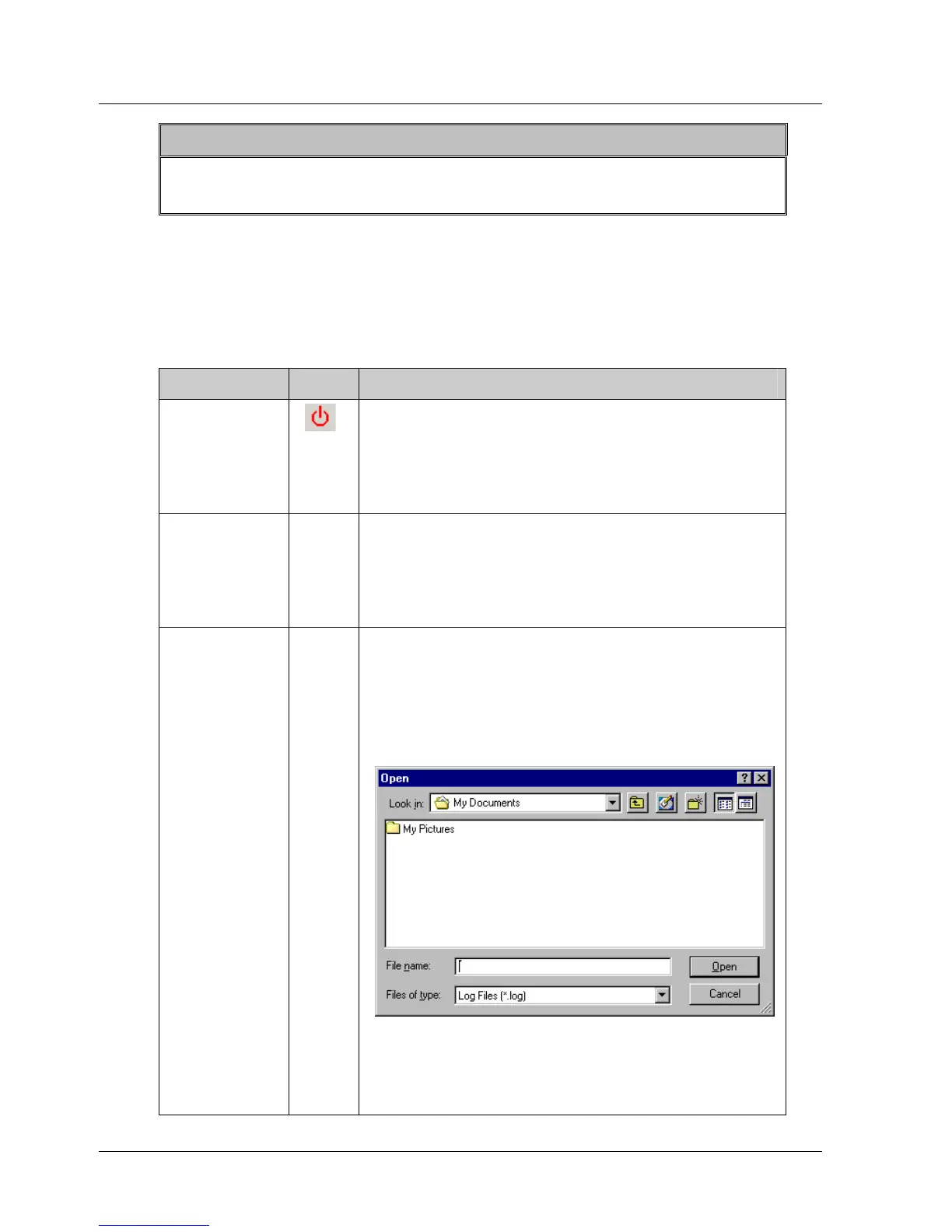
When this option is selected, the Open Log
File dialog box is displayed:
Figure 6: Open Log File Dialog Box
Select a directory and select the name of an
existing file, or type in a name to create a
new log file. When XtraWare is in Online
12 XtraWare User Manual



 To Next Page