The Main Screen Interface
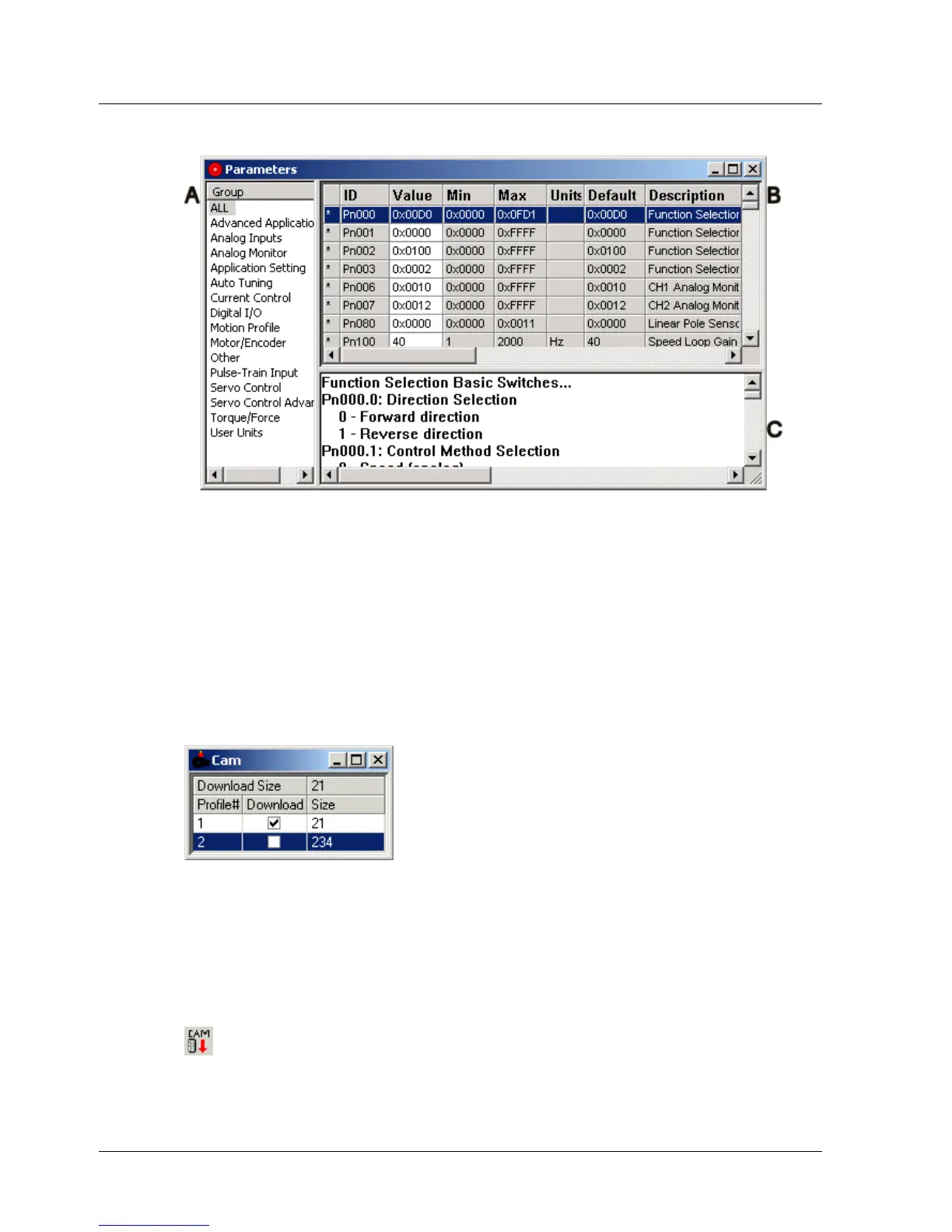
The Parameters window is divided into three panes as shown below:
Figure 11: Parameters Window
♦ Group pane (A) lists the parameter groups. The parameters in the
selected group are displayed in the Parameters pane.
♦ The Parameters pane (B) displays the details of each parameter.
Initially, the values displayed for the parameters are the default values.
♦ The Description pane (C) displays a short description of the selected
parameter.
3.5.6. Cam Window
The Cam window lists all ECAM profiles that have been defined.
Figure 12: Cam Window
♦ Download size: Indicates the number of data points that will be
downloaded to the XtraDrive when the Download Cam button is
pressed.
♦ Profile#: The profiles are identified in the Cam List by their numbers.
♦ Download: Check the checkboxes corresponding to all profiles that
should be downloaded to the XtraDrive when the Download Cam button
is pressed.
♦ Size: The number of data points in each profile
XtraWare User Manual 19



 To Next Page