Operating the XtraDrive Using XtraWare
4.9.5. Creating a Profile
Profiles are defined in the Electronic CAM window.
4.9.5.1. Adding a Profile
¾ To add a profile to your project:
1. Select Electronic CAM from the Tool menu, or click Electronic Cam
on the toolbar.
The Electronic CAM window is displayed.
2. Enter a number that you will use to identify the profile in the Profile
Number field.
3. Click Add Profile.
The profile is added to the Profile List.
4.9.5.2. The Position Setting Tab
Profiles are defined on the Position Setting tab of the Electronic CAM
window.
¾ To open the Position Setting tab:
1. Click the Position Setting tab.
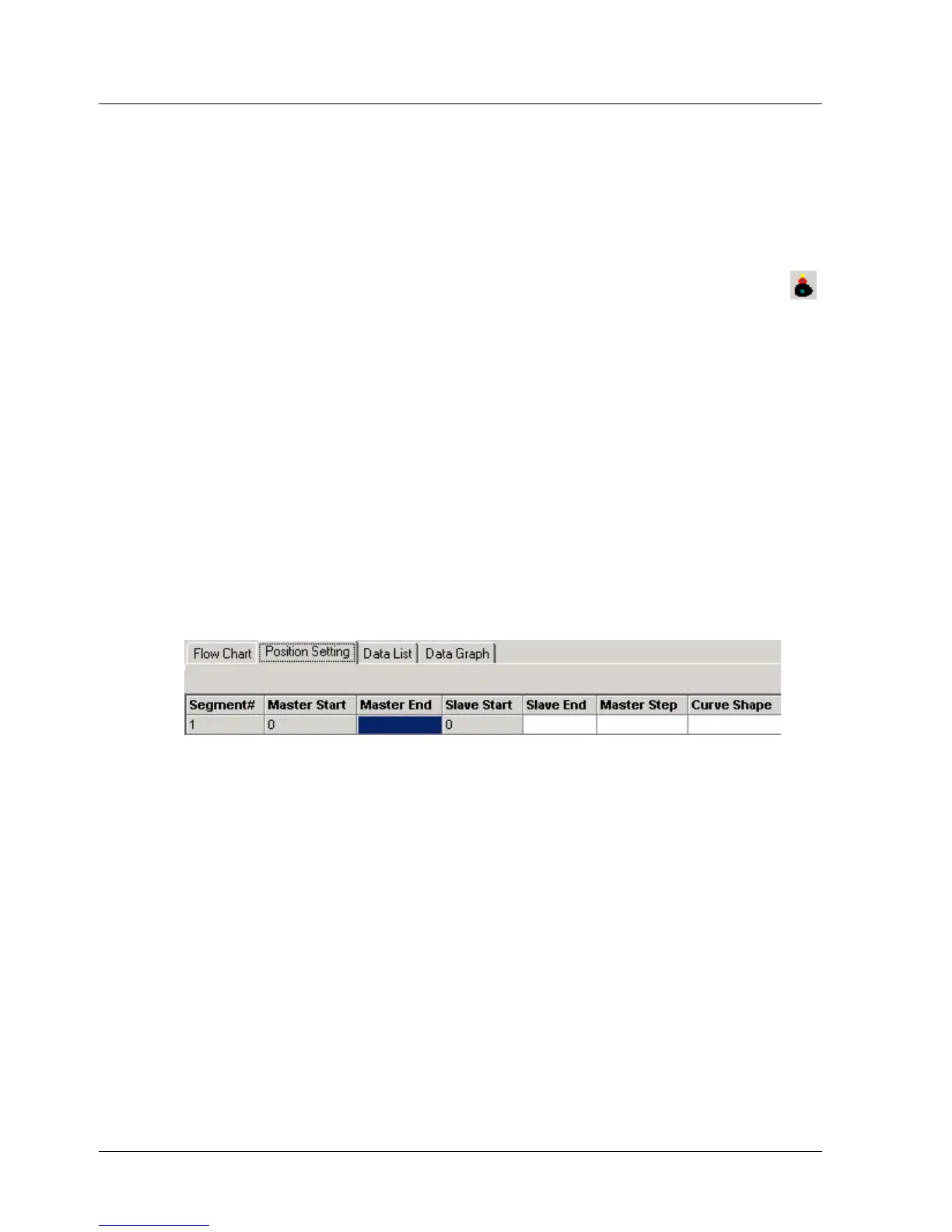
The Position Setting tab is displayed. Each field is explained below.
Figure 34: Position Setting Tab
♦ Segment#: Each segment is automatically assigned a number.
♦ Master Start: The first segment starts at master position 0. Each
subsequent segment starts at the position at which the previous
segment ended. The master position is defined in terms of master
encoder counts.
♦ Master End: Specifies the master position at the end of the segment.
If a time based profile is being created, Master End specifies the time at
which the segment ends. For example, if the segment is to span 100
ms, the difference between the Start and End values must be 800 ms
as the clock generates eight pulses per millisecond.
♦ Slave Start: The first segment starts at slave position 0. Each
subsequent segment starts at the position at which the previous
segment ended. The slave position is defined in terms of position user
units.
XtraWare User Manual 51



 To Next Page