Operating the XtraDrive Using XtraWare
¾ To display parameters belonging to a specific group in the
Value pane:
1. Select one of the predefined groups (e.g., Digital I/O, Servo Control)
listed in the Group pane.
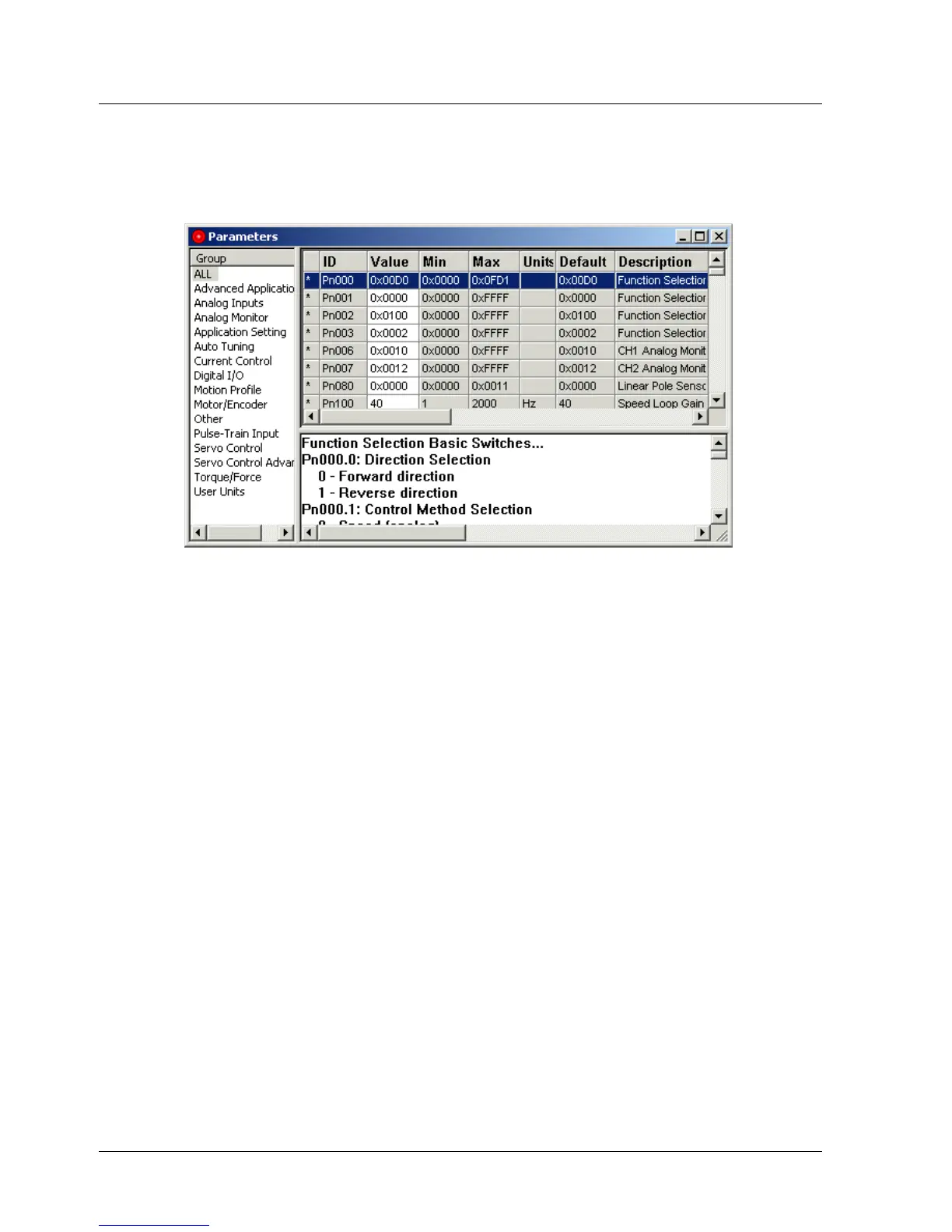
Figure 14: Parameters Window
The fields in the panes of the Parameters window are listed below (from left
to right):
♦ Group: Parameter group selection.
♦ Parameter status indication: An asterisk in this column indicates that
the value of the parameter has been changed in the PC, but has not
been downloaded to the XtraDrive.
♦ Parameter ID: The parameter number.
♦ Value: Current parameter value (0x indicates hexadecimal values).
♦ Min: Minimum value allowed for the parameter.
♦ Max: Maximum value allowed for the parameter.
♦ Units: The units used for the parameter.
♦ Default: The default value for the parameter.
♦ Description: A short description of the parameter functionality.
26 XtraWare User Manual



 To Next Page