Operating the XtraDrive Using XtraWare
4.7.1.1. Trigger
A trigger is a device used to specify exactly when data collection should
begin. The trigger can be made conditional on any of a range of aspects of
the servo operation. For example, you can specify that data collection
should begin after the /COIN signal is set ON or after the speed feedback
exceeds 100 rpm.
A trigger condition is specified by four settings:
♦ Source - Trigger object selection
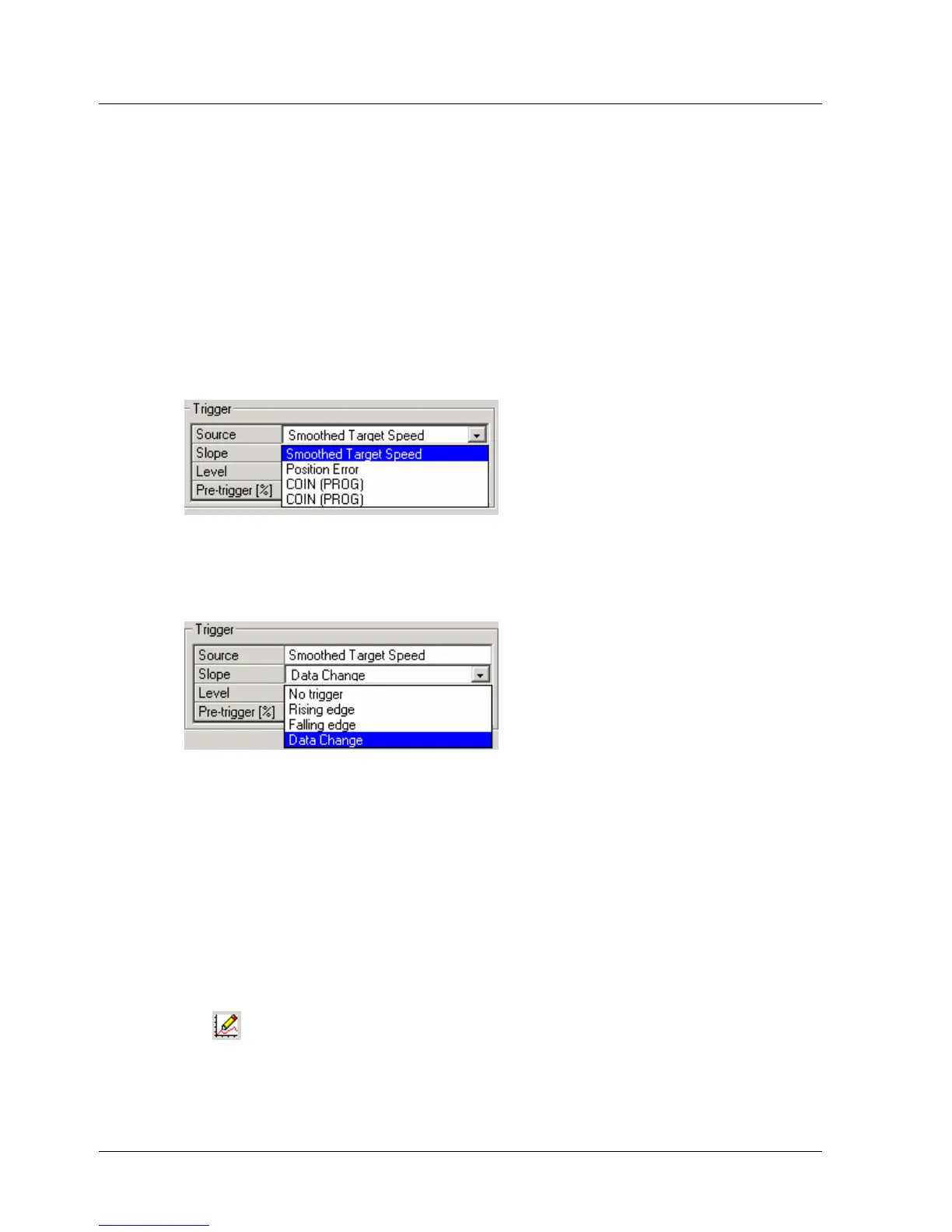
Specifies the variable on which the trigger is conditional. Any one of the
variables listed in the Y1, Y2, I/0 –1 and I/O – 2 fields can be selected
from the drop-down menu.
Figure 25: Trigger Selection (1)
♦ Slope - Edge Type
Specifies in which direction across the trigger Level the Source must
change to trigger data collection.
Figure 26: Trigger Selection (2)
As the type of slope, select:
Rising Edge: Data collection is triggered when the value of the
Source rises from below the trigger Level to above the trigger Level,
i.e., when the change is from LO to HI in I/O.
Falling Edge: Data collection is triggered when the value of the
Source falls from above the trigger Level to below the trigger Level,
i.e., when the change is from HI to LO in I/O.
Data Change: Data collection is triggered when the value of the
Source crosses the trigger Level in either direction.
No Trigger: Data collection will start at the same time as Start Trace
is clicked. All other trigger settings are irrelevant.
♦ Level - Trigger Level
Specifies the threshold value of the Source at which data collection is
triggered. The units for the setting are the same as those of the trigger
XtraWare User Manual 39



 To Next Page