Directions for Use of Image Creator
116
Operation Manual
Auto-Focus
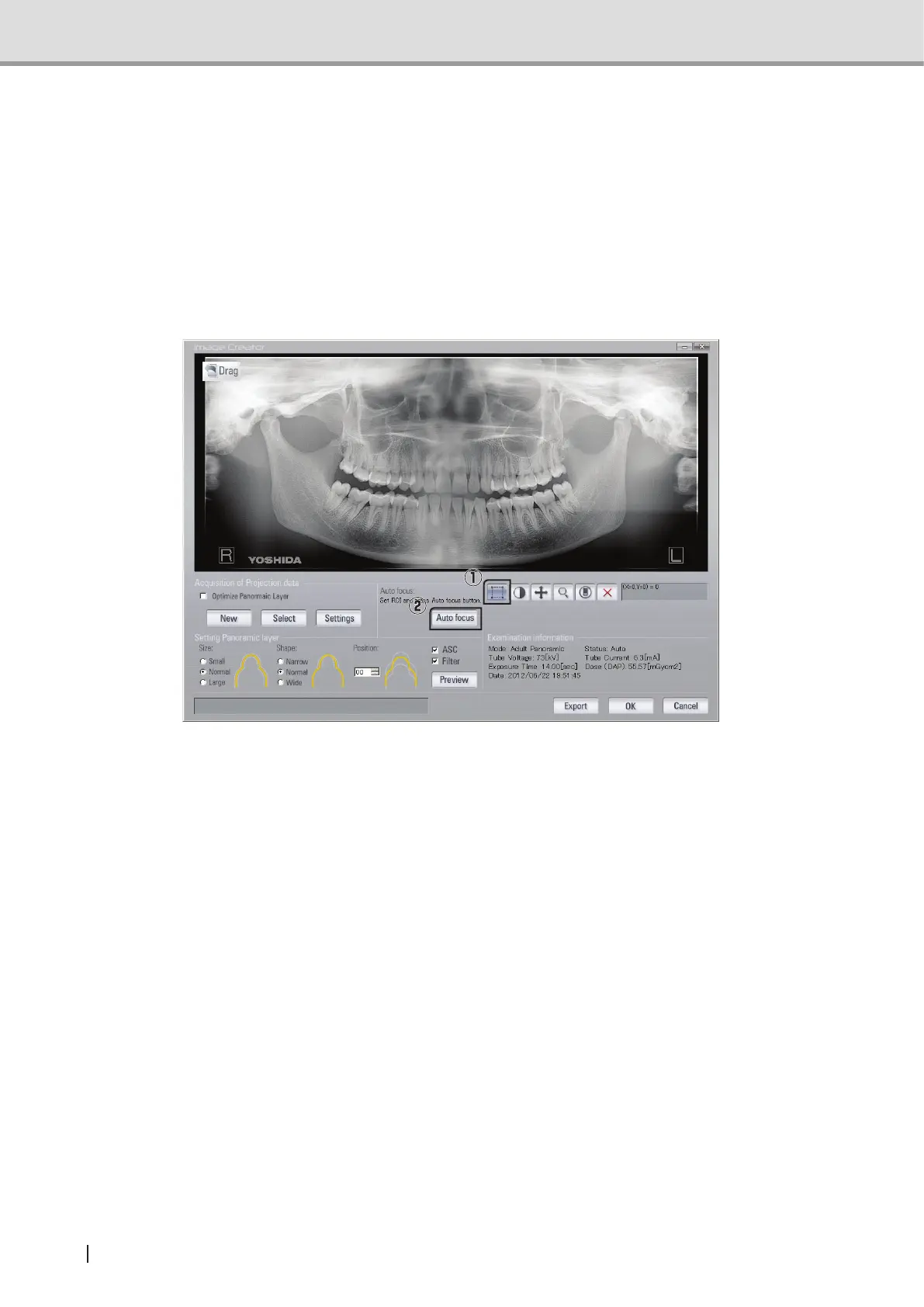
Click on the Domain button (1) to set the rectangular domain on the panoramic image, By
selecting a rectangular domain on the panoramic image and pressing “Auto-Focus(2)”, the
panoramic image is reformulated by the selected domain being focused and the tomographic
domain being automatically readjusted.
By selecting a rectangular domain on the panoramic image and pressing “Auto-Focus”, the
panoramic image is reformulated by the selected domain being focused and the tomographic
domain being automatically readjusted.
NOTE : When a tomographic domain is adjusted using Auto-Focus, the tomographic
domain of upper and lower selected rectangular domain are also relocated.
NOTE : When the length measurement function is used in the viewer, the result of the
measurementmaydifferbecausemagnicationoftheimageischangedbythe
use of tomographic adjustment feature.
Suppl. :ByselectingAutofocus,thespecieddomainwillbeinfocusautomatically.
However, in some cases with unclear images due to the certain factors such as
containingopacityobjects(prostheticmaterial,root-canalllingmaterial,and
implants), patient’s individual characteristics, or incorrect positioning, auto-focus
function may not bring proper tomographic position into focus.



 To Next Page