Directions for Use of X-era Smart ControlManager
108
Operation Manual
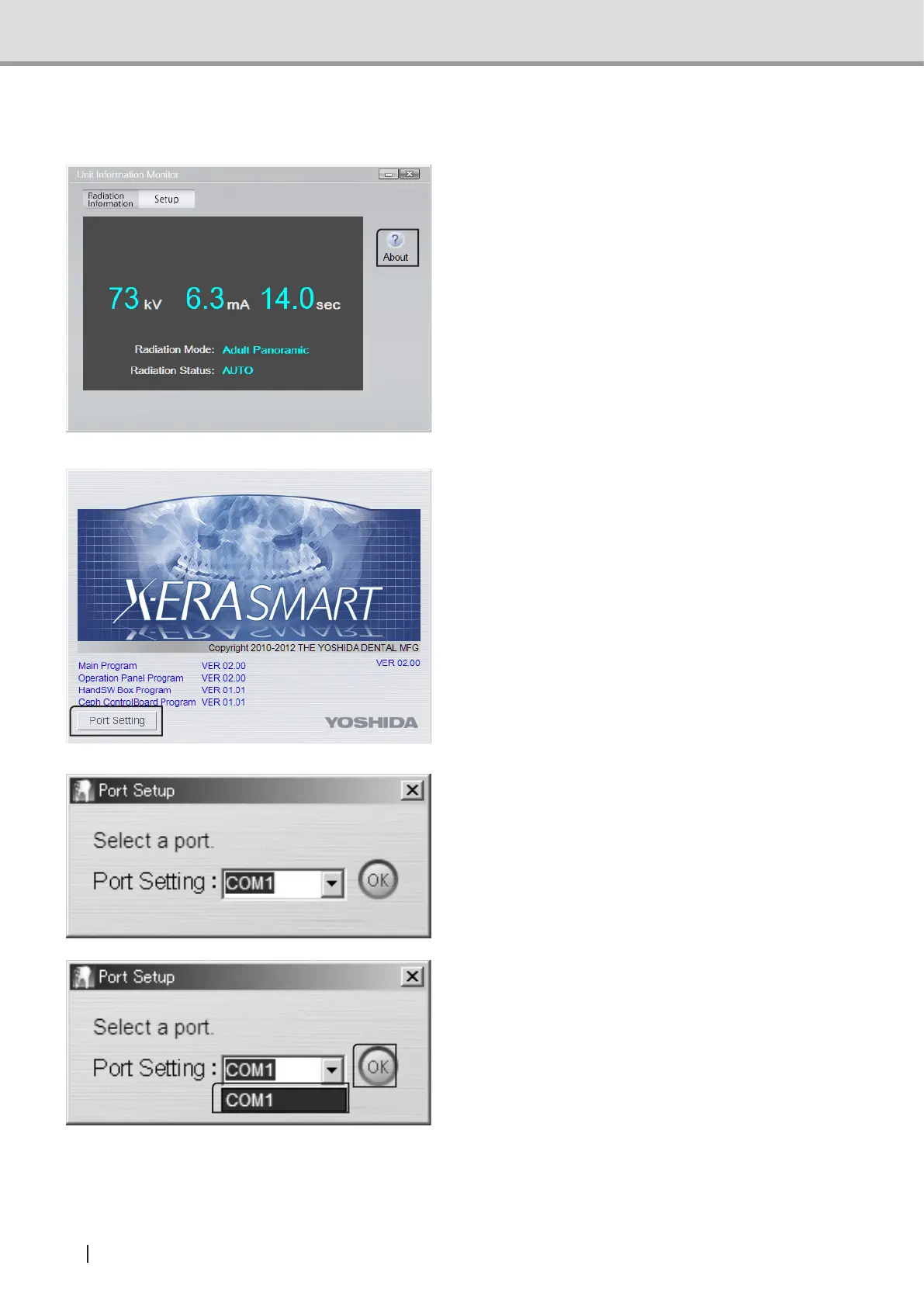
3.5 ConguringaCommunicationPort(s)
1 Click “About” in “Main Menu”.
2 The“VersionConrmation”screenwill
open.
Click “Port Setting”.
3 The “Port Setup” dialog will open.
4 From the pulldown menu, select your
desired port (s) and then click “OK”.
You will return to the “System Setup”
screen.



 To Next Page