Before Using this Product
30
Operation Manual
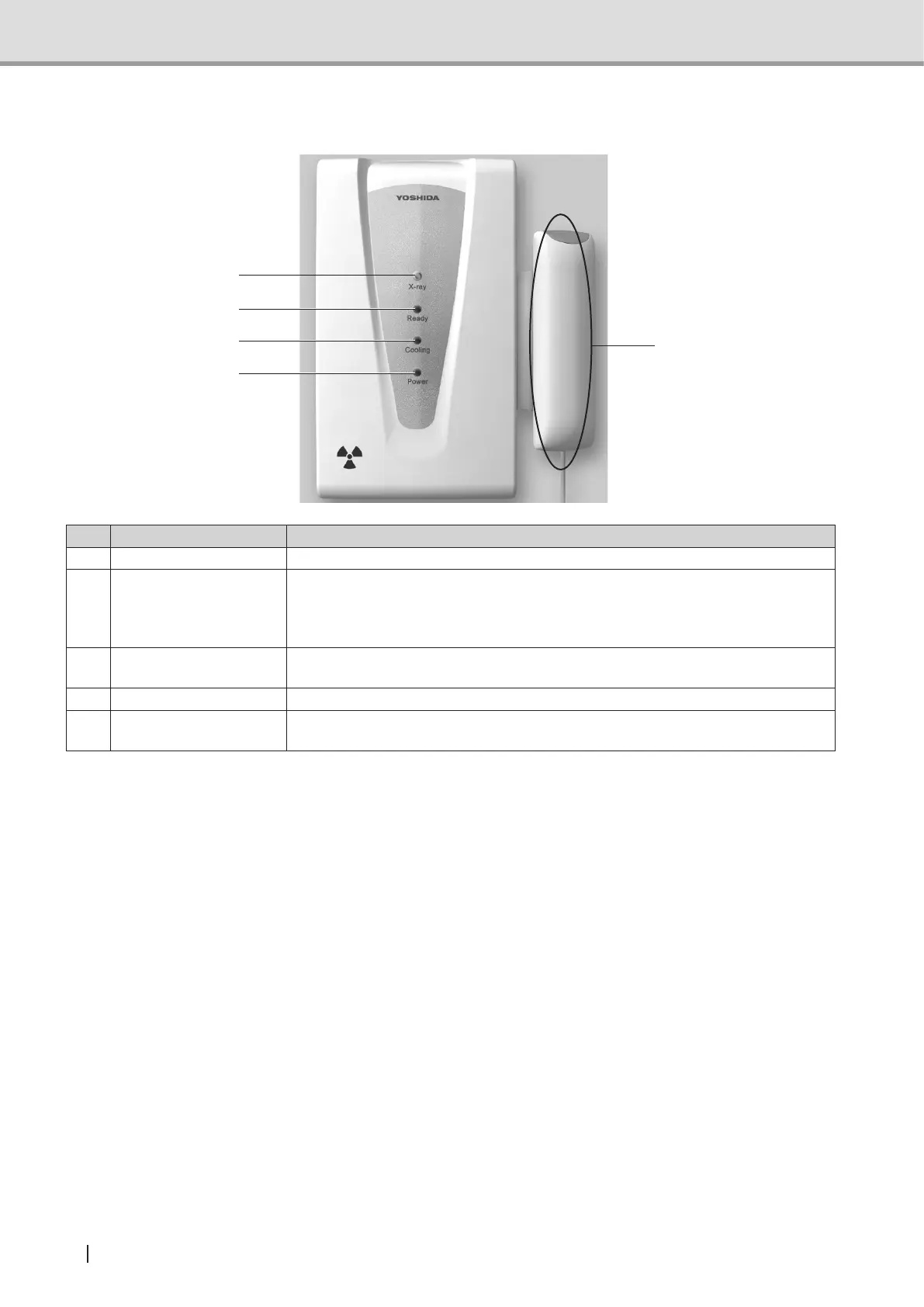
1.3.4 Names and functions of hand-switch box indicators and switches
2
3
4
1
5
Name Function
1 X-ray LED (yellow) Stays on during X-ray exposure with an intermittent buzzer sound.
2 Ready LED (green)
Flashes while the equipment (e.g. the rotating arm) is operating; turns on when
it has returned to its reset position in each exposure mode; turns off when it
leaves the reset position. Flashes while the arm is moving to the positioning
beam Exposure point; turns off when it has reached the point.
3 Cooling LED (green)
Stays on during cooling time after X-ray exposure; turns off when the cooling
time has expired.
4 Power LED (green) Stays on while power is being supplied.
5 X-ray Exposure switch
Pressed and held down in the Ready for exposure state (Ready LED on) to
irradiateX-rayforaspeciedtimeperiod.
*Incaseofanerror,X-rayLED,ReadyLEDandCoolingLEDashes.Whentheproblemisxed,TheLED
turns off.



 To Next Page