Directions for Use
78
Operation Manual
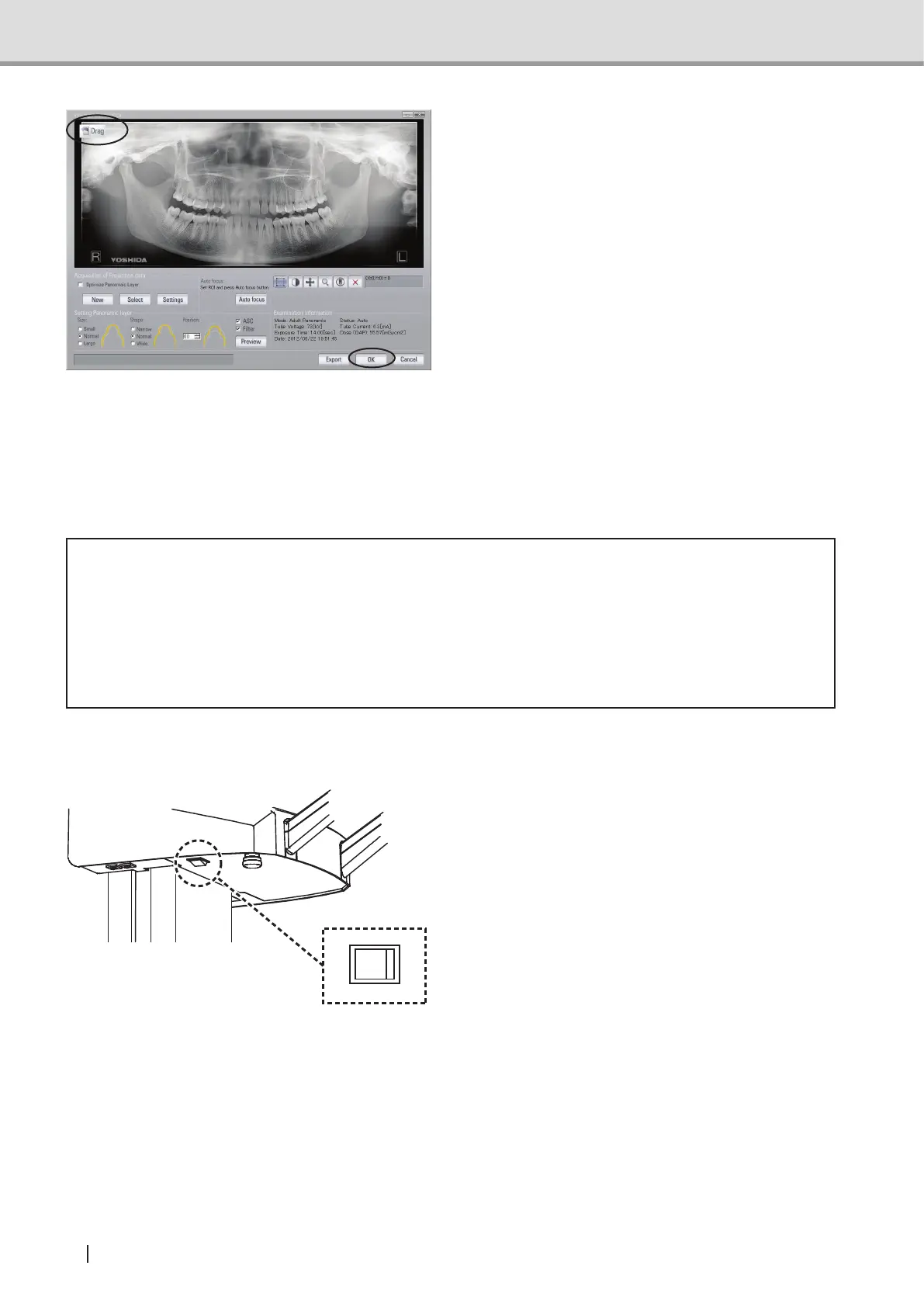
2 Click "OK" to transfer the image using
the TWAIN function. To transfer the
image using the "Drag & Drop" function,
drag the "Drag" button from the upper
left on the screen and drop it on the
displaywindowoftheViewer.
NOTE : Since a panoramic image
has been converted
into a two-dimensional
image, some errors may
be observed when a
measurement is taken on the
acquired image.
See also : For detailed operations of the
viewer, refer to the operation
manual of the viewer in use.
* Caution
• Malfunctions or erroneous operations, such as unintended formatting of the hard disk
drive, might render important data or programs inoperative. Use a backup program
to copy the contents of the hard disk drive into an auxiliary storage device. Please
note that we are not liable for the loss of data because of a malfunction or erroneous
operation.
2.3.10 Turning Off the Equipment
Turn the power switch off (O) and make
sure the power indicator (green) is unlit.
*Panoramic mode



 To Next Page