Directions for Use of Image Creator
118
Operation Manual
4.9 Image Export
The image shown at the Image Display area can be transferred to the viewer or exported as
aleinTIFFformat.
Transfer to the viewer
• Transfer Using TWAIN
When Image Creator is activated from the viewer using TWAIN, press “OK” to transfer
the image shown at the Image Display area to the viewer.
For viewers capable of handling 16 bpp* grayscale images, the formulated image is
transferred as it is.
For viewers only capable of handling 8 bpp* grayscale images, the image is transferred
after the subtractive color process according to the Window Level shown at the Image
Display area.
* bpp (Bit Par Pixel) indicates how many bits exist in one pixel. 8 bpp denotes 256-step gray scale whereas
16 bpp denotes 65536-step grayscale.
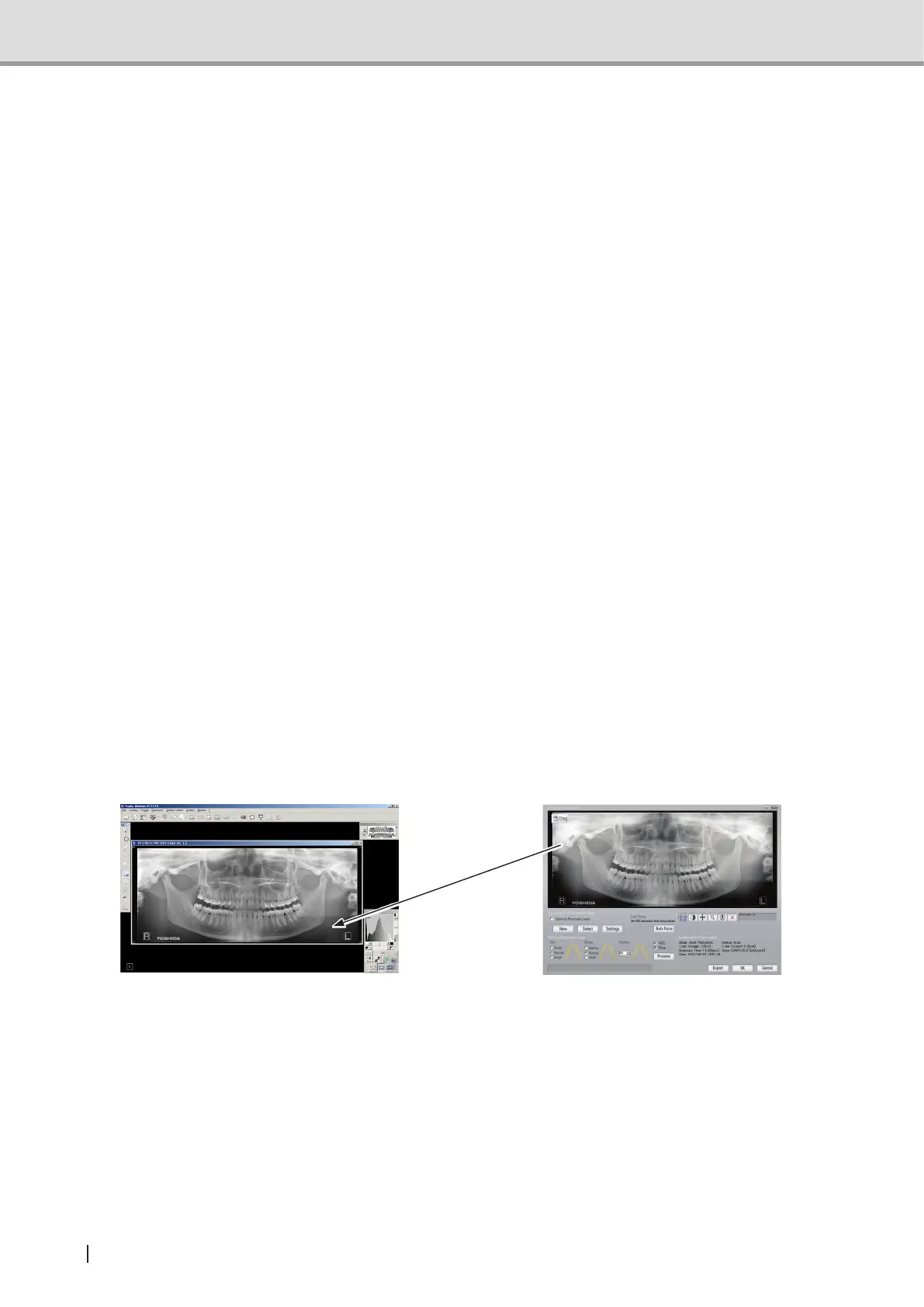
• Transfer by Drag and Drop
When the image acquired is displayed at the Image Display of Image Creator, left-click
the“Drag&Drop”ButtonanddragittotheViewerScreenanddropitthere,andthe
image is transferred to the viewer. By right-clicking the “Drag & Drop” Button, a pop-up
menuisdisplayedandthetransferringleformatcanbechosen.
<File Format Options>
- Tiff (16-bit)
- Tiff (8-bit)
- DICOM (16-bit)
- Trophy Windows Format (16-bit)
Drag & Drop
Suppl. :There are some viewers that do not accept drag and drop actions. In such a case,
useTWAINtotransfertheimageoroutputtheleusingtheTiffformat.
ExportingaleintheTIFFformat
When Export Button is pressed while an image is shown at the Image Display area, the
imageisnamedandexportedintoale.ThelecanbeexportedeitherintheTIFF8bpp*
grayscale format or in the TIFF 16 bpp* grayscale format.
* bpp (Bit Per Pixel) indicates how many bits exist in one pixel. 8 bpp denotes 256-step gray scale whereas 16
bpp denotes 65536-step grayscale.



 To Next Page