QA (Quality Assurance)
190
Operation Manual
12.4 QA Procedure (3D)
NOTE : Inspect the equipment every six months following steps below, and keep the record.
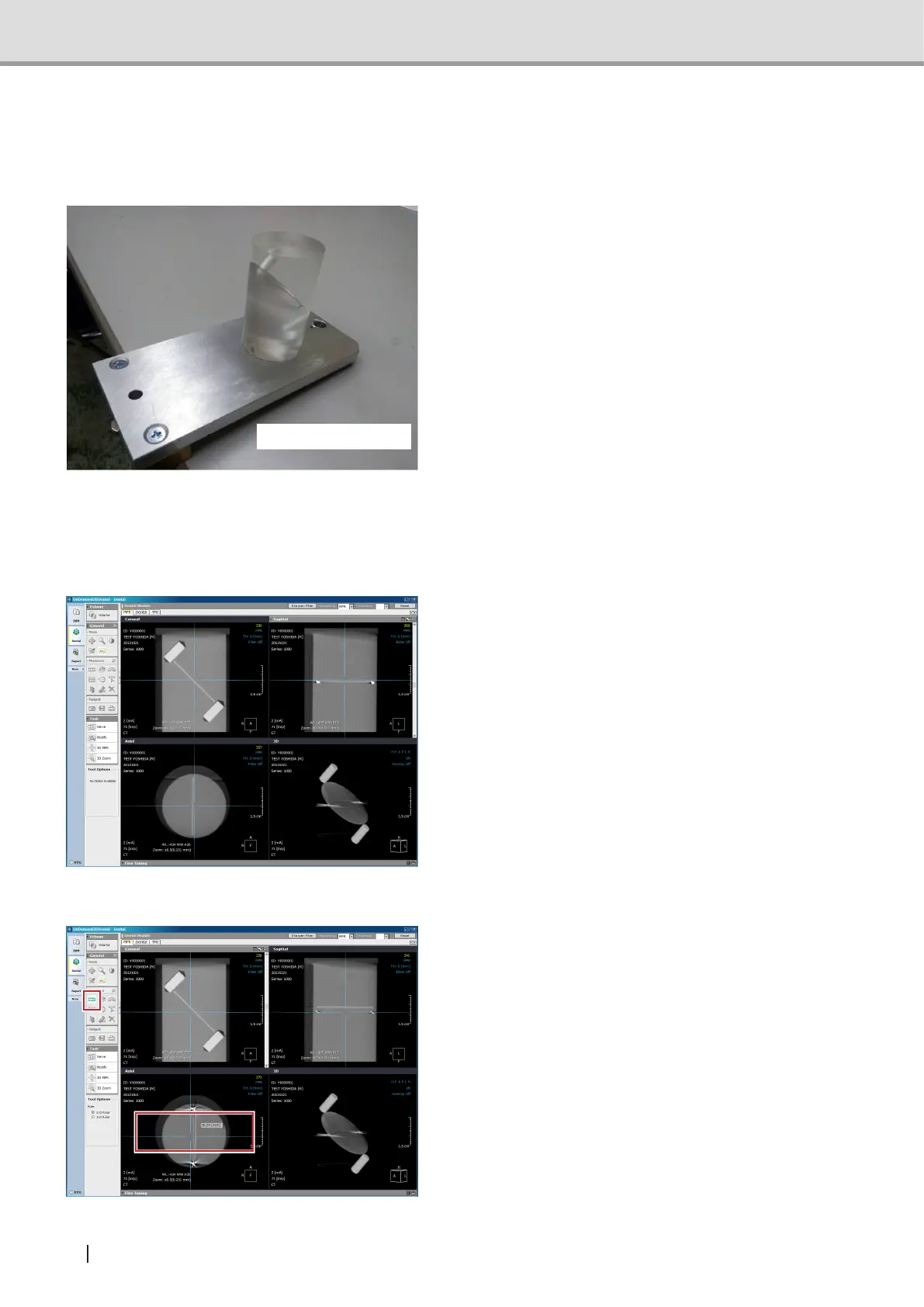
1 Attach the 3D QA phantom to the chin
rest base. Conduct image acquisition
in two modes, Dental Mode and Oral
Mode.
Conditions for image acquisition are as
follows:TubeVoltage71kV,TubeCurrent
2mA
Note : In this image acquisition, do
not move the forward/backward
position of the arm. If the arm
was moved by pressing forward/
backward switch, press the rest
switch so that the arm returns
to the original position before
acquiring images.
2 Displays the acquired image in OnDe-
mand3D.
Go through steps 3 to 6 and check the im-
ages acquired in two modes, Dental Mode
and Oral Mode.
3 Adjust the tilt of the crossbar, and
measure the distance between the two
steel balls.
Acceptance value 29.6 mm to 30.4 mm
(standard value 30.0 mm)
3D QA phantom



 To Next Page