Directions for Use
71
Operation Manual
2.3.6 Patient Positioning in TMJ mode
* Caution
• If the rotating arm unit deviates from its correct position, e.g. when it hits against the
patient’s shoulder, positioning may not be correctly performed. To avoid this problem, be
sure to return the arm unit to its reset position and then retry.
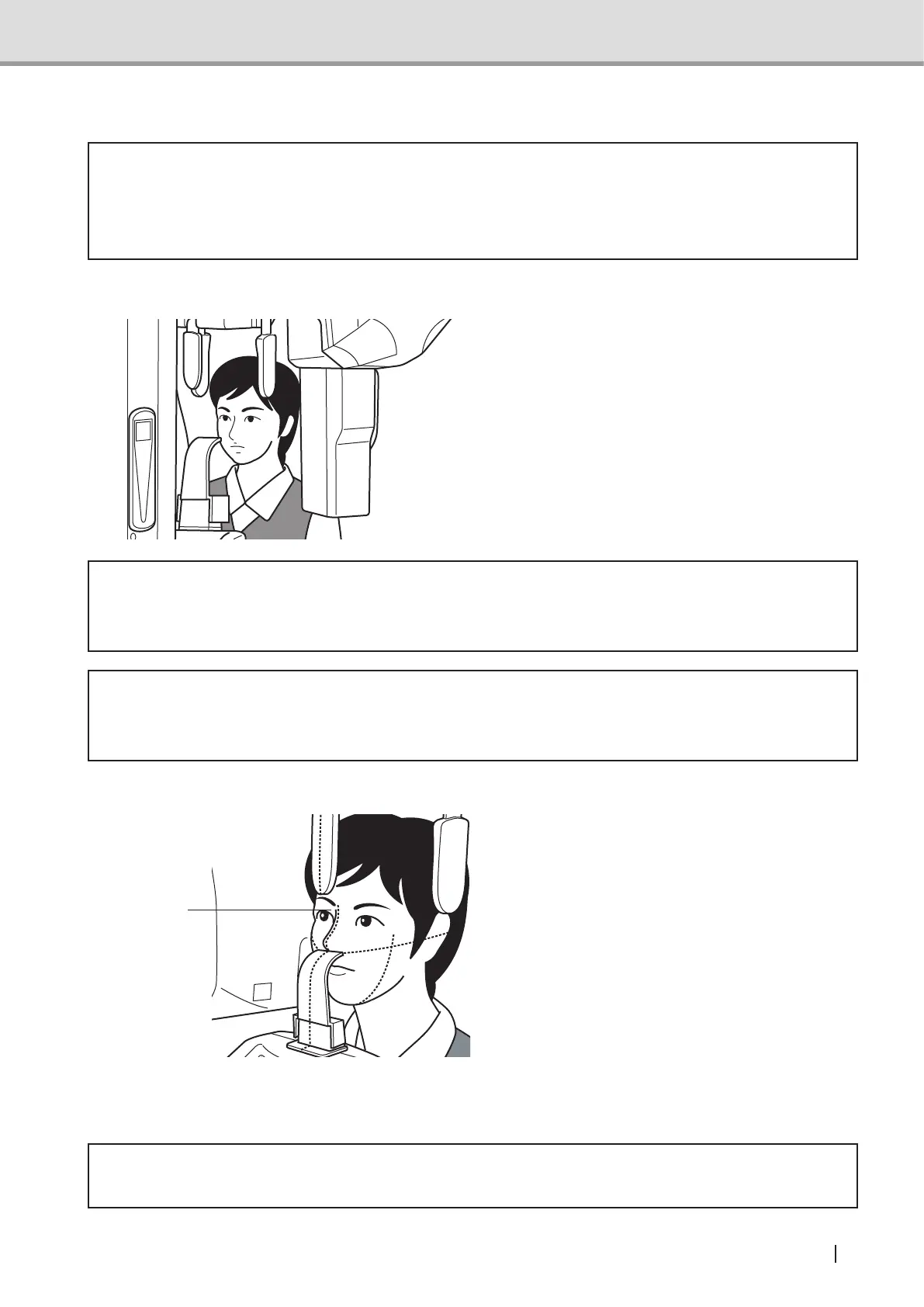
Adjusting the chin rest height
Set the chin rest at the height of the
patient’s jaw. Position the patient
inside the equipment and moves the
sliding mechanism up or down on the
control panel so that the TMJ adaptor
is positioned at the patient subnasal
point with the back straighten up. Then,
press the Beam switch to activate the
positioning beam.
* Warning
• Do not apply heavy load or shock on to the equipment, e.g. suspending from the chin
rest or handle. Failure to follow this instruction may cause damage to the equipment.
* Caution
• Be sure to press the correct switches, e.g. the Up or Down switch, for positioning,
otherwise, the patient may be injured.
Aligning the midsagittal vertical beam
After Position the patient inside the
equipment, press the Beam switch.
The rotating arm unit moves to the
positioning point and the positioning
beam activates.
Next, align the midsagittal vertical
beam to the patient’s midsagittal line.
Monitor the patient in the positioning
mirror to check that the beam is right on
the patient’s center line. (The correct
line runs through the middle between
the left and right incisors and the nose
ridge.)
* Caution
• Ask the patient not to look directly into the positioning laser beams.
midsagittal
vertical beam



 To Next Page