Before Using this Product
32
Operation Manual
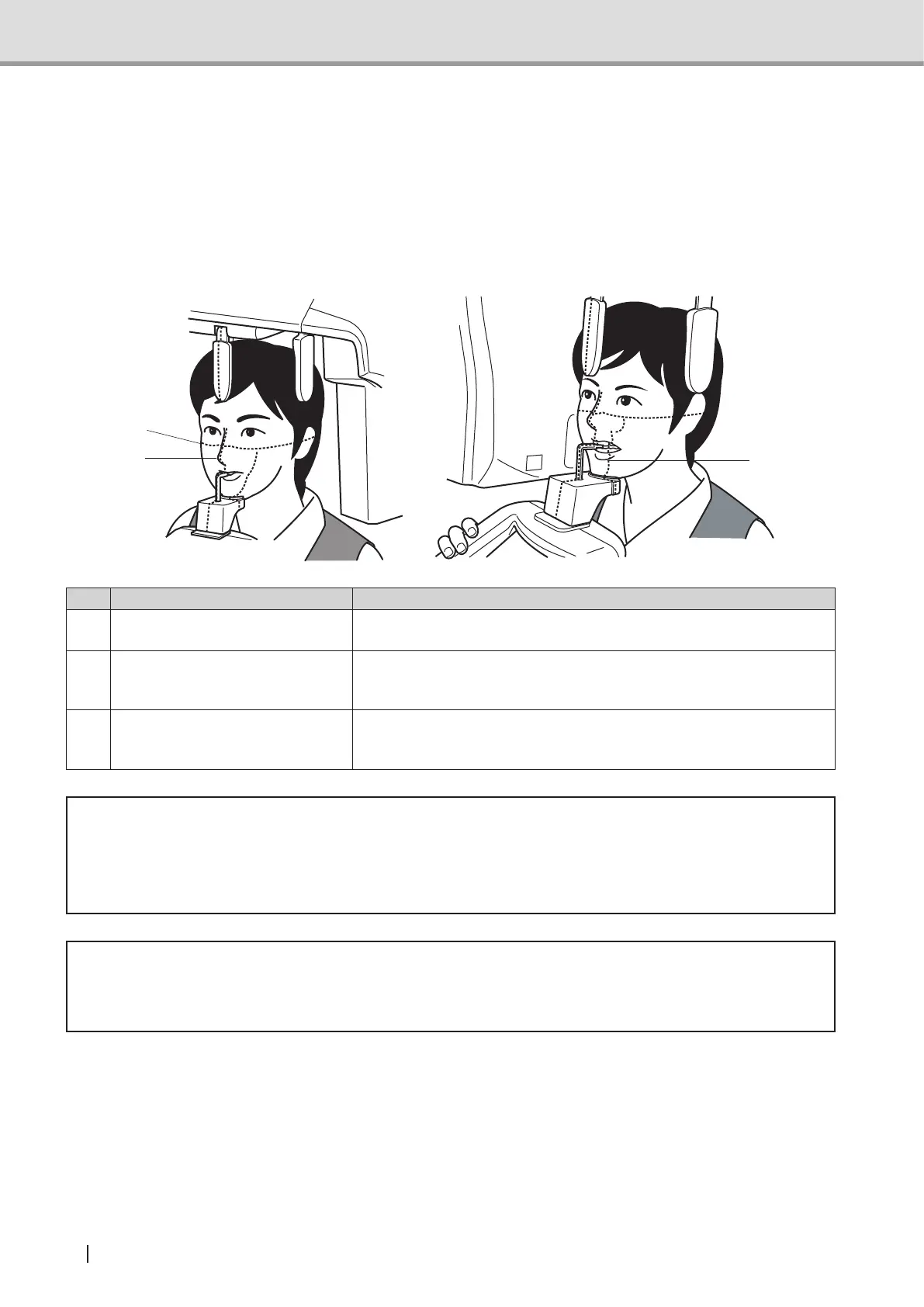
1.3.6 Positioning beams
Positioning for Panoramic Image Acquisition
Pressing any of the positioning beam switches activates its associated positioning beam (at
the same time, the arm unit moves to the positioning point). These positioning beams can be
used to make the patient’s head immovable at the position appropriate for image acquisition.
1
2
3
Name Function
1 Midsagittal vertical beam
Used to adjust any horizontally inclined patient's face by aligning to
the patient's midsagittal.
2 Frankfurt horizontal beam
Used to adjust any anteroposteriorly inclined patient's face by
aligning to the patient's reference face plane (Frankfurt or Camper
plane).
3 The canine beam
Used to adjust the patient's anterior tooth row and the X-ray
exposure point by aligning the beam to the tops of anterior tooth
roots (around the center of the mandibular third tooth).
* Warning
• Do not look directly into the positioning beam. The power output (Class 2) is at the level
which adverse effect on the eyes can be avoided by blinking. However, caution should
be taken for maximum safety.
* Caution
• Be careful not to direct the positioning laser beam into patient's eyes. And also, advise
the patient not to look directly into the beam.
Suppl. : The positioning beams automatically turns off approximately 60 seconds
after activation. If the positioning beams have turned off before positioning is
successfullynished,retrypressingthebeamswitchestoturnthepositioning
beams on.



 To Next Page