Before Using this Product
29
Operation Manual
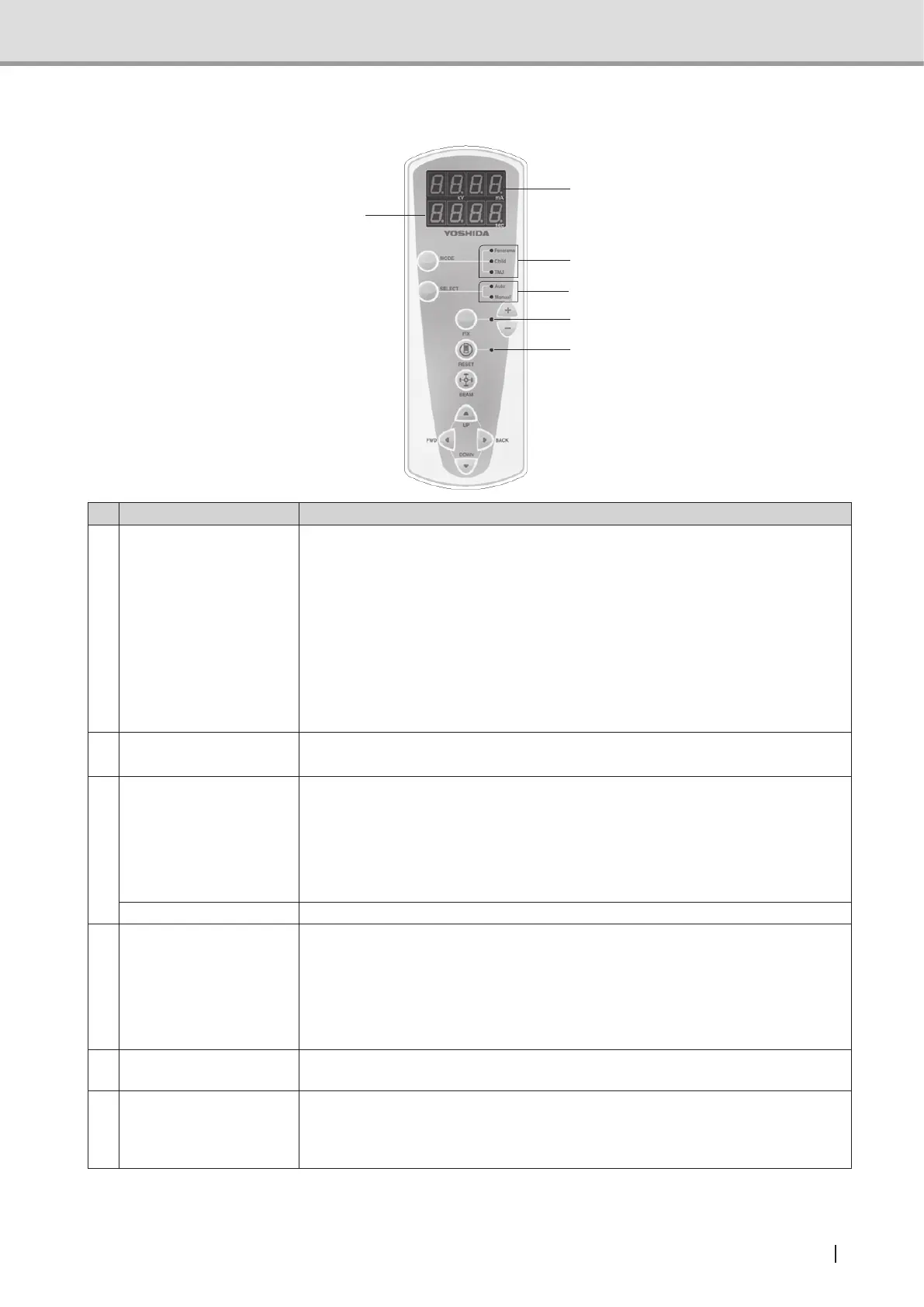
1.3.3 Names and functions of control panel switches and indicators (2)
4
5
6
1
2
3
Name Function
1 Exposure mode indicator Panoramic,
Partial Panoramic
: Panorama LED turns on, if selected.
Child panoramic : Child LED turns on, if selected.
TMJ : TMJ LED turns on if selected.
Single : Panorama LED, Child LED and TMJ LED turns on if
selected.
Cephalometric : Panorama LED, Child LED and TMJ LED turns on if
selected.
3D** : Panorama LED, Child LED and TMJ LED turns on if
selected.
2 Exposure status
indicator
AUTO : Auto LED turns on, if selected.
MANUAL : Manual LED turns on, if selected.
3 Tube voltage indicator Indicates the current setting for Tube voltage.
Single :Displays SnGL on Tube voltage and Tube current indicator.
Cephalometric * :Displays CEPH on Tube voltage and Tube current
indicator.
3D** : Displays 3d on Tube voltage and Tube current indicator.
Tube current indicator Indicates the current setting for Tube current.
4 Exposure time indicator Indicates the exposure time usually; the remaining time during image
acquisition; the remaining waiting time during cooling down.
Single : Displays SHot.
Cephalometric * : Displays PA/LA/CArP.
(PA:Cephalometric Posteroanterior, LA: Lateral, CArP: Carpus)
3D** : Displays orAL : dEnt. (orAL/3D Oral, dEnt: 3D Dental)
5 Fix LED FlashesduringmodicationtothevalueforTubevoltageorcurrent.Turnson
whenpressedtoconrmthemodication.
6 Reset LED Flashes while the equipment (e.g. the rotating arm) is operating; turns on
when it has returned to its reset point in each exposure mode; turns off when it
leaves the reset point. Flashes while the arm is moving to the positioning beam
exposure point; turns off when it has reached the point.
* For equipment with Cephalometric
** For equipment with 3D function



 To Next Page