Directions for Use
86
Operation Manual
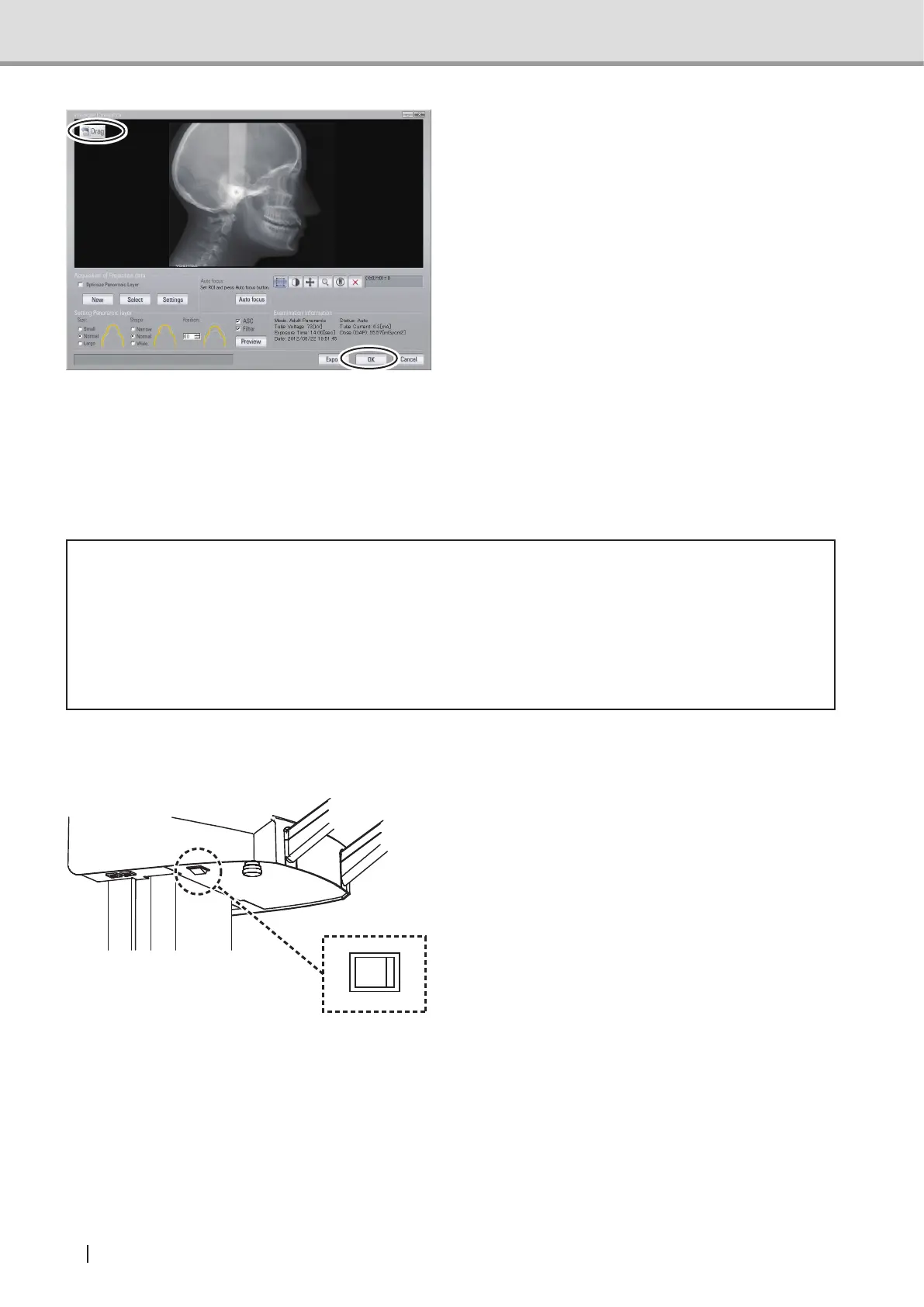
2 Click "OK" to transfer the image using
the TWAIN function. To transfer the
image using the "Drag & Drop" function,
drag the "Drag" button from the upper
left on the screen and drop it on the
displaywindowoftheViewer.
NOTE : Since a Cephalometric
image has been converted
into a two-dimensional
image, some errors may
be observed when a
measurement is taken on the
acquired image.
See also :For detailed operations of the
viewer, refer to the operation
manualoftheViewerinuse.
* Caution
• Malfunctions or erroneous operations such as unintended formatting on the hard disk
drive might render important data or programs inoperative. Use a backup program
etc. to copy the contents of the hard disk drive into an auxiliary storage device. Please
note that we are not liable for the loss of data because of a malfunction or erroneous
operation.
2.4.8 Turning Off the Equipment
Turn the power switch off (O) and make
sure the power indicator (green) is unlit.



 To Next Page