Directions for Use of X-era Smart ControlManager
105
Operation Manual
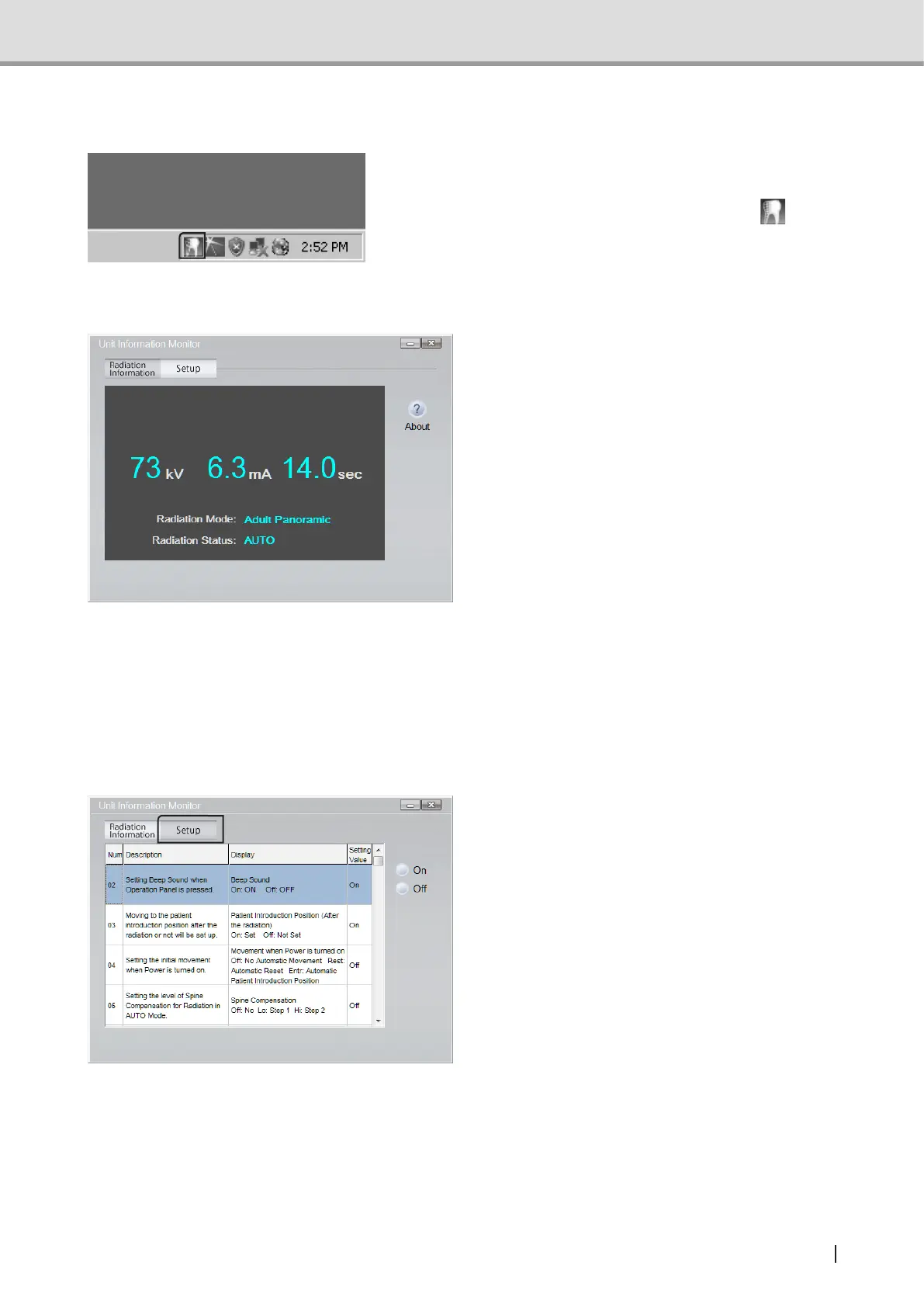
3.1 Starting up X-era Smart ControlManager
At the computer’s boot-up, ControlManager
automatically starts on the background.
While ControlManager is active,
is
displayed on the task tray.
3.2 Descriptions of Unit Information Monitor
Clicking “Radaition Information” brings up
“Unit Information Monitor”on the PC screen.
On the “Unit Information Monitor” screen,
these data will be indicated.
1 Tube voltage
2 Tube current
3 Exposure time
4 Exposure mode
5 Exposure status
3.3 Descriptions of “Setup” Screen
Software“X-eraSmartControlManager”canbeusedtocongureUserProgramModeon
the PC. For more information on program numbers and their descriptions, refer to "5 User
Program Mode" P.119.
1 Click “Setup”.
1 2
3
4
5



 To Next Page