QA (Quality Assurance)
189
Operation Manual
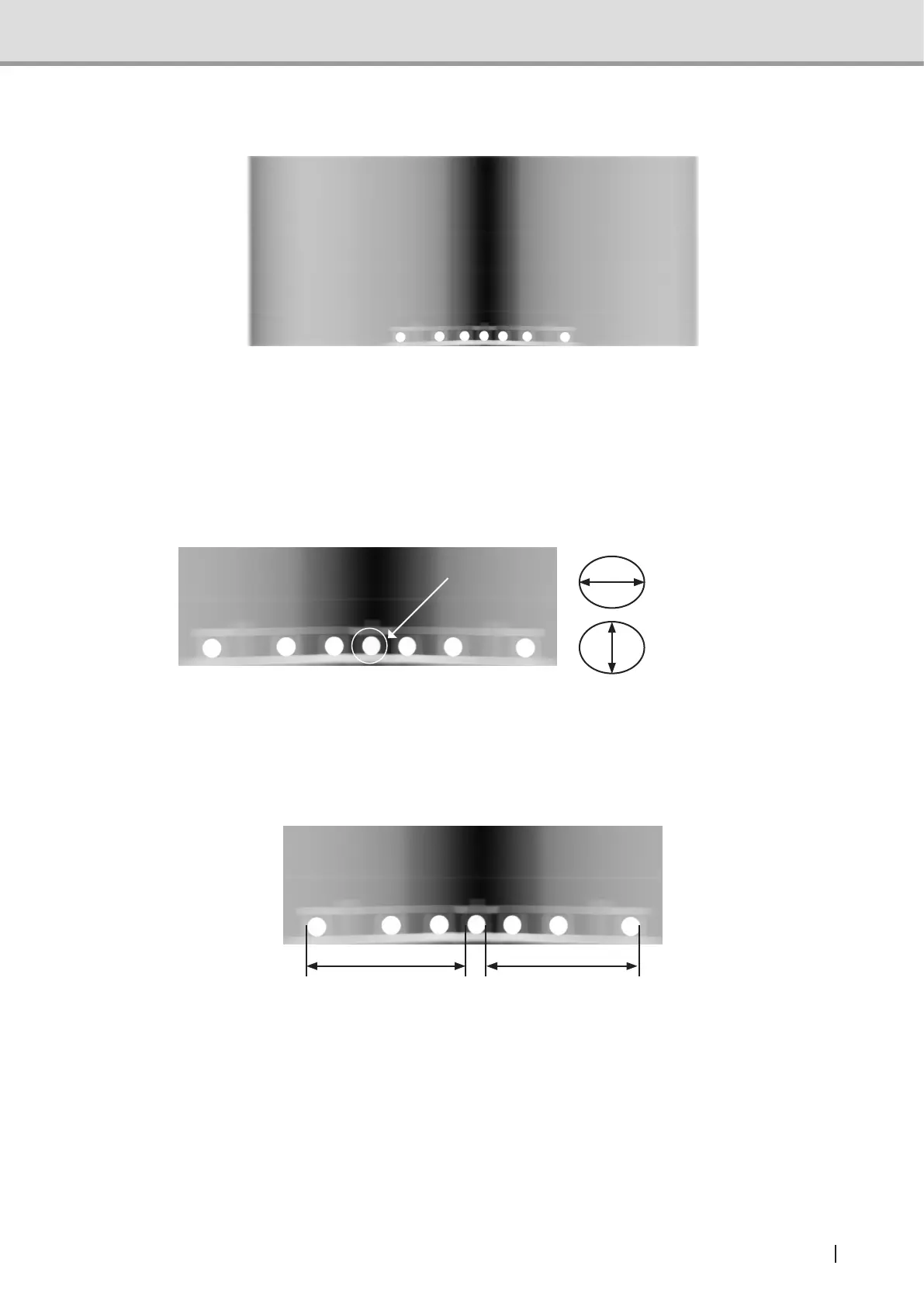
3 Check the following from the acquired panoramic images.
Suppl. : Set the tomographic orbital position to “0.0 “ in Image Creator, and check the
acquired image after the adjustment.
1. Check the circularity of the steel ball in the center.
Radius of the X-direction should be within ±9% of the radius of Y-direction.
X-direction
Y-direction
See also :Formeasurementfunctions,seetheViewermanual.
2. Check the distance from the steel ball in the center to the steel balls in the right/left
end.
For the measurement values A and B below, it should be | (A-B)/(A+B) |≦0.035.
A B
See also :Formeasurementfunctions,seetheViewermanual.



 To Next Page