Before Using this Product
27
Operation Manual
Name Function
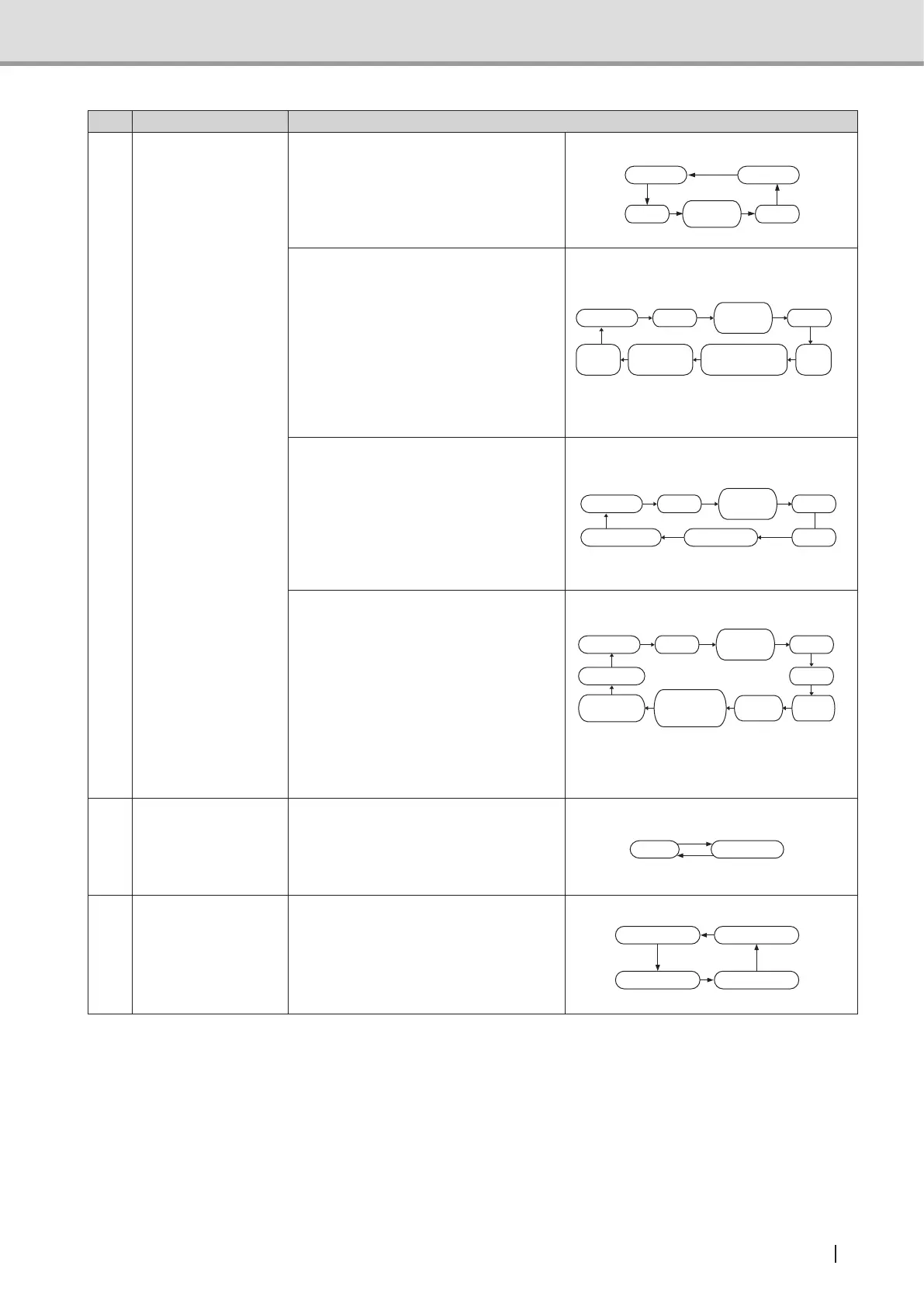
1 Mode switch
When pressed, switches between
"Panoramic", "Child","Partial
Panorama", "TMJ", and Single to
select any of these exposure modes.
The LED associated with selected
mode will go on.
Partial
Panorama
Panoramic
Single
TMJChild
* For equipment with Cephalometric,
it switched between "Panoramic",
"Child", "Partial Panorama",
"TMJ", "Single", "Cephalometric
Posteroanterior image",
"Cephalometric Lateral image" and
"Carpus image".
See also : "1.3.3 Names and functions
of control panel switches
and indicators (2)" P.29
Child
Single
TMJ
Cephalometric
Posteroanterior
Cephalometric
Lateralimage
Carpus
image
Partial
Panorama
Panoramic
*** For equipment with 3D function,
it switches between "Panoramic",
"Child", "Partial Panorama", "TMJ",
"Single", "3D Oral image" and "3D
Dental image".
See also : "1.3.3 Names and functions
of control panel switches
and indicators (2)" P.29
Child
TMJ
Partial
Panorama
Panoramic
3D Oral image3D Dental image
Single
*** For equipment with 3D function
and Cephalometric, it switches
between "Panoramic", "Child",
"Partial Panorama", "TMJ", "Single",
"3D Oral image", "3D Dental image"
"Cephalometric Posteroanterior
image", "Cephalometric Lateral image"
and "Carpus image".
See also : "1.3.3 Names and functions
of control panel switches
and indicators (2)" P.29
Child
TMJ
Partial
Panorama
Panoramic
3D Oral
image
3D Dental
image
Single
Cephalometric
Posteroanterior
image
Cephalometric
Lateral image
Carpus image
2 Select switch
Switches between "AUTO" and
"MANUAL". In the MANUAL status,
values for "Tube voltage", "Tube
current", and "Exposure time" may be
specied.
ManualAuto
3 Fix switch
Used in the Manual Mode. When this
switchispressedafter"TubeVoltage",
"Tube Current" or "Exposure Time" is
entered, the value will be set. When
"ExposureTime"isconrmed,various
settingswillalsobeconrmed.
Shifting to new setting
for tube current
Shifting to new setting
for tube voltage
Settings confirmed
Shifting to new setting
for exposure time
* For equipment with Cephalometric
** For equipment with 3D function
*** For equipment with 3D function and Cephalometric



 To Next Page