Before Using this Product
36
Operation Manual
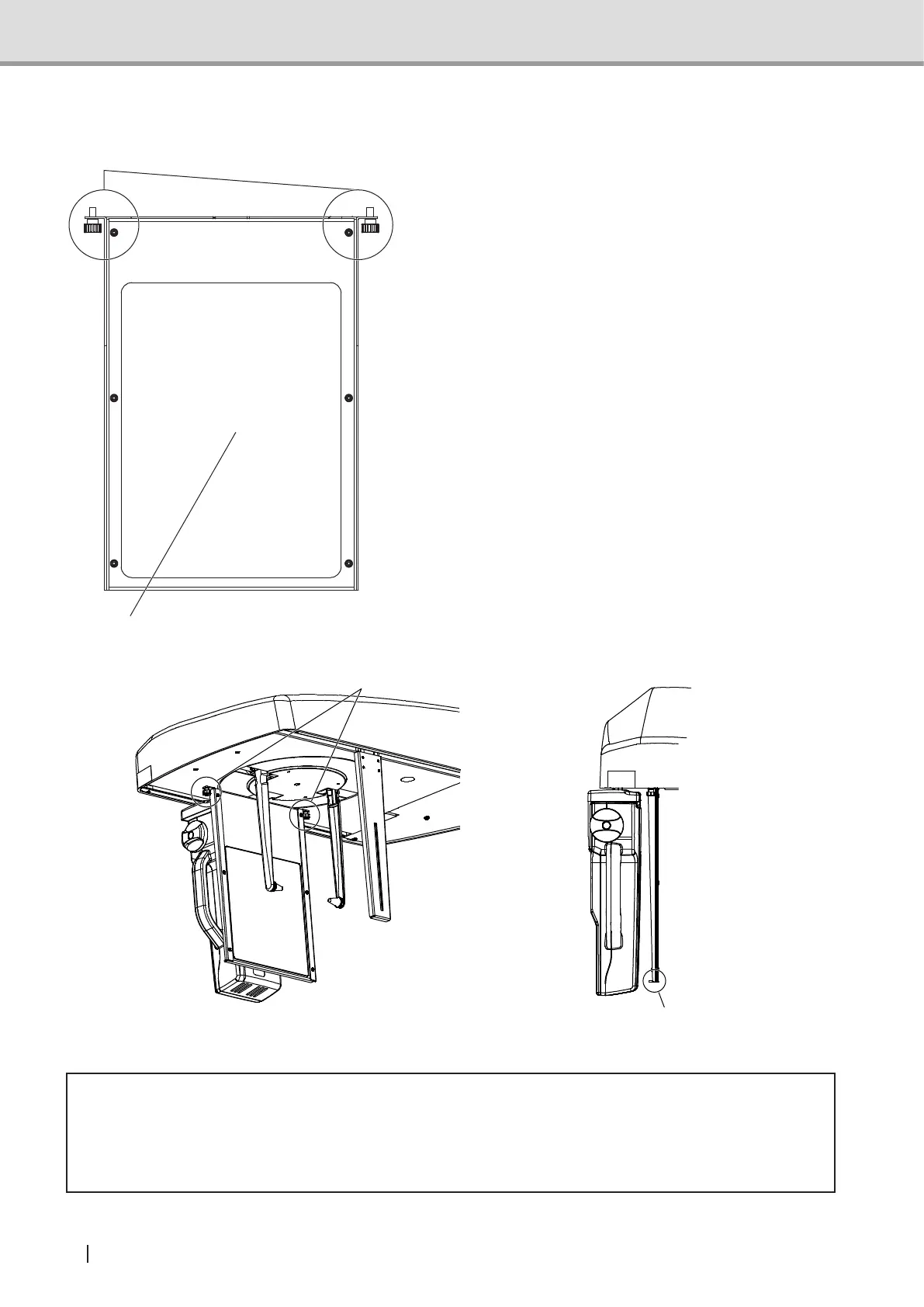
Carpus support
When acquiring carpus images, attach the carpus
support to the cephalometric main unit.
Attach the carpus support by fastening the screws
into the screw holes on the cephalometric main unit.
Carpus Support edge
Carpus Support Attaching Screw Holes
* Caution
• Make sure that the edge of the Carpus support is facing the sensor when attaching (as
shown in the picture above). If faces the other way, patient may get injured by the edge.
• When acquiring images, ask the patient not to apply load to the carpus support.
Carpus Support Attaching Screws
Carpus Support



 To Next Page