135
Setting up and aligning
3.6 Installing control unit
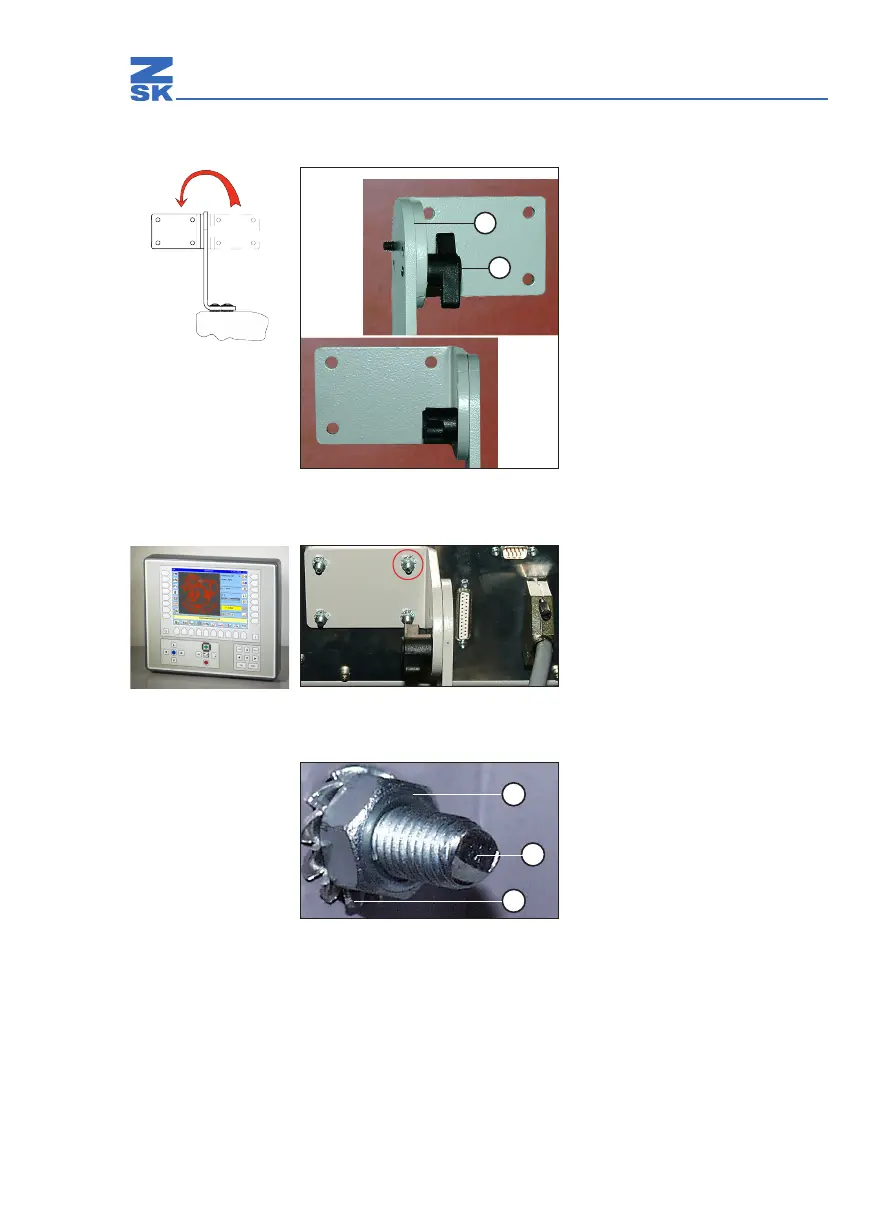
Slacken o and remove screw (2).
Rotate top holder bracket (1) through
180º.
Insert screw (2) and make hand tight.
Abb. 23: Holder in transit position
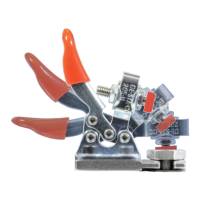
Attach the control unit by inserting the
threaded pins on the rear panel into the
appropriate holes in the holder.
Abb. 24: Rear of control unit
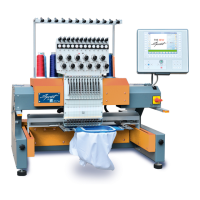
Place serrated lock washers (3) on
threaded pins (2).
Tighten nuts (1).
Abb. 25: Rear of control unit
1
2
1
2
3


 To Next Page